Chapter 2: Hardware Information
2-2
2.1 Chassis cover
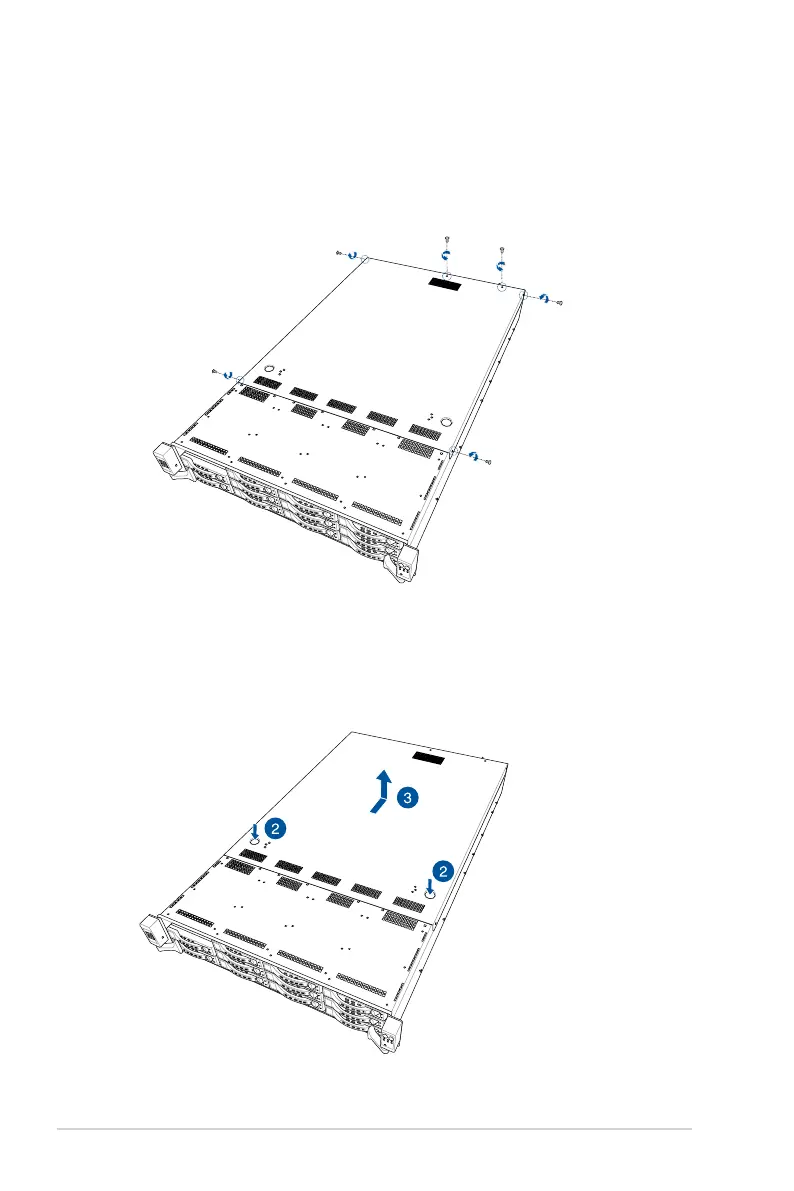
2. Push and hold the cover buttons down, then slide the rear cover towards the rear to
disengage it from the chassis.
3. Lift the rear cover to completely remove it from the chassis.
1. Remove the six (6) screws on the rear cover with a Phillips screwdriver.
Removing the rear cover
To remove the rear cover:














 To Next Page