Chapter 2: Hardware Information
2-32
2.5.5 Replacing the ASUS PIKE II card
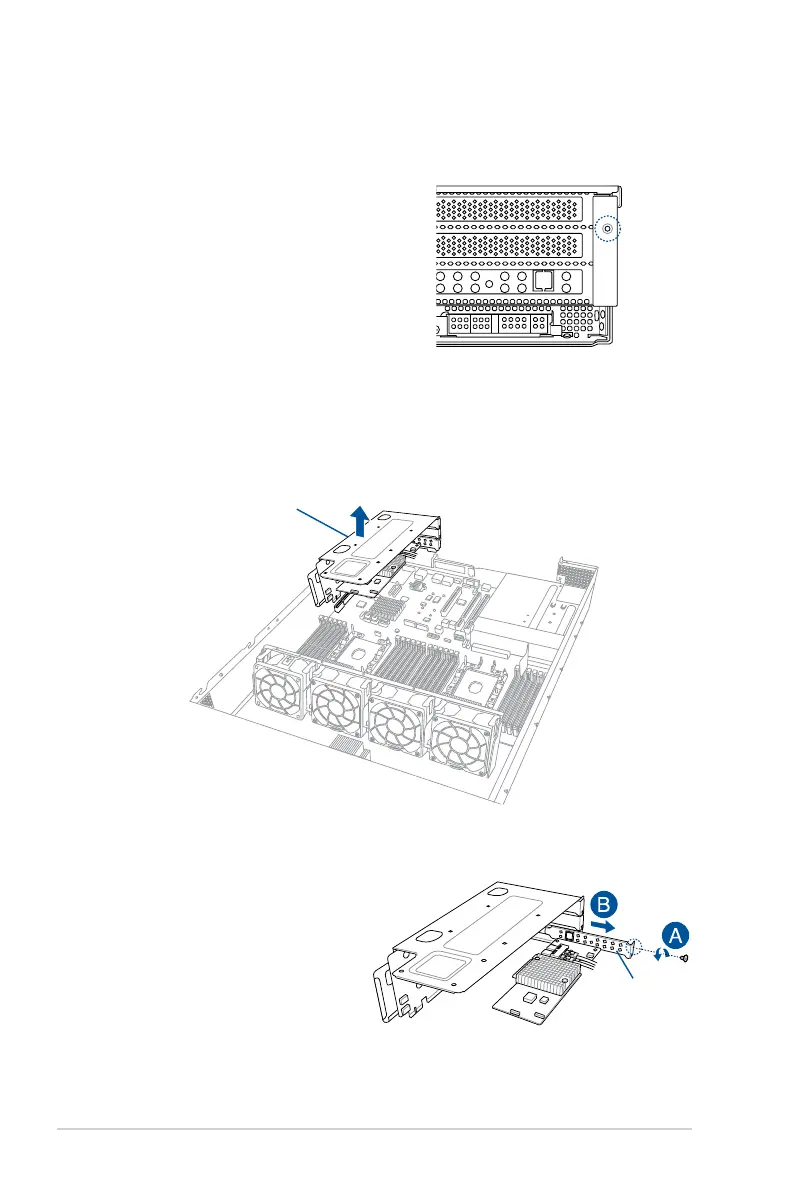
To replace the pre-installed ASUS PIKE II card on the riser card bracket 1:
2. Firmly hold the riser card bracket 1, then pull it up to detach it from the PCIE1 slot on
the motherboard.
1. Remove the screw that secures
the riser card bracket 1 to the
chassis.
3. Remove the screw from the
metal cover (A), then remove the
ASUS PIKE II card (B) from the
riser card bracket 1.
Metal cover
Riser card bracket 1














 To Next Page