2-33
ASUS RS720-E9 Series
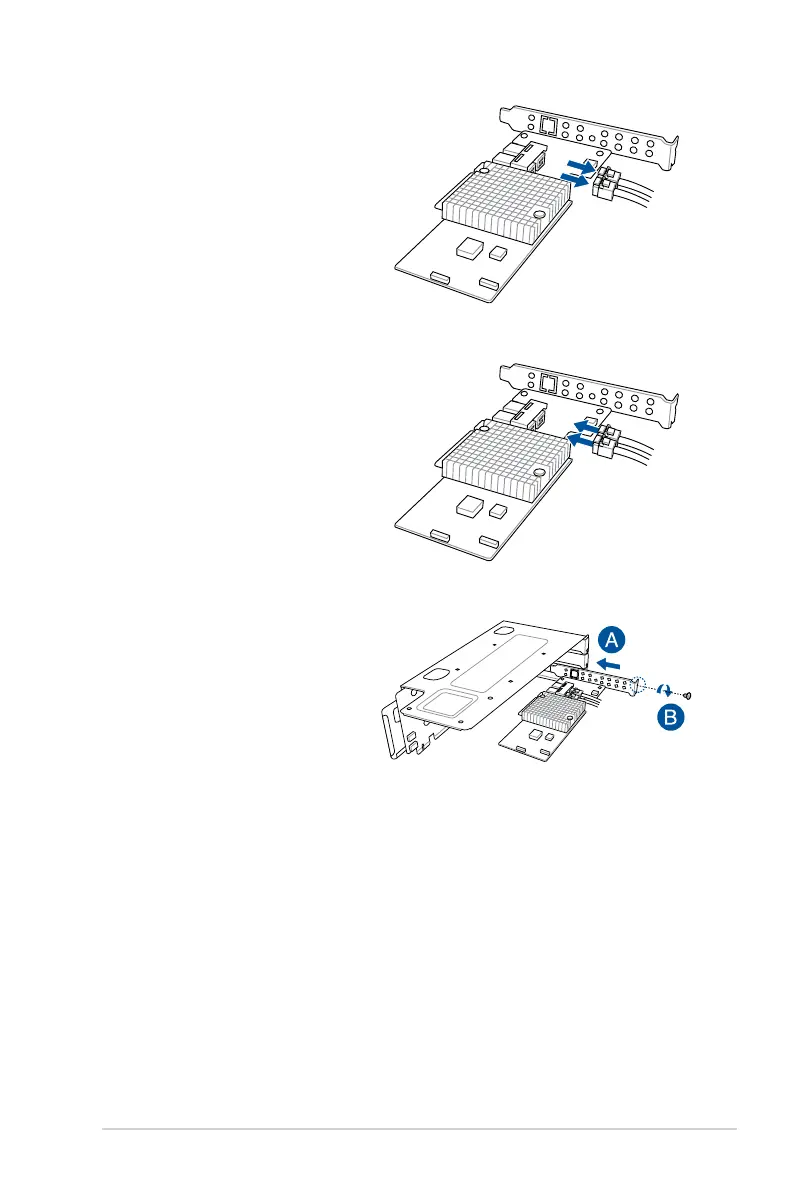
5. Prepare the replacement ASUS
PIKE II card.
6. Reconnect the default cable to
the replacement ASUS PIKE II
card.
4. Remove the default cable from
the ASUS PIKE II card.
7. Install the replacement ASUS
PIKE II card into the riser card
bracket 1 (A), then secure it with
the screw (B).














 To Next Page