2-29
ASUS RS720-E9 Series
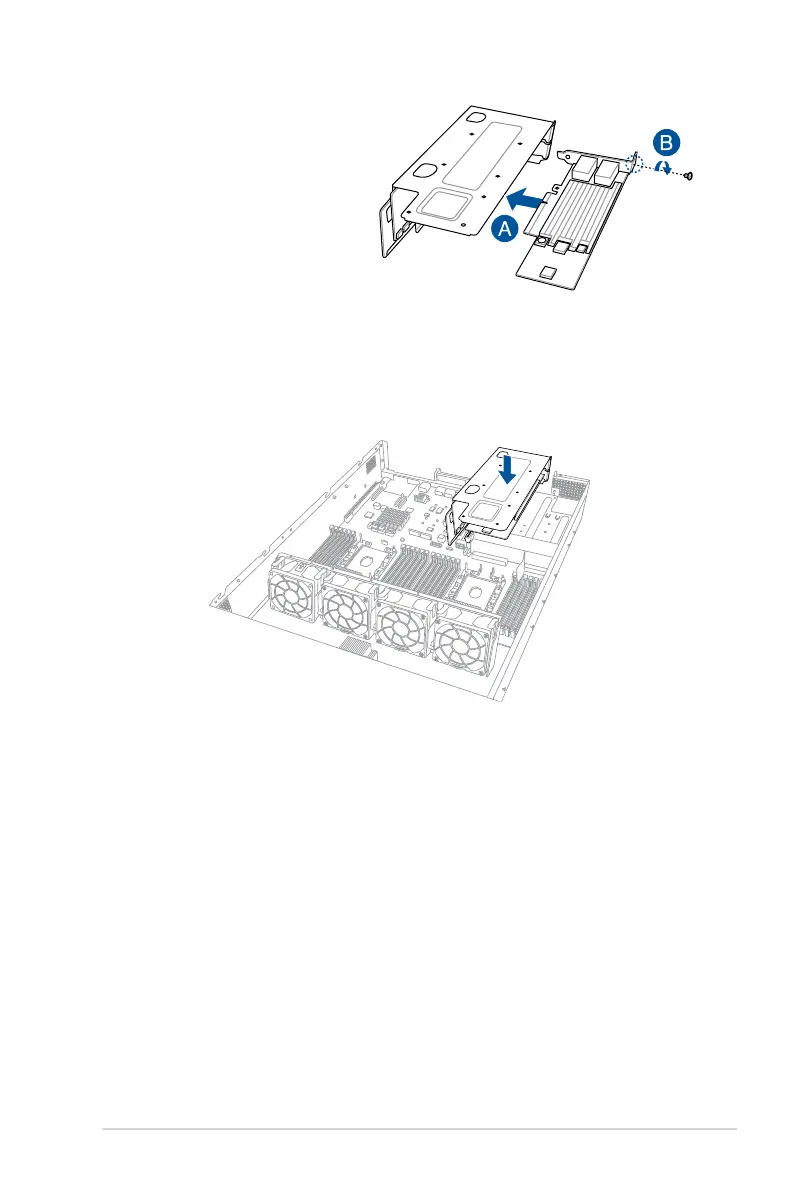
4. Install the PCIE expansion card
into the riser card bracket 3 (A),
then secure the expansion card
with the screw (B).
5. Install the riser card bracket 3 and the PCIE expansion card assembly into the PCIE4
slot on the motherboard. Ensure that the golden connectors of the riser card bracket 3
isrmlyseatedinplace.
6. Secure the riser card bracket 3 to the chassis with the screws removed in step 1.














 To Next Page