33
Getting Started 3
Microsoft Windows Keys
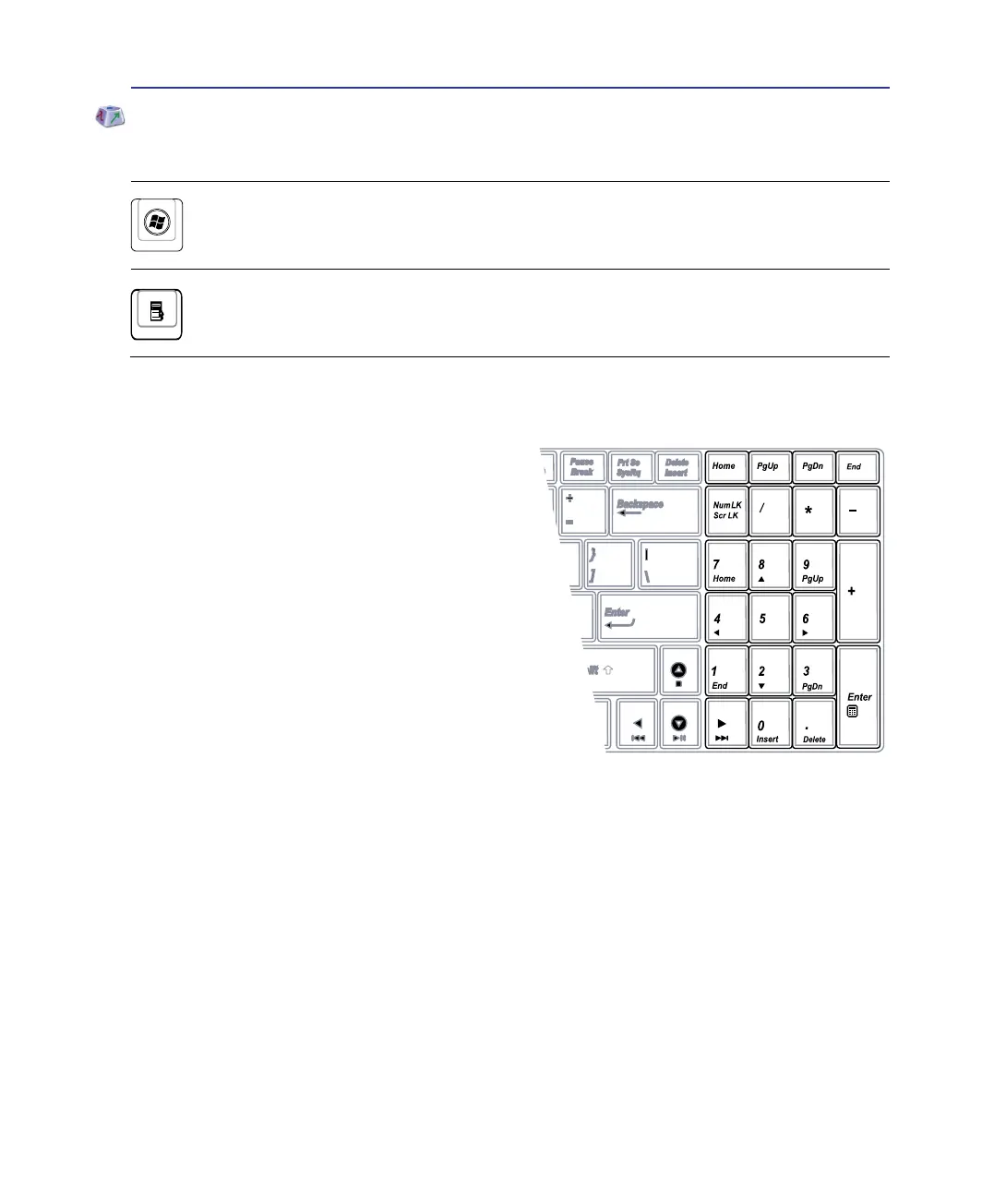
There are two special Windows keys on the keyboard as described below.
The key with the Windows Logo activates the Start menu located at the bottom left of the
Windows desktop.
The other key, that looks like a Windows menu with a small pointer, activates the properties
menu and is equivalent to pressing the right mouse button on a Windows object.
Extended Keyboard
An extended keyboard is available on selected models.
The extended keyboard has a dedicated numeric
keypad for easy number entry. Use [Num Lk / Scr
Lk] to toggle between using the extended keypad as
numbers or as pointer directions. The pointer direction
keys are for navigation between elds or cells such as
those in a spreadsheet or table.


 To Next Page