9
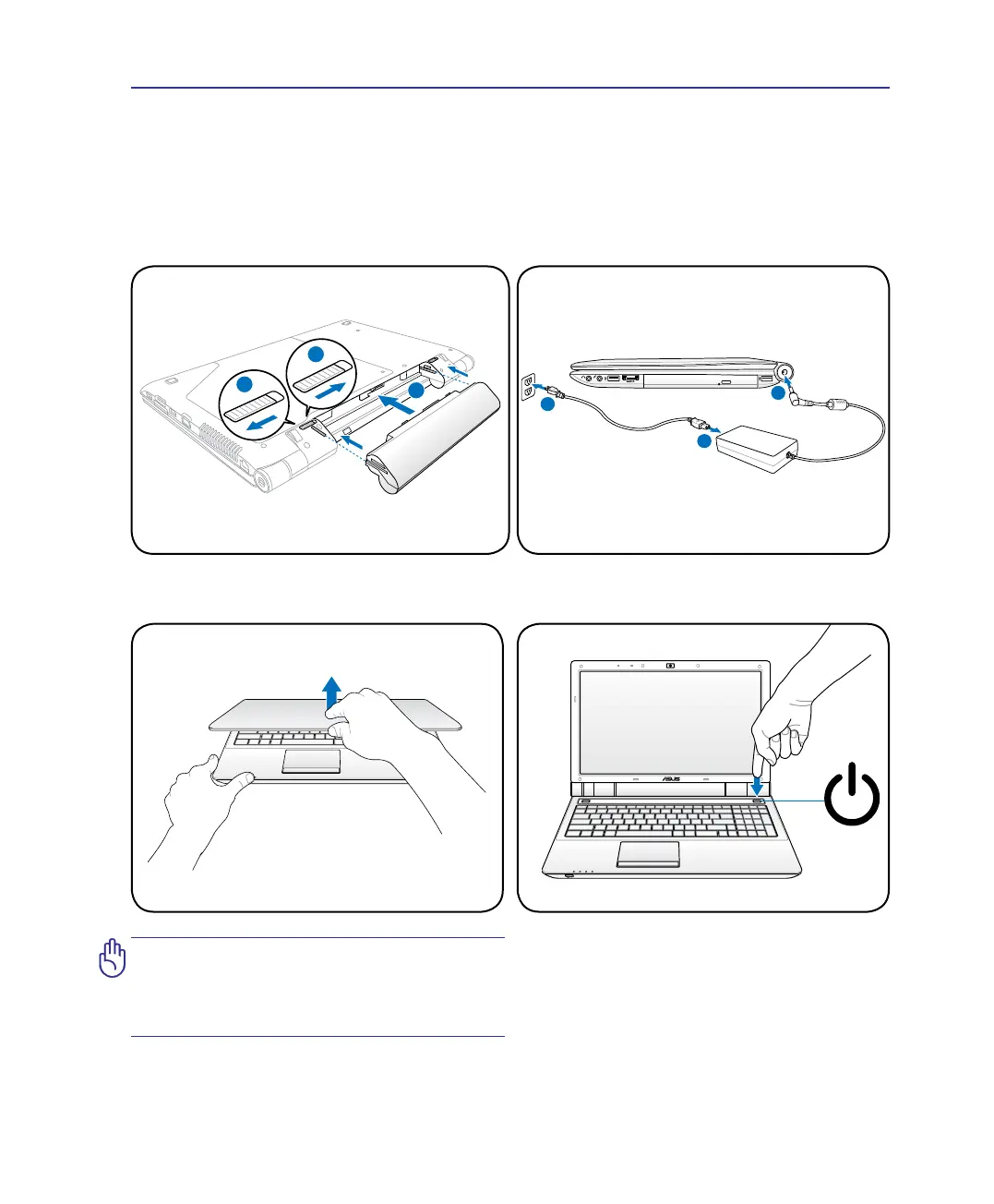
Preparing your Notebook PC
These are only quick instructions for using your Notebook PC. Read the later pages for detailed
information on using your Notebook PC.
1. Install the battery pack
2. Connect the AC Power Adapter
IMPORTANT! When opening, DO NOT
force the display panel down to the table
or else the hinges may break! Never lift
the Notebook PC by the display panel!
3. Open the Display Panel 4. Turn ON the Notebook PC
The power switch turns ON and OFF the
Notebook PC or putting the Notebook PC into
sleep or hibernation modes. Actual behavior of
the power switch can be customized in Windows
Control Panel > Power Options > System
Settings.
Introducing the Notebook PC 1


 To Next Page