41
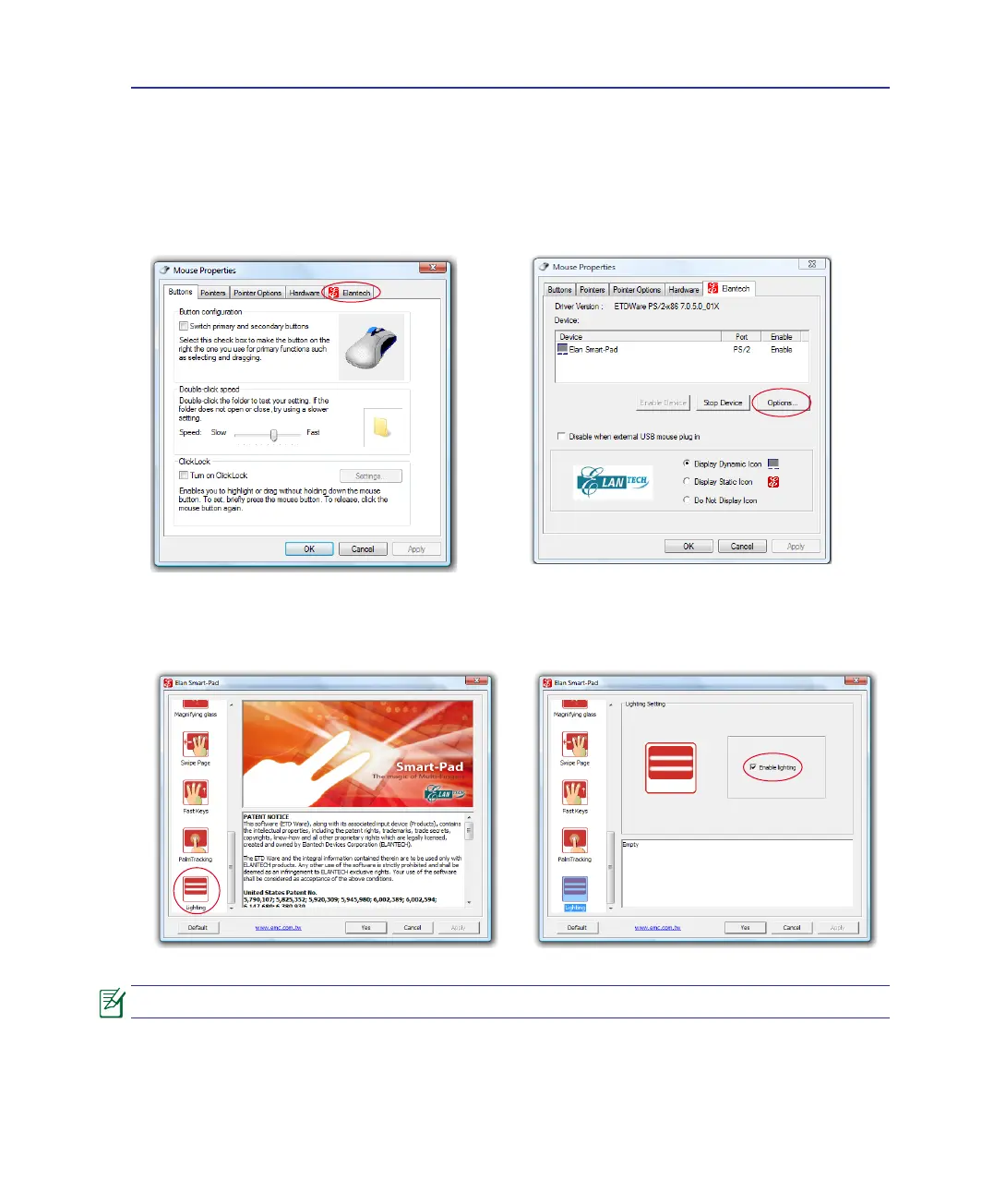
Dimming the Touchpad
To dim the illuminate interactive touchpad:
1. Double-click the Elantech Smart-Pad icon in
the Windows notication area and click
Elantech.
2. Click Options.
3. Move the pointer to the left pane and scroll
down. Click Lighting.
4. Unclick Enable lighting and click Yes.
The touchpad will not light after you disable the touchpad function ([Fn]+[F9]).
Using the Notebook PC 4


 To Next Page