40
4 Using the Notebook PC
Multi-nger gesture input
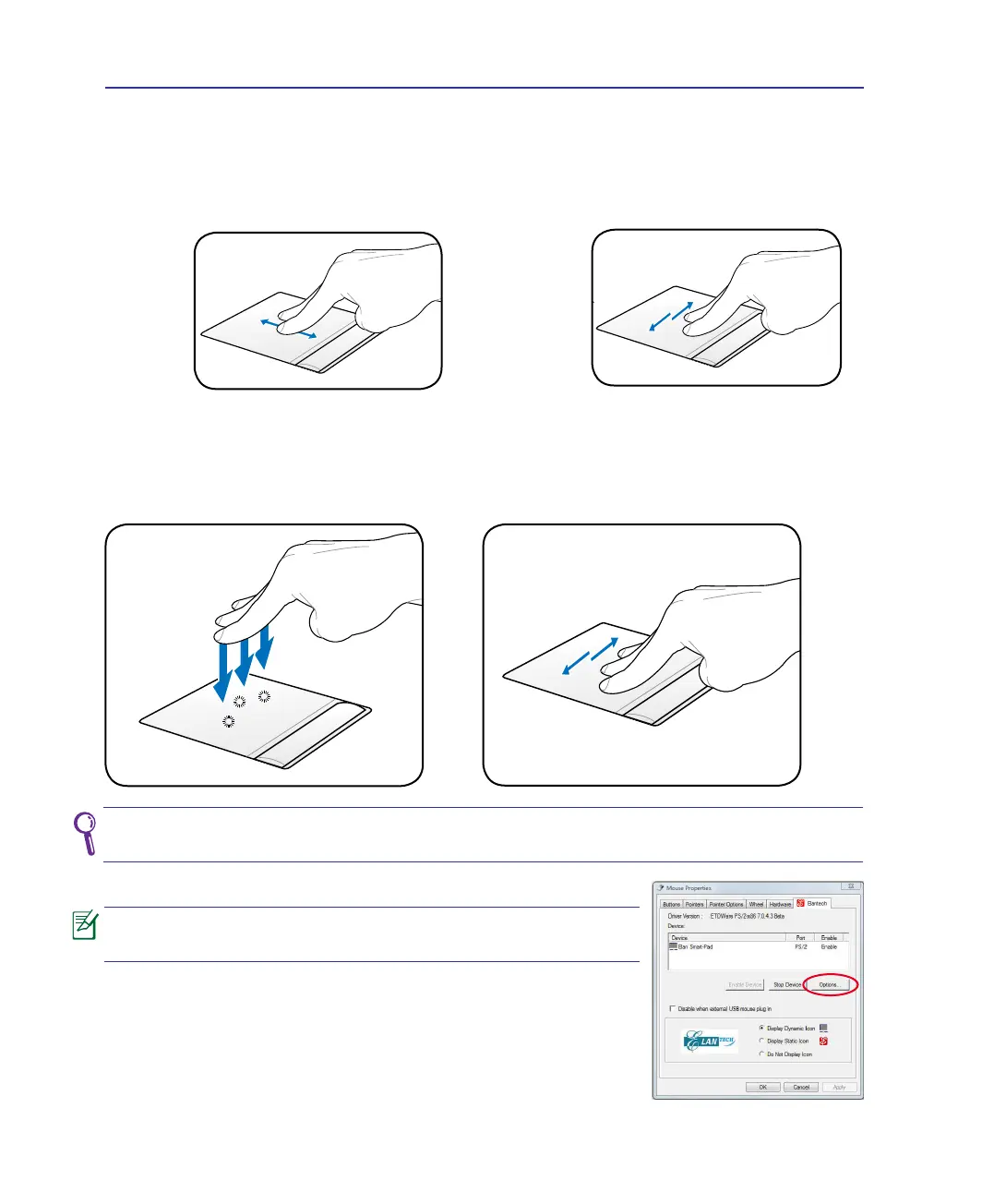
Two-nger scrolling - Use two ngertips to slide up/down/left/right on the touchpad to scroll a
window up/down/left/right. If your display window includes several sub-windows, move the pointer
on that pane before scrolling.
Scrolling
vertically
Scrolling
horizontally
Three-nger tapping - Use three ngers to tap
the touchpad. This action mimics the right-click
function of a mouse.
Customize the touchpad’s behavior in Windows Control
Panel > Mouse Properties > Elantech > Options....
Three-nger swiping pages - Use three ngers to
move horizontally on the touchpad to swipe pages.
Swipe from left to the right to view the next page
or right to the left to return to the previous pages.
To perform the multi-nger gesture inputs smoothly, keep the distance between
your ngertips as wide as half a nger.


 To Next Page