A-4
A Appendix
Bluetooth Mouse Setup (optional)
This process can be used to add most Bluetooth devices in Windows operating system.
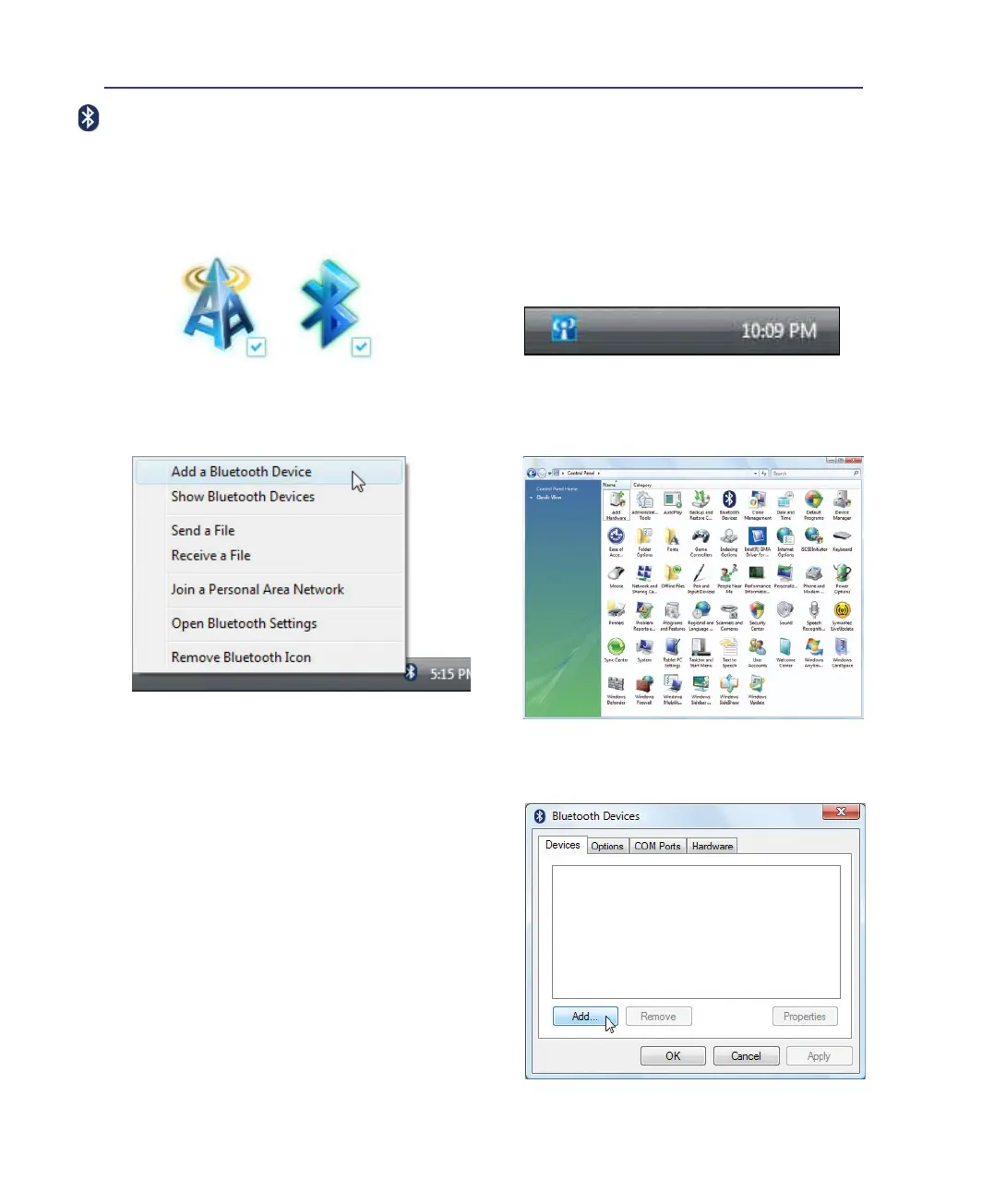
3. Select Add a Bluetooth Device on the taskbar
menu.
3c. If launched from the Control Panel, click
Add
from this screen.
1. Switch ON the Wireless function if necessary for your model (see switches in Section 3).
3b. Or Launch Bluetooth Devices
from the
Windows Control Panel.
2b. Or double click the Wireless Console icon on
the Windows notication area and select the
bluetooth icon.
2. Press [FN+F2] repeatedly until wireless
LAN icon and bluetooth icon are shown.


 To Next Page