A-5
Appendix A
“RESET” may be necessary after changing batteries. Repeat steps if necessary.
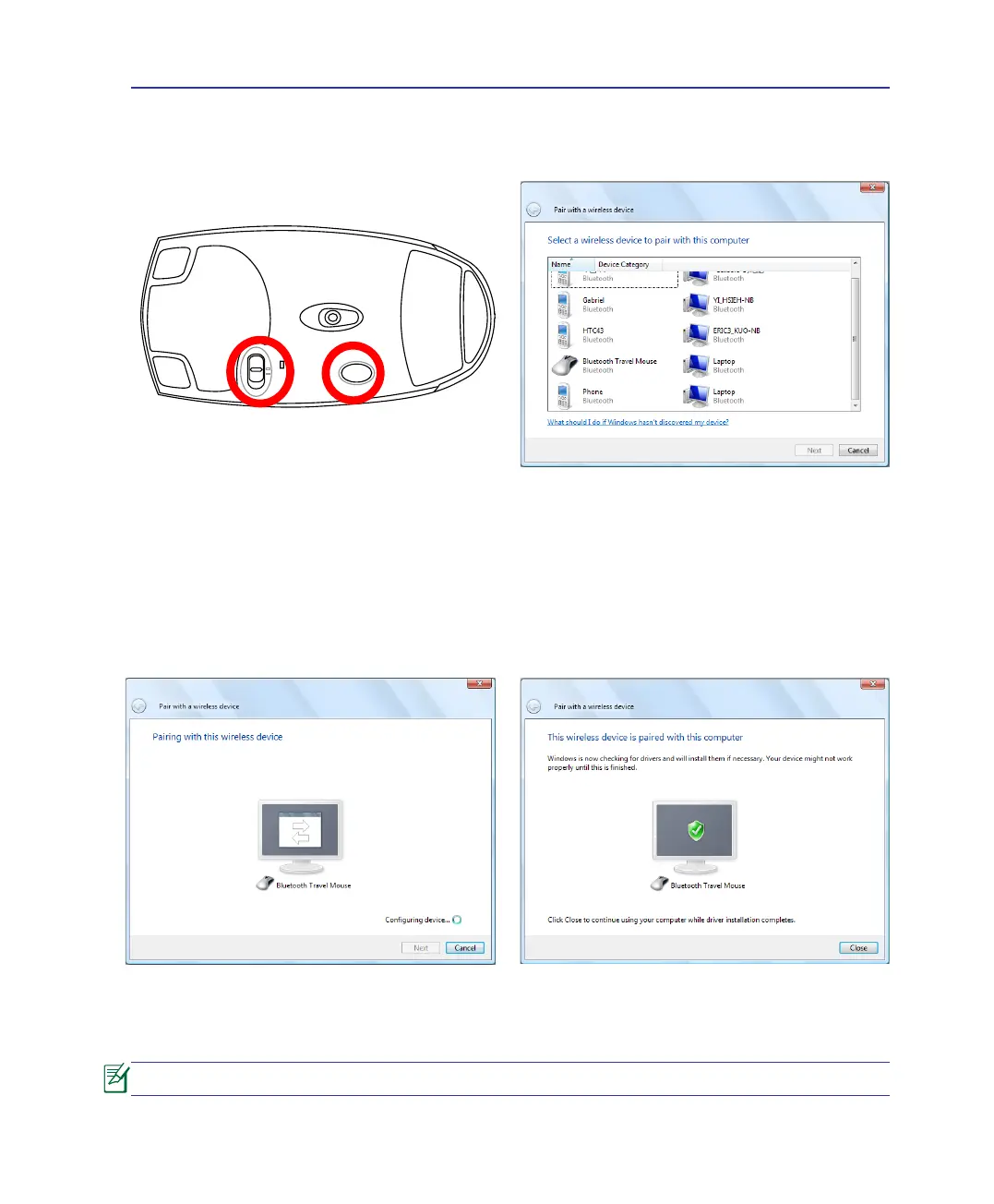
5. Select Bluetooth Mouse and click Next to
continue.
6. The pairing starts.
7. The Bluetooth mouse has been successfully
paired with the Notebook PC. Click Close to
nish the setup.
4. Prepare the Bluetooth mouse.
• Install two “AA” batteries.
• Turn ON the power switch on the bottom of
the mouse. The bottom sensor should glow
red.
• Push the “RESET” button on the bottom of
the Bluetooth mouse.


 To Next Page