EasyManua.ls Logo

AT&T PagePac Plus - User Manual

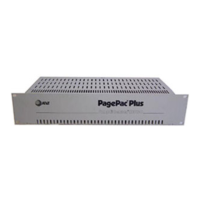
AT&T PagePac Plus
61 pages
Print Icon
To Next Page IconTo Next Page
Loading...
463-248-201
Issue 1
3/1/93
PagePac Plus Controller
Installation and Use

Questions and Answers

  • E
    Emily ReedAug 19, 2025
    Why is the 'Phone System Enabled' LED not lit on my AT&T PagePac Plus?
    • M
      Michelle RobinsonAug 19, 2025
      If the 'Phone System Enabled' LED is not lit when the host system attempts to access the AT&T PagePac Plus Controller, verify that the Telephone Mode Selection Switch is in the correct position for your setup. Also, check all connections to J4 on the PagePac Plus Controller.
  • D
    David PriceAug 21, 2025
    What to do if the AT&T Amplicenter has distorted sound?
    • D
      Douglas MerrittAug 21, 2025
      If you are experiencing distorted, garbled, or raspy sound from all speakers connected to the AT&T Amplicenter, the Amplicenter might have failed and require repair. Other potential issues include a music input level that is too high (turn it down), shorted speaker leads (separate them), or a speaker transformer that has failed to a short (replace it).
  • B
    Brian BennettAug 23, 2025
    Why is night bell not working on AT&T PagePac Plus Controller?
    • M
      michael82Aug 23, 2025
      If the AT&T Controller's Night Bell isn't activating with a Ring voltage, ensure the input voltage level is adequate (50V or greater). Verify the input connections are correctly placed on pins 5 and 6 of J3. Also, check for any higher priority functions active in the PagePac Plus Controller.
  • K
    Karen JordanAug 26, 2025
    What to do if no music is heard on AT&T Controller?
    • J
      Jeff PowellAug 26, 2025
      If you are not hearing music when a source is connected to the input on your AT&T Controller, verify the volume control level. Also, check the input and output connections. Finally, check the programming options to confirm that music has been enabled for the relevant zone(s). A higher priority in the PagePac Plus Controller might also be active.
  • S
    smithdestinyAug 28, 2025
    Why is music volume low on AT&T PagePac Amplicenter?
    • J
      Justin HarringtonAug 28, 2025
      If the music volume is low, even when the volume control on the AT&T PagePac Amplicenter is set to maximum, check the DTMF volume control level within the PagePac Amplicenter. Also, check the speaker tap settings.
  • K
    Kevin JonesAug 30, 2025
    How to fix AT&T Controller's 'contact closure input'?
    • J
      jasmine45Aug 30, 2025
      If the AT&T Controller's 'contact closure input' zone isn't working, start by checking the connections to the zone selected as the input zone. Ensure the zone option switch is in the middle position. Use an ohmmeter to verify the host equipment provides a contact closure. Also, check the programming options for the correct settings. A higher priority in the PagePac Plus Controller might also be active.
  • D
    Devin BlakeSep 1, 2025
    How to stop relay chatter on AT&T PagePac Plus Controller?
    • K
      kenneth19Sep 1, 2025
      If experiencing relay chatter when Tip and Ring are connected to the AT&T PagePac Plus Controller, verify that the Telephone Mode Selection Switch is in the correct position for the application.
  • W
    William RyanSep 4, 2025
    How to turn off Page Access LED on AT&T PagePac Plus Controller?
    • B
      Brandon GibsonSep 4, 2025
      If the AT&T Controller's Page Access LED remains on, the Page VOX may be too sensitive; try adjusting it. If using Loop start and Ground start, verify that only two wires (tip and ring) are connected by the modular plug cord, ensuring the C1 lead isn't inadvertently grounded.
  • C
    Christopher SmithSep 6, 2025
    Why is talk-back not working on AT&T Amplicenter?
    • M
      Maria SmithSep 6, 2025
      If the talk-back feature on your AT&T PagePac Plus Amplicenter isn't working, check that the zone option switch is in the 70-volt position and verify the programming options have the correct settings. Also, make sure the Telephone Mode Selection Switch on the PagePac Plus Amplicenter is set to Dry Loop, 600 Ohm Mode.
  • J
    Jacqueline HernandezSep 8, 2025
    What to do if the AT&T Controller power LED is off?
    • M
      Marcia OconnellSep 8, 2025
      If the AT&T Controller's power LED is off, first, verify that the power cord is securely connected at both ends. Then, use a voltmeter to check for AC voltage at the wall outlet. If power is present and the LED remains off, the controller may be defective and require repair.

Summary

Overview

About This Guide

Provides a summary of PagePac Plus controller features, system components, and auxiliary equipment.

Installation Steps

Step-by-step guide for determining features, verifying diagrams, pulling cables, and mounting.

Features and Capabilities

Provides an overview of PagePac Plus system features and additional application capabilities.

Specifications

Details controller specifications including capacities, dimensions, electrical, temperature, and environmental factors.

Hardware Configuration

Power

Explains power source for the PagePac Plus controller and zone expansion units.

Mounting

Details mounting options for the PagePac Plus components in cabinets, racks, or walls.

Controls, Indicators, Switches and Connectors

Describes front and rear panel LED indicators and available connectors on the controller.

Auxiliary Equipment

Lists compatible peripheral products and speakers for the PagePac Plus Controller.

Installing the Hardware

Important Safety Information

Provides essential safety precautions for using and installing the PagePac Plus system.

Example System Setup

Illustrates three system configurations: 70 Volt, Controller, and Hybrid.

Paging Zone Connections

Details zone connector capabilities and mode function slide switch settings for zone operation.

Switch Settings

Explains DIP switch settings for zone expansion units to determine hardware configuration.

Testing System

Provides steps for testing each zone after wiring and connection.

Maintenance and Customer Support

In Case of Difficulty

Offers guidance on troubleshooting and contacting customer support for system issues.

Common Problems

Lists common issues encountered when the paging system is not operating correctly.

Troubleshooting

Provides a table of problems, causes, and corrective actions for system issues.

FCC Statement;Registration and Warranty Information

FCC Statement (Part 68)

Details component registration for the controller with the FCC and usage guidelines.

Radio Frequency Interference

Addresses radio frequency interference and compliance with FCC Part 15 regulations.

Warranty Information

Outlines the limited warranty and limitation of liability for the AT&T product.

AT&T PagePac Plus Specifications

General IconGeneral
ManufacturerAT&T
ModelPagePac Plus
Frequency RangeVHF/UHF (Specific frequencies depend on model and configuration)
ChannelsMultiple (Configurable)
Power SupplyAC Power
DimensionsVaries depending on configuration
WeightVaries depending on configuration
Protocols SupportedPOCSAG

Related product manuals