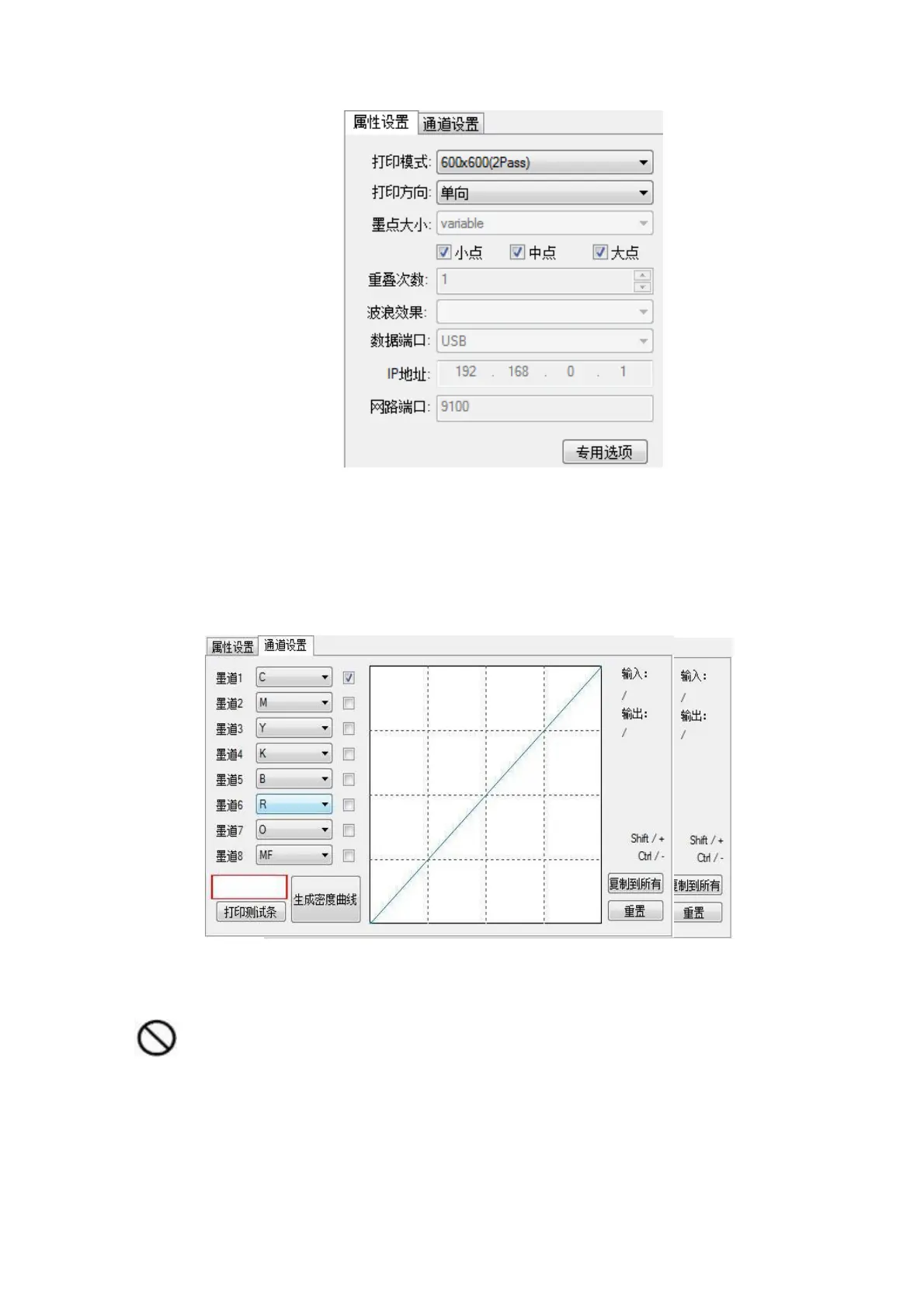
Figure 4-13 Attribute Setting
4. Channel Settings: Select the order of the ink tracks and save them. (The order of this ink path should be the same
as the order of outputting the pure ink color card). You can click the “Print Test Strip” button to print the color of
each channel, and then input it in turn. The color on the “12345678” font is the corresponding ink. The color of the
road must be saved after modification.
All Ink: The ink color is not found in the Ink drop-down menu. Click on the All Ink button to find it.
Figure 4-14 Channel Settings
Warning: If you want to turn off an ink track, the file must be saved as, otherwise the data of the channel will be
lost.



 To Next Page