EasyManua.ls Logo

Atlas Copco Xc1004 - User Manual

Atlas Copco Xc1004
2 pages
Print Icon
To Next Page IconTo Next Page
Loading...
This Quick Start Guide helps you to get up and running in no time. However, this document does not
replace the Instruction Manual delivered with the machine. Always read the instruction manual for the
correct use, safety precautions and guidelines on preventive maintenance of your equipment.
Keep the manual with the compressor, so any operator has quick access to the document.
Starting your compressor with the Xc1004
2
5
5
5
76
6
24 h
1
2
3
4
1
ON
OFF
1
2
3
1 2
4
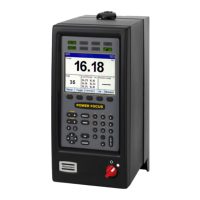
The Xc1004 has a self-explanatory interface, with buttons that change
function as you browse through the menus. The icons in the four corners
explain the active function of every button. To access advanced
settings, press and hold the measurements button for 3 seconds.
Introducing your
Xc1004 controller
Icons in the corners
indicate the current function of
a button. Press the button for 3
seconds to access the settings menu
Pressure gauge
is always visible in the main view.
Running hours
are always visible
One additional measurement
is always visible. This changes depending
on machine features. Actual RPM, requested
RPM, vessel pressure, regulating pressure,
temperatures, etc
Alarm icons
indicates number of active alarms.
Press the button to cycle
through them.
Fuel level indicator,
only available with fuel
level sensor
Status icons
show depending on your
compressor’s features
Start button
Measurement
button
Alarm button
Stop button
Question and Answer IconNeed help?

Do you have a question about the Atlas Copco Xc1004 and is the answer not in the manual?

Summary

Introducing your Xc1004 Controller

Xc1004 Control Panel Overview

Highlights key display elements including pressure gauge, status icons, fuel level, additional measurements, and running hours.

Xc1004 Controller Buttons and Functions

Details the purpose and operation of the Start, Stop, Measurement, and Alarm buttons for user interaction.

Xc1004 Common Alarm Codes

Summary

Introducing your Xc1004 Controller

Xc1004 Control Panel Overview

Highlights key display elements including pressure gauge, status icons, fuel level, additional measurements, and running hours.

Xc1004 Controller Buttons and Functions

Details the purpose and operation of the Start, Stop, Measurement, and Alarm buttons for user interaction.

Xc1004 Common Alarm Codes

Overview

The Atlas Copco Xc1004 is a controller designed for managing and monitoring compressor operations, featuring a user-friendly interface with dynamic button functions and comprehensive diagnostic capabilities.

Function Description

The Xc1004 controller provides real-time monitoring of various compressor parameters and allows for easy interaction with the machine. Its self-explanatory interface utilizes buttons whose functions change depending on the active menu, with icons in the four corners of the display indicating the current function of each button. This design aims to simplify navigation and operation.

Key display elements and their functions:

  • Pressure Gauge: Always visible in the main view, displaying the current pressure (e.g., 10.9 Bar).
  • Status Icons: These icons appear based on the compressor's features and operational status.
  • Fuel Level Indicator: Only available if a fuel level sensor is installed, showing the current fuel level.
  • One Additional Measurement: This display area shows a variable measurement depending on machine features. Examples include actual RPM (e.g., 1200 rpm), requested RPM, vessel pressure, regulating pressure, or various temperatures.
  • Running Hours: Always visible, indicating the total operating hours of the compressor (e.g., 1435 h).
  • Icons in the Corners: These icons dynamically indicate the current function of each physical button, guiding the operator through different menus and settings.
  • Alarm Icons: Indicate the number of active alarms. Pressing the corresponding button allows the operator to cycle through these alarms.

Button Functions:

  • Start Button: Initiates the compressor operation.
  • Stop Button: Halts the compressor operation.
  • Measurement Button: Used for navigating through measurement displays. Pressing and holding this button for 3 seconds (indicated by "3s" next to the icon) grants access to the advanced settings menu.
  • Alarm Button: Used to view and acknowledge active alarms.

Usage Features

The Xc1004 is designed for intuitive operation, allowing users to start, stop, and monitor their compressor with ease.

Starting the Compressor:

  1. Step 1: Ensure the compressor is in a safe state to start.
  2. Step 2: Press the "ON" button.
  3. Step 3: Hold the "ON" button for 3 minutes (indicated by "3 MIN") to initiate the startup sequence.
  4. Step 4: The compressor will begin its operation.

Stopping the Compressor:

  1. Step 1: Press the "OFF" button.
  2. Step 2: Hold the "OFF" button for 3 minutes (indicated by "3 MIN") to initiate the shutdown sequence.
  3. Step 3: The compressor will power down.

Advanced Settings:

  • To access advanced settings, press and hold the measurement button for 3 seconds. This allows for configuration of various operational parameters.

Alarm Management:

  • The controller provides visual and auditory alerts for alarms.
  • Red Banner: Indicates a shut-down event, meaning the machine has stopped to protect the operator or the compressor.
  • Orange Banner: Indicates a warning, signifying an issue that requires attention but does not immediately stop the machine.
  • Alarm codes and icons are displayed to help diagnose issues. The alarm button allows cycling through active alarms for detailed information.

Maintenance Features

The Xc1004 controller assists in maintenance by providing diagnostic information and alerting operators to potential issues.

Alarm Codes and Meanings: The controller displays a list of common alarm codes to help operators understand and address issues. Some examples include:

  • General Alarm Icon: A generic indicator for an alarm.
  • 1500/1521/1522: Service interval alarm, indicating scheduled maintenance is due.
  • 2000: Emergency stop.
  • 2010: Coolant temperature alarm.
  • 2020: Engine oil pressure alarm.
  • 2030: Engine coolant level alarm.
  • 2040: Compressor element temperature alarm.
  • 3000/3010: Fuel level alarm.
  • 3050/3060: High vessel pressure alarm.
  • 3080: Vessel pressure sensor circuit alarm.
  • 3130: Regulating pressure sensor circuit alarm.
  • 3450/3460: Battery low/high alarm.
  • 4000/4010/4020: LP Element temperature alarm.
  • 4040: LP Element temperature sensor circuit alarm.
  • 4050/4060: Engine coolant temperature alarm.
  • 4070: Engine coolant temperature sensor circuit alarm.
  • 4990: VDO sensor circuit alarm.
  • 6309: Engine preheat failure.
  • 6327: Start failure.
  • 6420: Stop failure.
  • 6427: Run failure.
  • 7000: ECU communication error.
  • 7006: Malfunction indicator lamp.
  • 7007/7008/7009: ECU red/amber/protect lamp.
  • 7020: Engine Speed alarm.
  • 7030: ECU engine coolant temperature alarm.
  • 7040: ECU engine oil pressure alarm.
  • 7150/7160: DEF tank level 1/level 2 alarm.

These alarms help operators identify the root cause of problems, enabling timely corrective actions or informing service technicians. For codes not listed or in case of doubt, Atlas Copco service technicians are available for support.

Documentation: This Quick Start Guide provides basic information, but it is crucial to consult the comprehensive Instruction Manual delivered with the machine. The manual contains detailed information on correct usage, safety precautions, and guidelines for preventive maintenance. It is recommended to keep the manual with the compressor for easy access by any operator.

Atlas Copco Xc1004 Specifications

General IconGeneral
BrandAtlas Copco
ModelXc1004
CategoryController
LanguageEnglish

Related product manuals