Database Customization 59
Atlas Cyclops
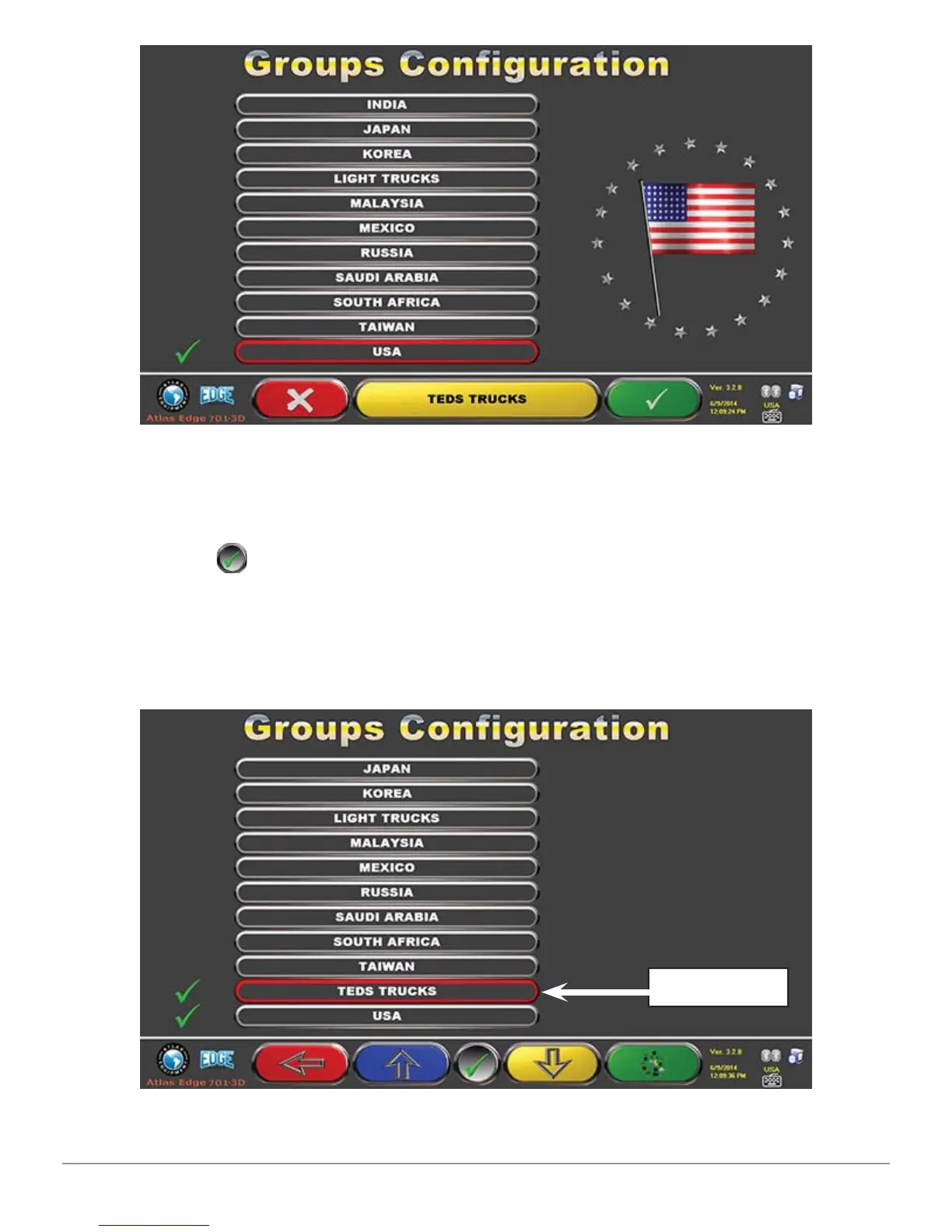
Figure 4 8
Now press F4 to enter the new “Teds Trucks” group and display the available
makes with F5
, as specifi ed in Figure 18. Then display profi le, always
pressing F5, as described below in Figure 49. Press F1 to quit.
Note: By selecting “All makes” group using F5, a profi le where all the vehicles of
all the makes included in the database will be displayed
Figure 4 9
New Group



 To Next Page