Shenzhen AtomStack Technologies Co., Ltd. support@atomstack3d.com
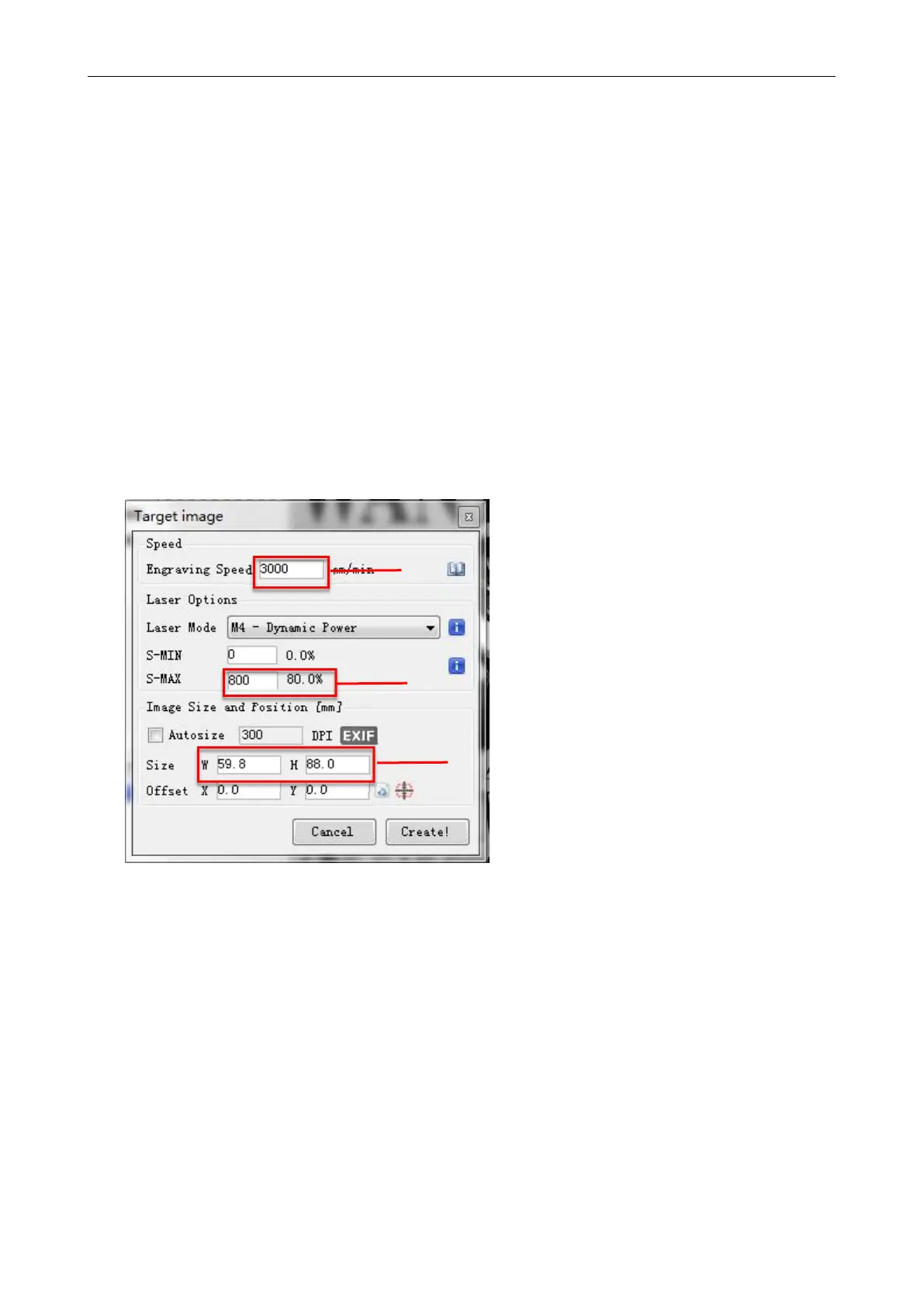
b. In the selection of the laser mode, there are two commands for laser,
M3 and M4, it is recommended to use the M4 command for 1bit litter
engraving, and M3 command for other cases. If your laser only has M3
instruction, please check whether the laser mode is enabled in the GRBL
configuration, please refer to the official instructions of LaserGRBL for
GRBL configuration.
c. Choose the engraving energy according to different materials, we
have attached the engraving and cutting parameters of common materials
at the end of the manual for your reference.
d. Finally, set the size you want to engrave, click on the "Create"
button, all the engraving parameters has been set.
Picture 3.10 Setting of engraving speed and laser power
Speed recommendation 3000
Input appropriate energy according to your material
Enter the appropriate size according to the
contour of the object to be carved


 To Next Page