Home
Atrust
Server
t68WD
Page 108
Atrust t68WD - Page 108
140 pages
Manual
Save Page as PDF
To Next Page
To Next Page
To Previous Page
To Previous Page
Loading...
Conguring Client Settings
Conguring Service Access Settings
98
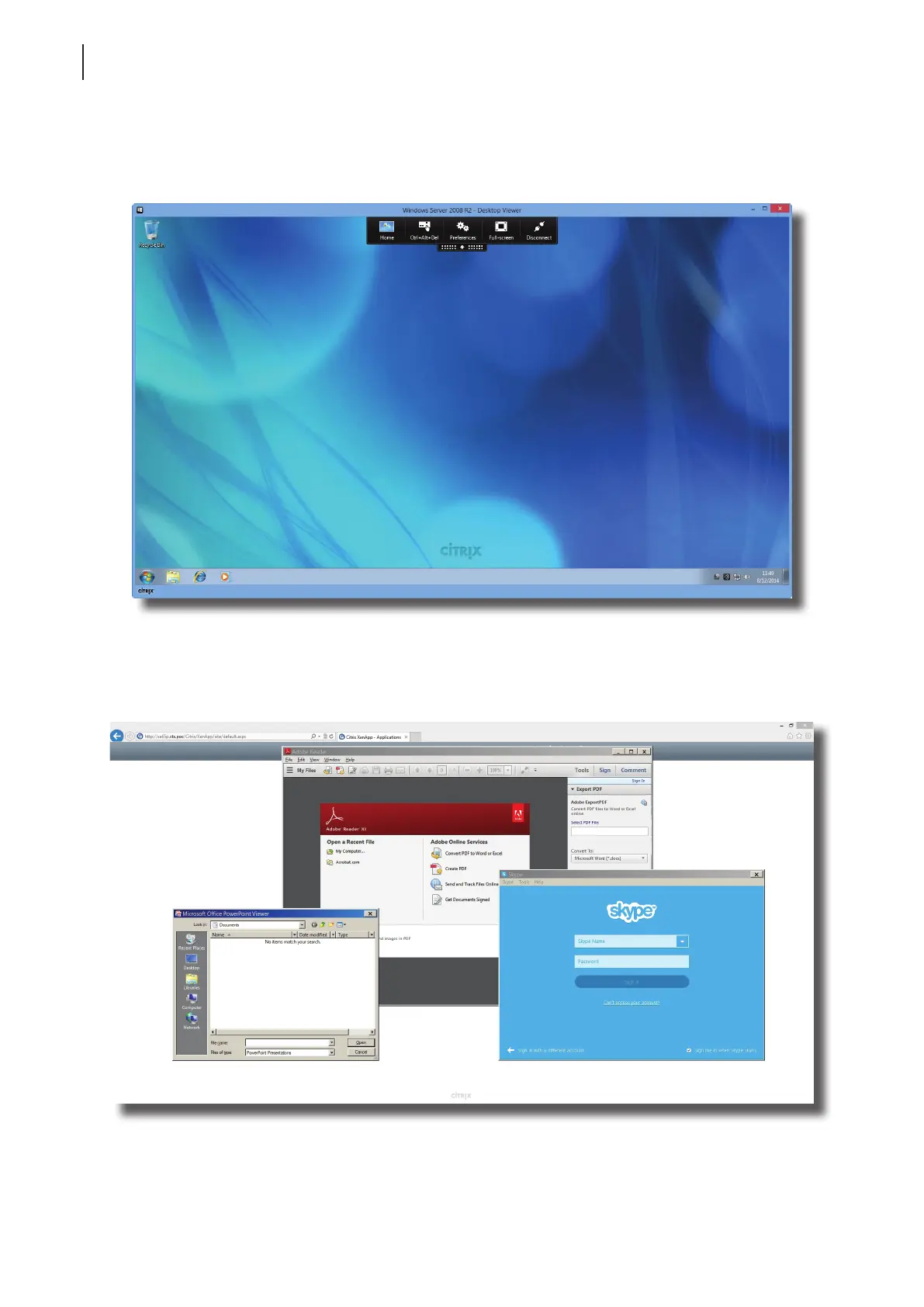
Example: Desktop Deliver
ed by XenDeskt
op 7.5 Platinum
Windo
ws Ser
ver 2008 R2
Example: Applications Deliv
ered by X
enApp 6.5 Platinum
P
owerP
oint
View
er
, Adobe Reader
, and Sk
ype
107
109
Table of Contents
Main Page
Copyright and Trademark Statements
3
About this User's Manual
4
Manual Structure and Subjects
4
Notes, Tips, and Warnings
4
Style Conventions
5
Safety and Regulatory Information
6
Regulatory Statement
6
Regulatory Information
7
Safety Information
7
Table of Contents
9
Overview
11
Introduction
13
Features
13
Package Contents
14
Exterior Views
14
Panel Components
15
LED Indicators
17
Before Getting Started
18
About UWF (Unified Write Filter)
18
About the Default User Accounts
18
About the Behavior of the System Startup
18
Service Access with Your T68Wd
19
Setting up Your T68Wd
21
Positioning Your T68Wd
23
To Mount Your T68Wd
23
Step 1: Understand Your VESA Mount Kit for T68Wd
23
Step 2: Mount Your T68Wd
24
Assembling the AC Adapter
25
Getting Connected
25
Getting Started
27
Standard Shortcuts
29
Accessing Citrix Services
30
Accessing Microsoft Remote Desktop Services
36
Accessing Vmware View and Horizon View Services
38
Configuring Client Settings
41
Atrust Client Setup
43
Interface Overview
43
Client Settings at a Glance
44
Available Settings at a Glance
44
Configuring System Settings
45
System Tab Overview
45
Available Settings at a Glance
46
Configuring the Access Privileges and Password of Atrust Client Setup
47
Configuring Shadow Settings for Remote Assistance
48
Updating Firmware from the Management Computer
49
Taking Snapshots for Mass Deployment
52
Deploying a System Image with a Created Snapshot
53
Taking Snapshots for System Backup
56
Enabling or Disabling the Appliance Mode
57
Configuring UWF (Unified Write Filter)
61
Configuring External Device Settings
63
Devices Tab Overview
63
Available Settings at a Glance
63
Configuring Settings for USB Storage Devices
64
Disabling or Enabling Attached Audio Devices
65
Configuring User Interface Settings
66
User Interface Tab Overview
66
Available Settings at a Glance
66
Configuring the Display of Standard Desktop Shortcuts for Quick Access
67
Configuring Service Access Settings
68
Applications Tab Overview
68
Available Settings at a Glance
69
Configuring Basic RDP Connection Settings
70
Accessing Remote Desktop Services
77
Configuring Advanced RDP Connection Settings
82
Configuring Basic ICA Connection Settings
95
Accessing Citrix Services
103
Configuring Advanced ICA Connection Settings
110
Configuring Basic Vmware View Connection Settings
121
Accessing Vmware View or Horizon View Services
123
Configuring Advanced View Connection Settings
125
Configuring Web Browser Settings
127
Appendices
131
Resetting Your T68Wd
133
Restoring Your Operating System
134
Specifications
137
Related product manuals
Atrust t170
110 pages
Atrust T180L
236 pages



 To Next Page