Setting Up Your t68WD
Positioning Your t68WD
13
2.1 Positioning Your t68WD
There are two ways to position your t68WD:
• Put it on a desk or a desired place horizontally.
• Mount it on the back of a monitor using a VESA mount kit.
NOTE
• The VESA mount kit is an optional accessory for your t68WD. Your package may not
contain a VESA mount kit. Contact your dealer if needed.
To mount your t68WD on the back of a monitor, please follow the steps below:
Step 1: Understand Your VESA Mount Kit for t68WD
Step 2: Mount Your t68WD
Step 1: Understand Your VESA Mount Kit for t68WD
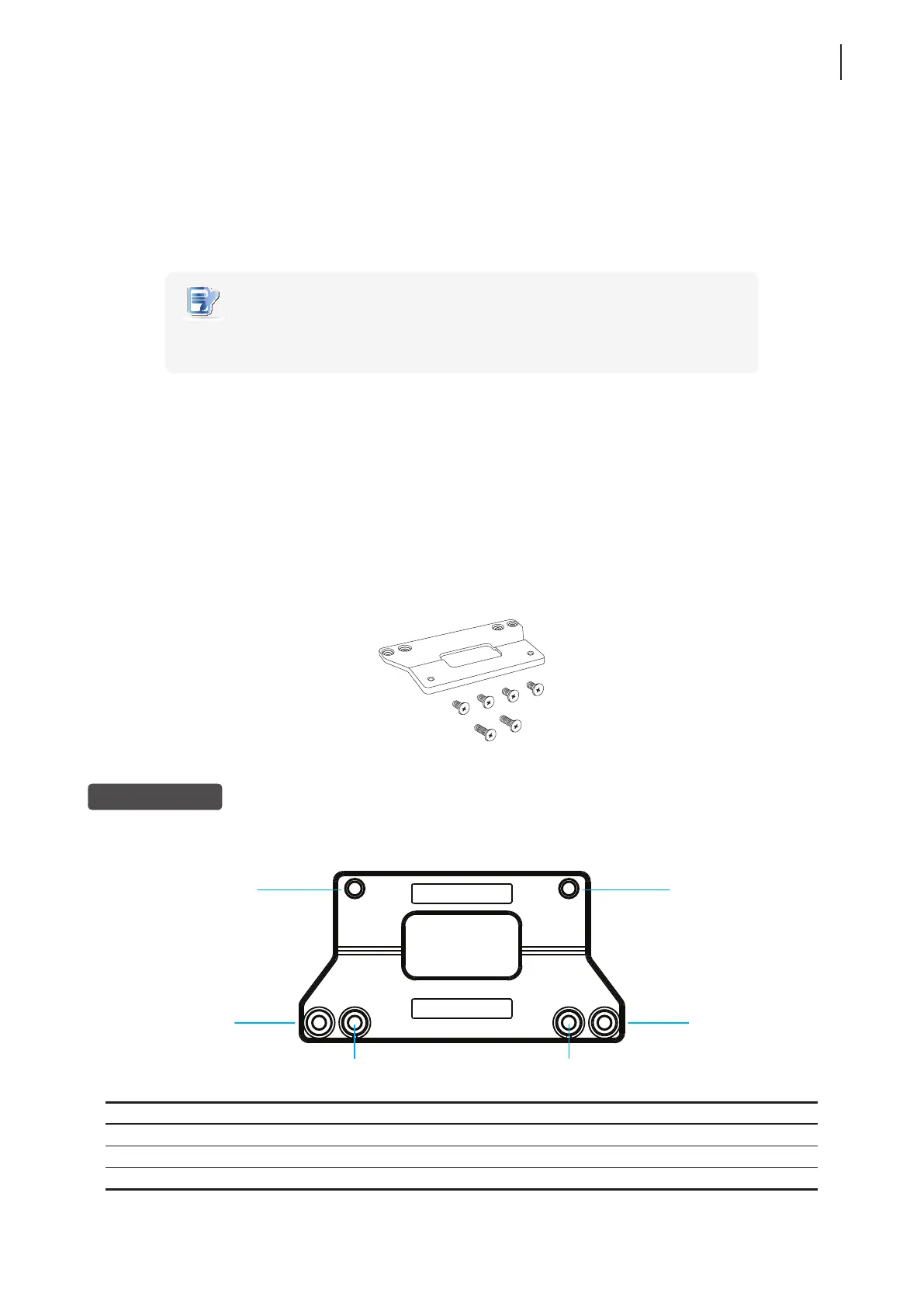
Your t68WD’s VESA mount kit consists of a bracket and six screws.
Mount Bracket
Refer to the following gure and descriptions for the VESA mount holes on the mount bracket for t68WD.
Mount Hole Description
1 The VESA mount holes used to secure the bracket to your t68WD.
2 The VESA mount holes (with the distance of 100 mm) used to secure the bracket to a monitor.
3 The VESA mount holes (with the distance of 75 mm) used to secure the bracket to a monitor.
Six screws with
two types
Mount bracket
2
1
1
2
3
3



 To Next Page