Conguring Client Settings
Conguring System Settings
46
4.2.8 Taking Snapshots for System Backup
You can also take snapshots for thin clients to back up the systems. That system image can be stored on a remote
management computer or a locally attached USB ash drive.
To take a snapshot to back up the system for your thin client, please do the following:
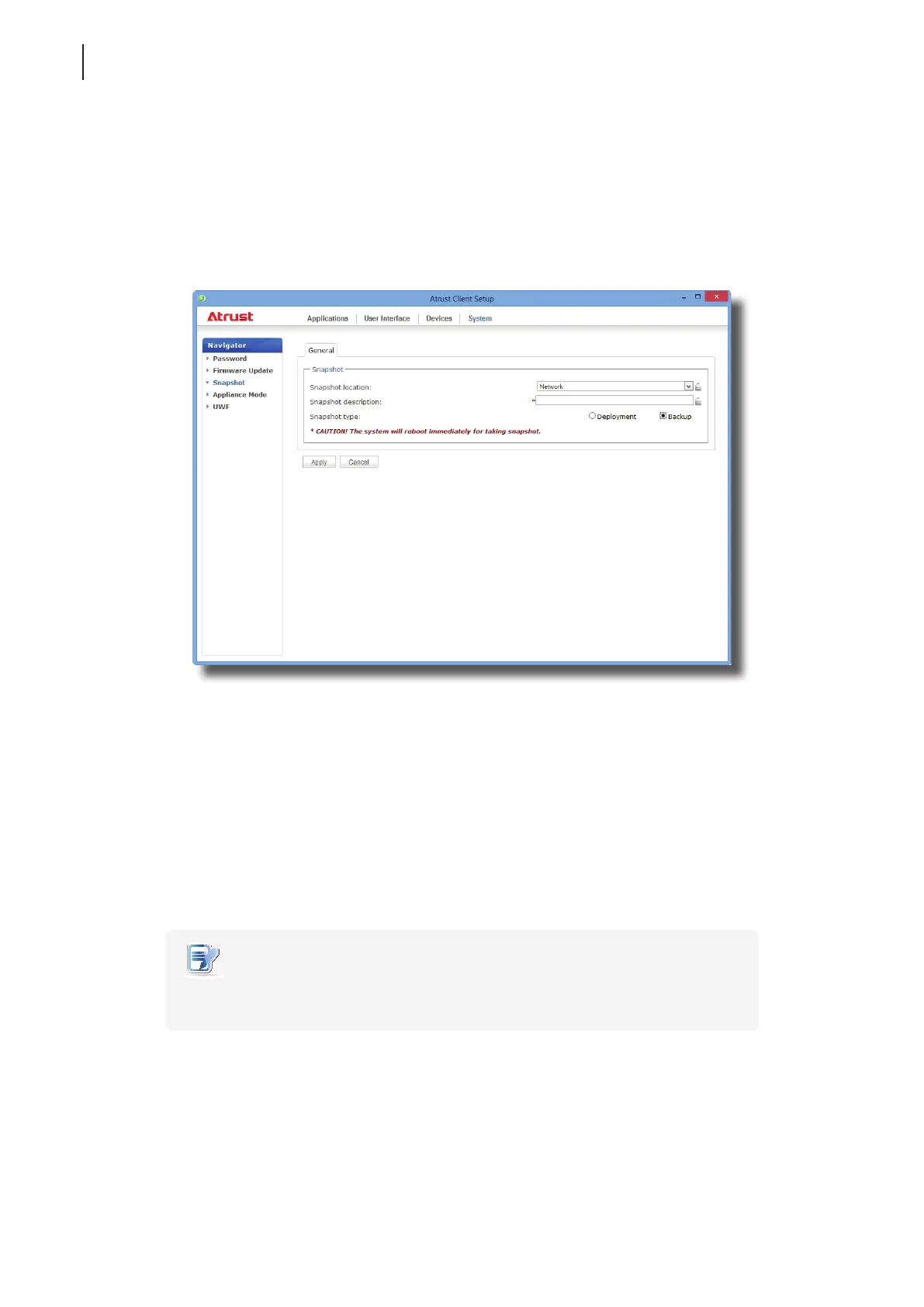
1. On Atrust Client Setup, click System > Snapshot.
2. Under the Snapshot section, click the drop-down menu to select where to store the snapshot. Two options
are available: Network and USB.
• To store the snapshot le set on the remote computer, please select Network.
• To store the snapshot le set on the locally attached USB ash drive, please select USB.
3. Type in the desired description for the snapshot.
4. Click to select Backup as the snapshot type, and then click Apply.
5. A message appears prompting for conrmation. Click Yes to conrm.
6. The system will restart to complete the process automatically.
NOTE
• Please wait for the process to complete automatically. Taking a snapshot needs
several minutes and requires system reboot more than one time.



 To Next Page