Conguring Client Settings
Conguring System Settings
42
4.2.6 Taking Snapshots for Mass Deployment
A snapshot is the system image of a client, allowing you to use that image for mass deployment. This system image
can be stored on a remote management computer or a locally attached USB ash drive.
NOTE
• To store the system image on a remote computer, ensure that Atrust Device
Manager has been installed on that computer, and that the client has been added
into a managed group under Atrust Device Manager.
• When taking a snapshot, all system specic information, including the Computer
Security Identier (SID) and computer name, will be reset or removed from the
system image by performing the System Preparation (Sysprep) tool automatically.
NOTE
• Taking a snapshot will reset the startup behavior to the default (auto-login with the
default standard user account). For details, please refer to “About the Behavior of
System Startup” on page 8.
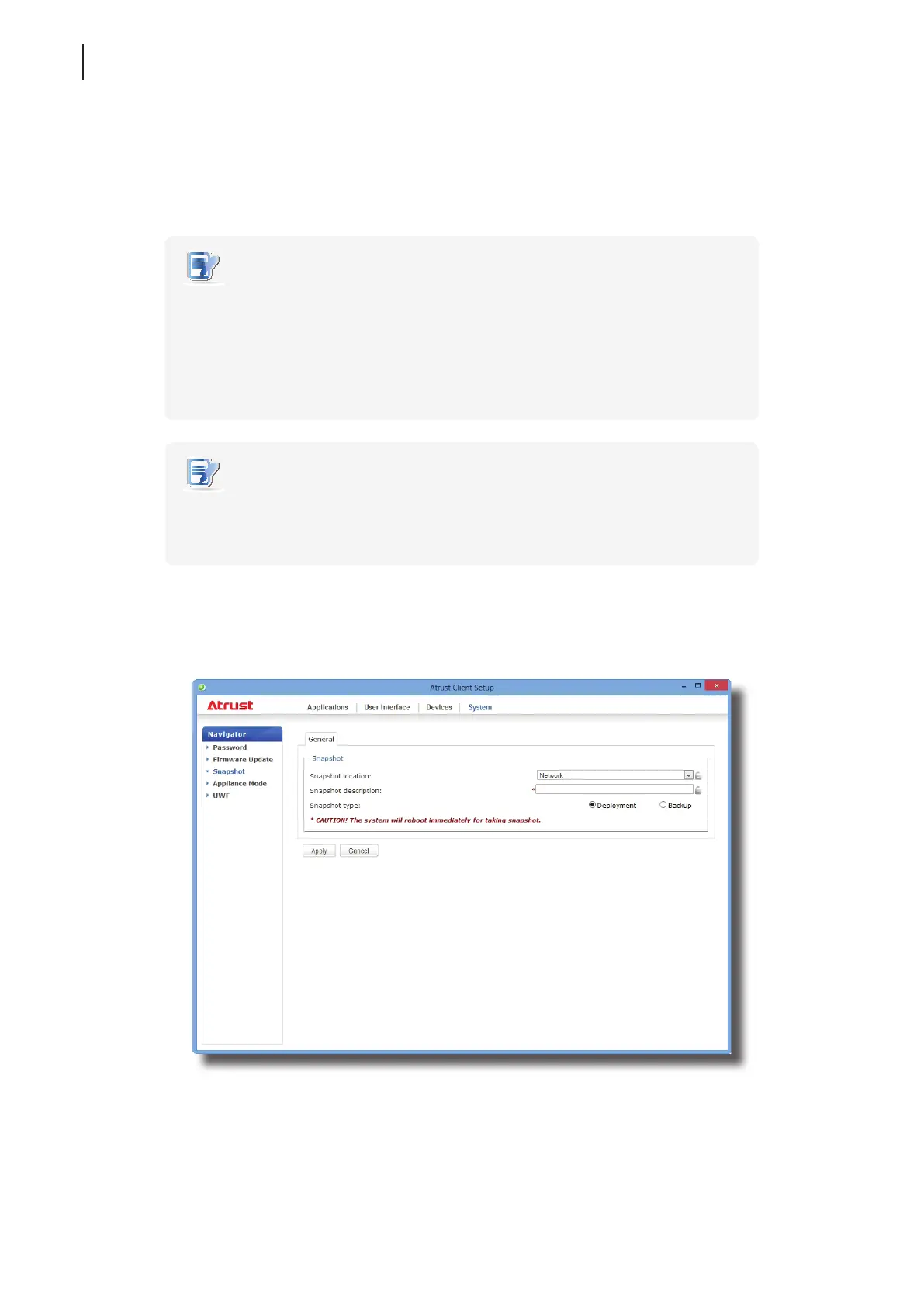
To take a snapshot from a client, please do the following:
1. On Atrust Client Setup, click System > Snapshot.
2. Under the Snapshot section, click the drop-down menu to select where to store the snapshot. Two options
are available: Network and USB.
• To store the snapshot le set on the remote computer, please select Network.
• To store the snapshot le set on the locally attached USB ash drive, please select USB.



 To Next Page