Getting Started
Accessing VMware View and Horizon View Services
28
3.4 Accessing VMware View and Horizon View Services
To quickly access VMware View or Horizon View services, please do the following:
1. Double click VMware Horizon View Client
on the desktop.
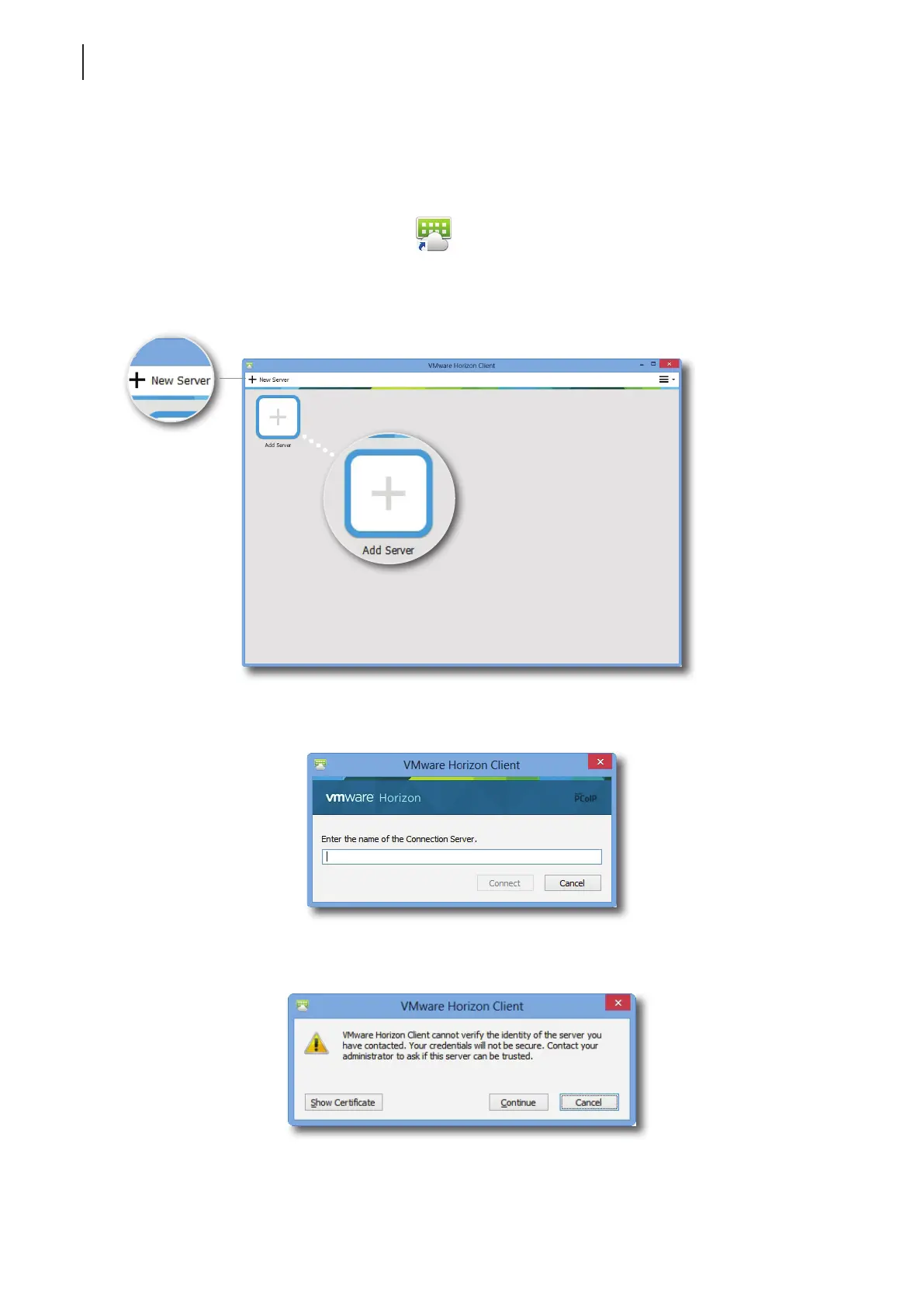
2. A window appears allowing you to add the name or IP address of the View Connection Server.
3. Double-click Add Server icon or click New Server in the top-left corner.
4. A window appears prompting for the name or IP address of the View Connection Server. Enter the required
information, and then click Connect.
5. A window may appear with a certicate message about the remote server. Consult your IT administrator for
details and ensure the connection is secure rst. To bypass, click Continue.
6. A window may appear with a Welcome message. Click OK to continue.



 To Next Page