Getting Started
Accessing Citrix Services
22
Accessing Citrix Service through the Citrix Receiver Shortcut
To access Citrix services through the Citrix Receiver shortcut, please do the following:
1. Import the required safety certicate for available Citrix services with an administrator account. Consult your
IT administrator for necessary assistance.
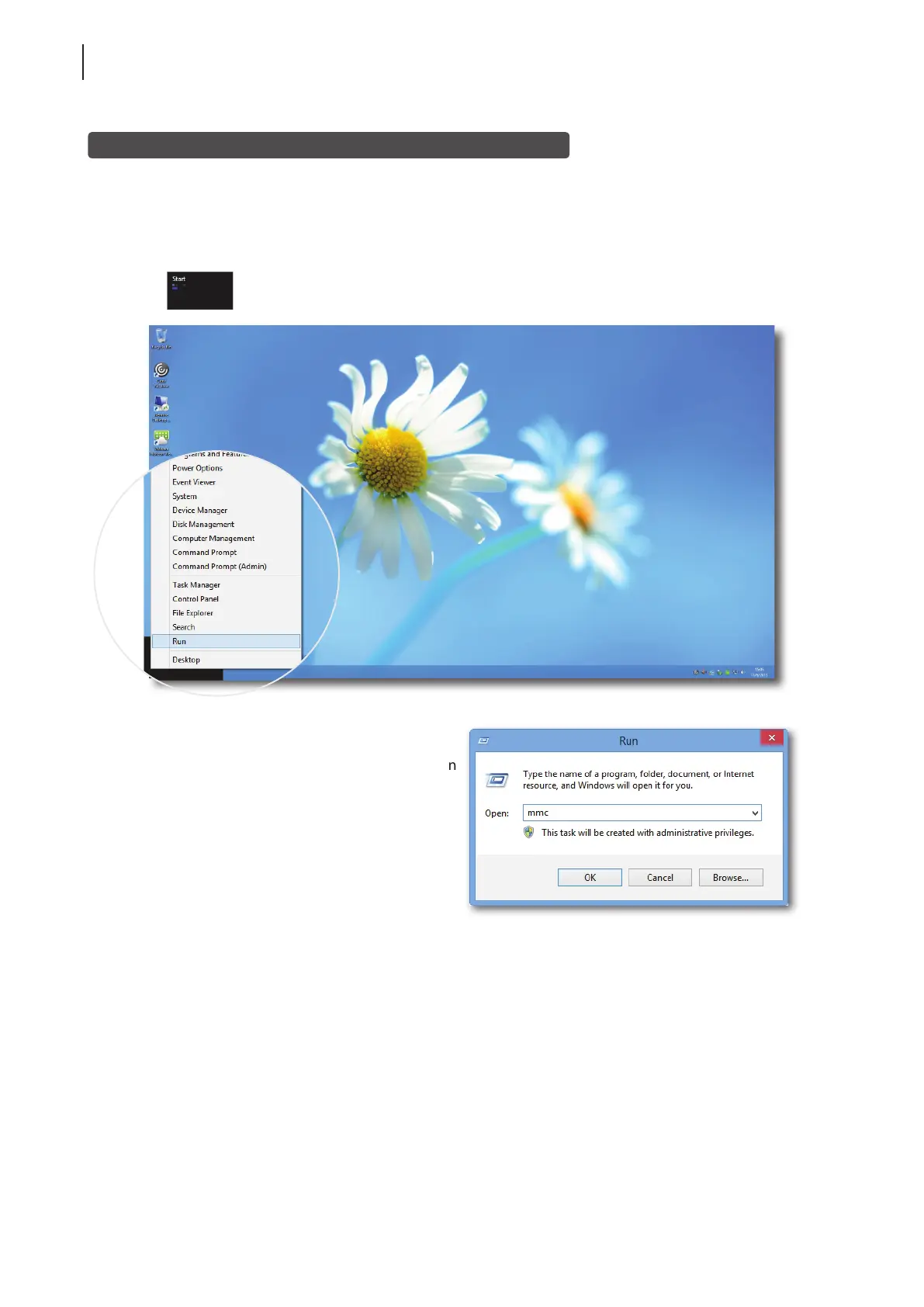
a. On the desktop, move the mouse to the bottom-left corner, and then right click on the appeared
. A popup menu appears as shown below.
b. Click to select Run on that popup menu.
c. Enter mmc on the opened window, and then
press Enter.
d. On the Console window, click the File menu
to select Add/Remove Snap-in.



 To Next Page