40
3 Menu Functions and Settings
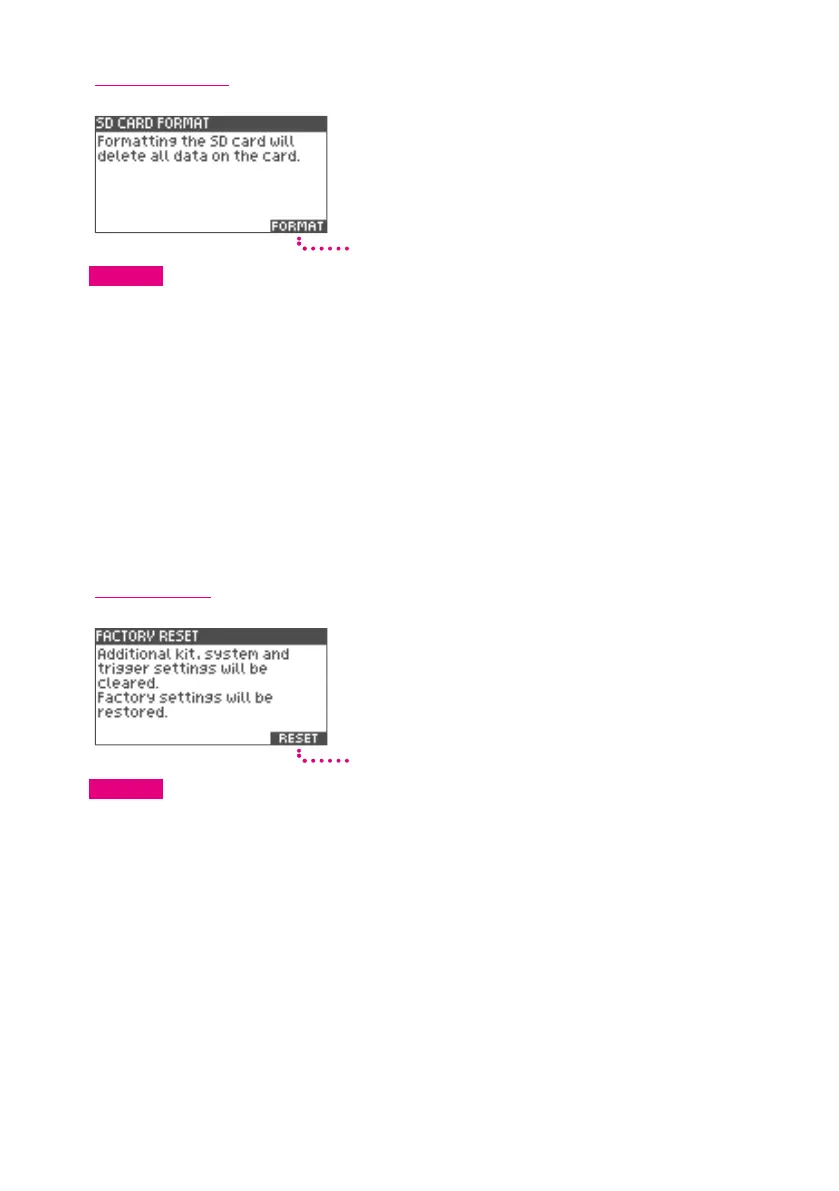
SD Card Format
Format
CAUTION
Formatting the SD card will delete all its data.
1
Insert the SD card in to the xD3 drum module.
2
Press the [5] (FORMAT) button.
Conrmation message will be displayed.
3
Press the [5] (OK) button to format.
To cancel, press [2] (CANCEL) button.
When formatting is completed, the screen indicates “Completed.”
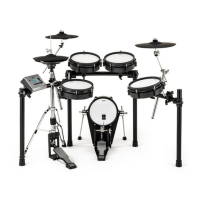
Factory Reset
Reset
CAUTION
All data in the xD3 will be deleted when factory settings are restored.
1
Press the [5] (RESET) button.
Conrmation message will be displayed.
2
Press the [5] (OK) button to reset.
To cancel, press [2] (CANCEL).
When reset is completed, the screen indicates “Completed.”
3
Press the power button to turn the power o, and then turn the power on again.
The module is now restored to its factory setting.


 To Next Page