26 In str uments and warning/indicator lights
For some vehicle functions, you can access the
trip information from the t emporary memory
in the line
(D
~
page 24, fig. 5.
The current fuel consumpt ion can be dis-
played using a bar ~
page 2 7, fig. 10. The
average consumption (mpg) stored in the
short-term memory is also d isplayed. Electri -
cal energy can be stored in the battery when
t he vehicle is coasting or driving downhill (re-
cupe rat ion) . The bar will move toward D .
Efficiency program*
The efficiency program can help you to use
less fuel. It evaluates driving information in
reference to fuel consumption and shows oth-
er equipment influencing consumption as well
as shift recommendations .
c:> page 26 . Fuel
economy messages ~
page 26 prov ide tips
for eff icient driving . The eff iciency program
uses distance and consumption data from trip
compute r
1.
To display the efficiency program, call up Ve-
hicle functions and se lect the menu option
Efficiency program . If the data are deleted in
the efficiency program, those values are also
reset in trip computer.
@ Tips
- All stored values will be lost if the veh i-
cle battery is disconnected .
- Fuel consumptions (ave rage and cur-
rent), range and speed are displayed in
metric units on Canadian models.
Other equipment
Applies to vehicles: with efficiency program
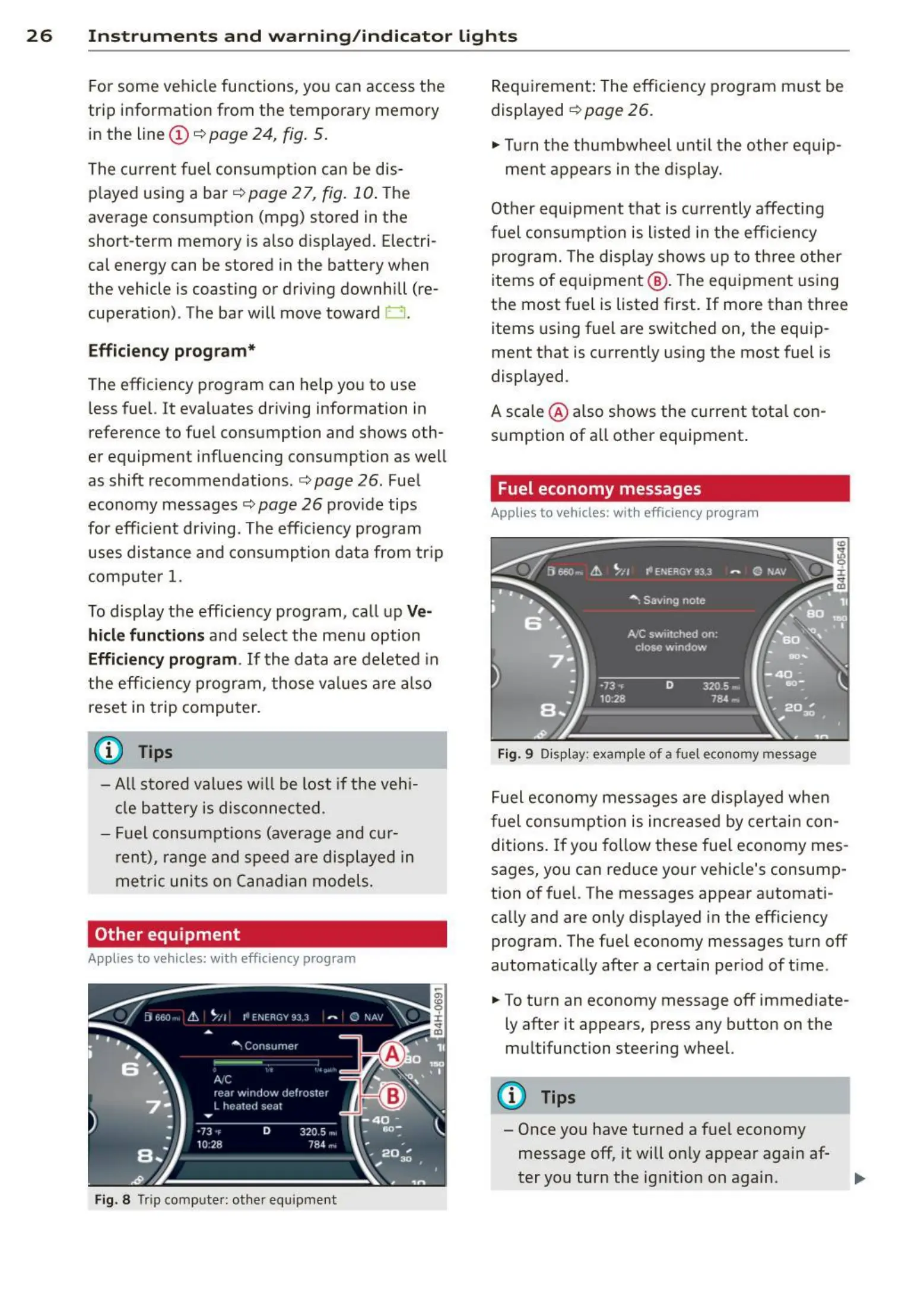
Fig. 8 Trip comp uter: othe r equ ipment
Requirement: The efficiency program must be
displayed c:> page 26 .
,. Turn the thumbwheel unti l the other equip-
ment appears in the display.
Other equipment t hat is currently affecting
fuel consumpt ion is listed in the effic iency
program. The disp lay shows up to three other
items of equipment @ . The equipment using
the most fuel is listed first. If more than three
items using fuel are switched on, the equip-
ment that is currently using the most fuel is
displayed .
A scale @ also shows the current tota l con-
sumption of all other equipment.
Fuel economy messages
Applies to vehicles: with efficiency program
Fig. 9 Display: e xample of a fuel econo my message
Fuel economy messages are displayed when
fuel consumption is increased by certa in con-
ditions. If you follow these fue l economy mes-
sages, you can reduce your vehicle's consump-
tion of fuel. The messages appear automati -
cally and are only displayed in the efficiency
program. The fuel economy messages turn
off
automat ically after a certain per iod of time .
.,. To turn an economy message
off immediate-
ly after it appears, press any button on the
multifunction steering wheel.
(D Tips
- Once you have turned a fuel economy
message
off, it will only appear again af-
ter you turn the ign ition on again . .,,.



 To Next Page