lL
t:0
....
"'
......
"'
....
0
0
:c
'<I"
In curves
Applies to: vehicles with Audi adaptive cruise contro l
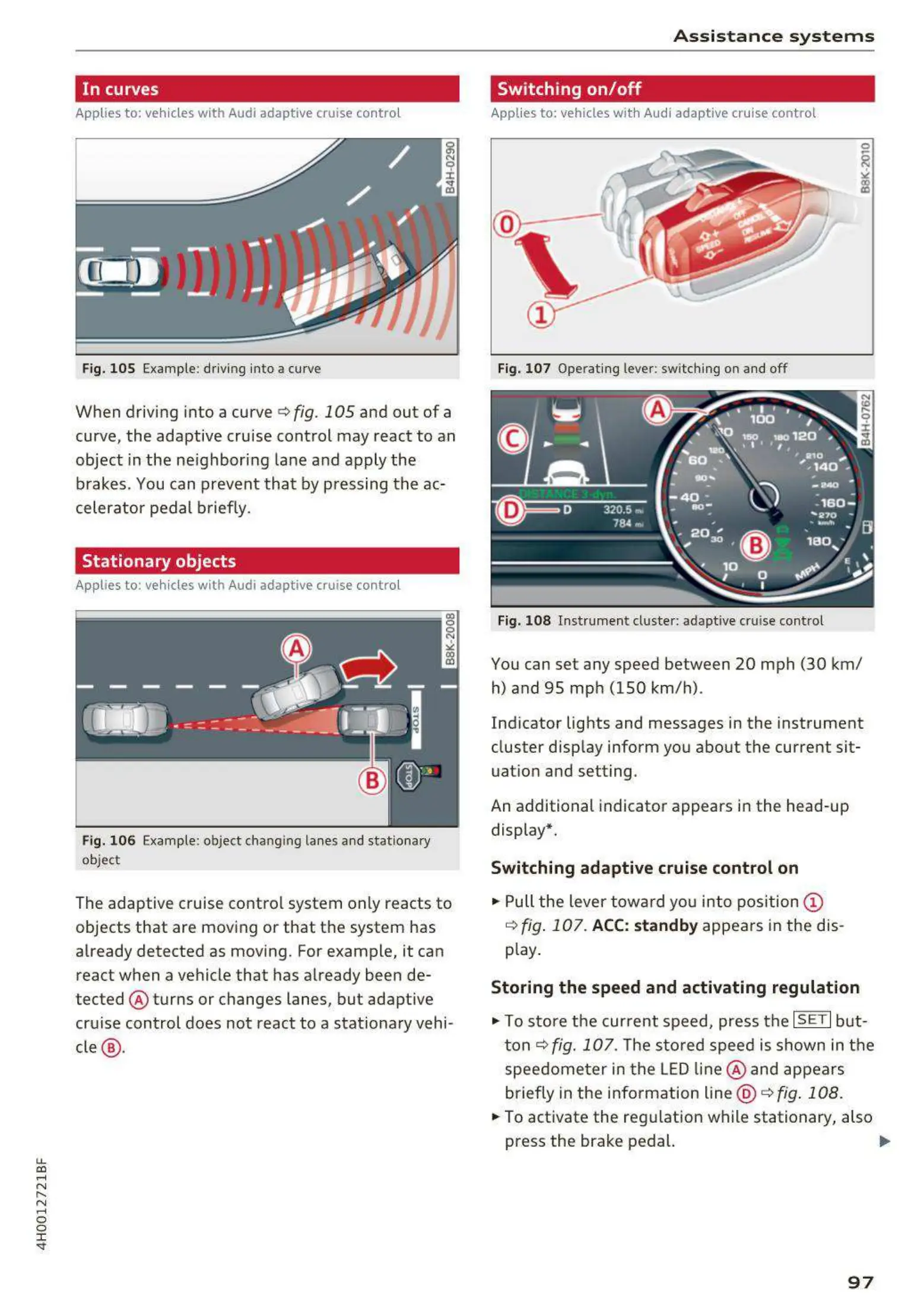
Fig. 105 Examp le: d riving into a curve
When driving into a curve <=>fig. 105 and out of a
curve, the adaptive cru ise control may react to an
object in the ne ighboring lane and apply the
brakes. You can prevent that by pressing the ac-
celerator pedal briefly.
Stationary objects
App lies to: vehicles with Audi adaptive cruise contro l
Fig. 106 Examp le : object chang ing lanes a nd stat iona ry
object
The adaptive cruise contro l system only reacts to
objects that are mov ing or that t he system has
already detected as moving. For example, it can
react when a vehicle that has already been de-
tected @ turns or changes lanes, but adapt ive
cru ise control does not react to a stat ionary vehi -
cle @ .
A s si s t a nce systems
Switching on/off
Applies to : vehicles wit h Audi ada pt ive cruise control
Fig. 107 Operat ing lever: switch ing on and off
Fig. 108 Instrume nt clus te r: adaptive cru ise control
You can set any speed between 20 mph (30 km/
h) and 95 mp h (150 km/h) .
Ind icator lights and messages in the instrument
cluster disp lay inform you about the current sit-
uatio n and setting.
An additional indicator appears in the head-up
display*.
Switching adaptive cruise control on
.,. Pull the lever towa rd yo u into pos ition (!)
<=> fig . 107. ACC: standb y appears in the d is-
play.
Storing the speed and activating regulat ion
.,. To store the current speed, press the ISETI but-
t on<=>
fig. 107. The sto red speed is shown in t he
speedome t er in the LED line @ and appears
briefly in the info rmation line @ <=>
fig . 108 .
... To act ivate the regulation wh ile stationary, also
press the brake pedal. .,.
97



 To Next Page