CHAPTER4 Teams Application
C448HD C450HD | Users & Administrator's Manual
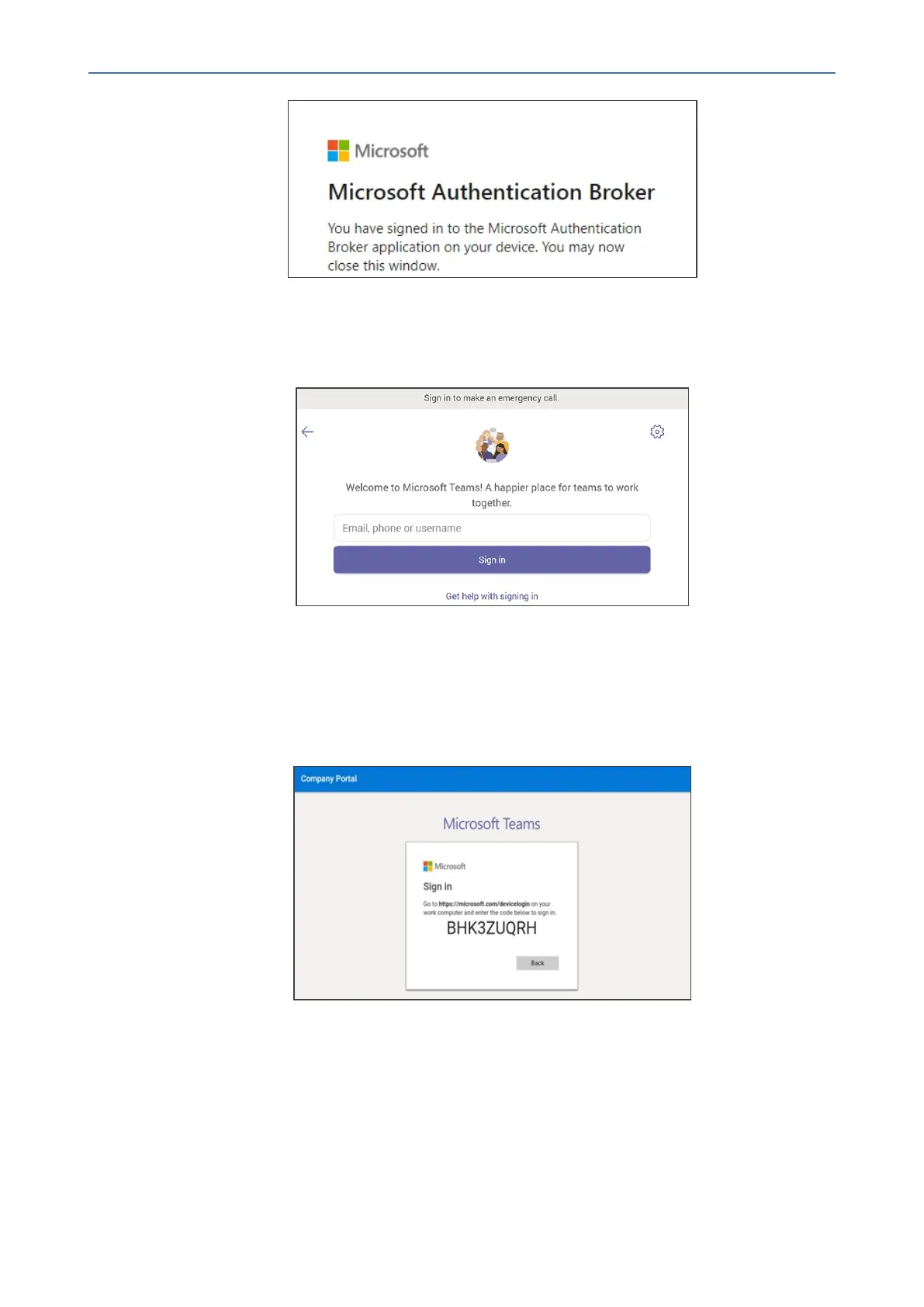
6. Closethewindowshownintheprecedingfigure.
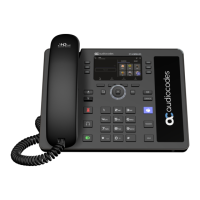
7. Observethatthephonereturnstotheinitialcodescreen.Inthatscreen,selectSign in on
this device.
8. Selectthe'Email,phoneorusername'field;avirtualkeyboardpopsup.Enteroneofthem
andthenchooseSign in.The'home'screenopens.
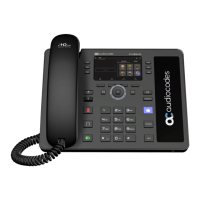
● IfyouopttoSign in from another device,completeauthenticationfromyourPCor
smartphone.Thisisrecommendedifyou’reusingMultiFactorAuthentication(MFA).
Figure 4-2: Sign-in from PC / Smart Phone
◆ InthebrowseronyourPCorsmartphone,entertheURLindicatedinthe
precedingscreenandtheninthephone’sWebinterfacethatopens,performsign-
in(asnotedpreviously,thisoptionisrecommendedifusingMFA).
- 42 -









 To Next Page