CHAPTER4 Teams Application
C448HD C450HD | Users & Administrator's Manual
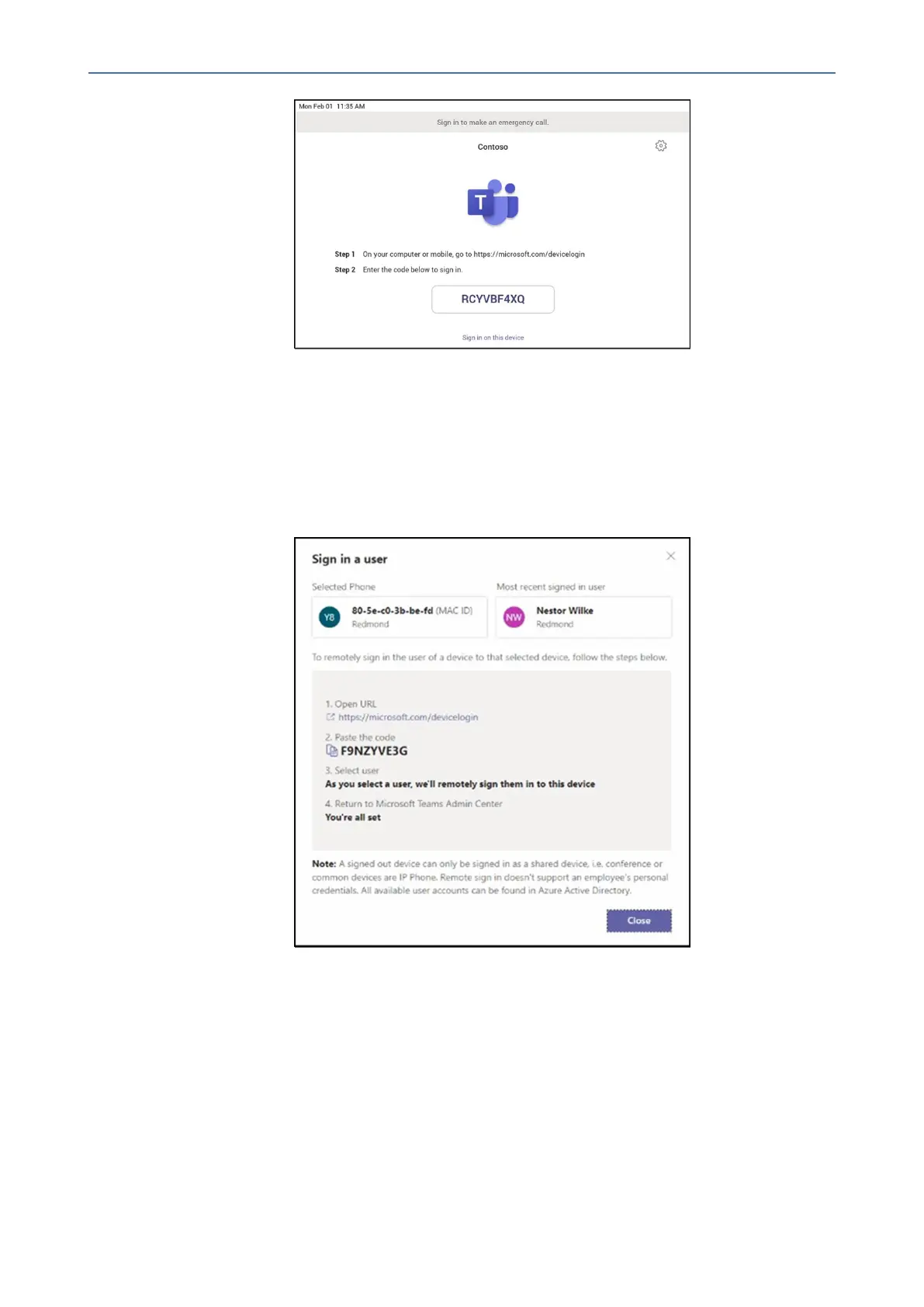
➢ Step 4: Sign in remotely
TheprovisioneddeviceappearsintheAwaitingsignintab.Initiatetheremotesign-inprocess
byselectingtheindividualdevice.
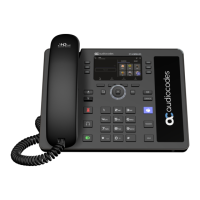
1. SelectadevicefromtheAwaiting sign intab.
2. FollowtheinstructionsinSign in a user,andthenselectClose.
Thetenantadminisexpectedtocompleteauthenticationonthedevicefromanybrowseror
smartphone.
- 46 -









 To Next Page