PLAYING A DISC
Angle Selection
Some DVDs contain scenes which have been shot from a number of different angles. For these discs, the
same scene can be viewed from each of these different angles.
1. While you are playing a DVD with different angles
recorded, press the ANGLE button to view the number
of current angles available.
2. Press the ANGLE button repeatedly to change the scene
to the next angle in those recorded.
• Abouttwosecondslater,playbackcontinuesfromthe
new angle selected.
• Ifnobuttonispressedwithin10seconds,playback
continues without changing the current angle.
NOTE:
• Thisfunctioncanonlybeusedfordiscsonwhichscenesshotfrommultipleangleshavebeenrecorded.
• Ifonlyoneangleisrecorded,“
” is displayed.
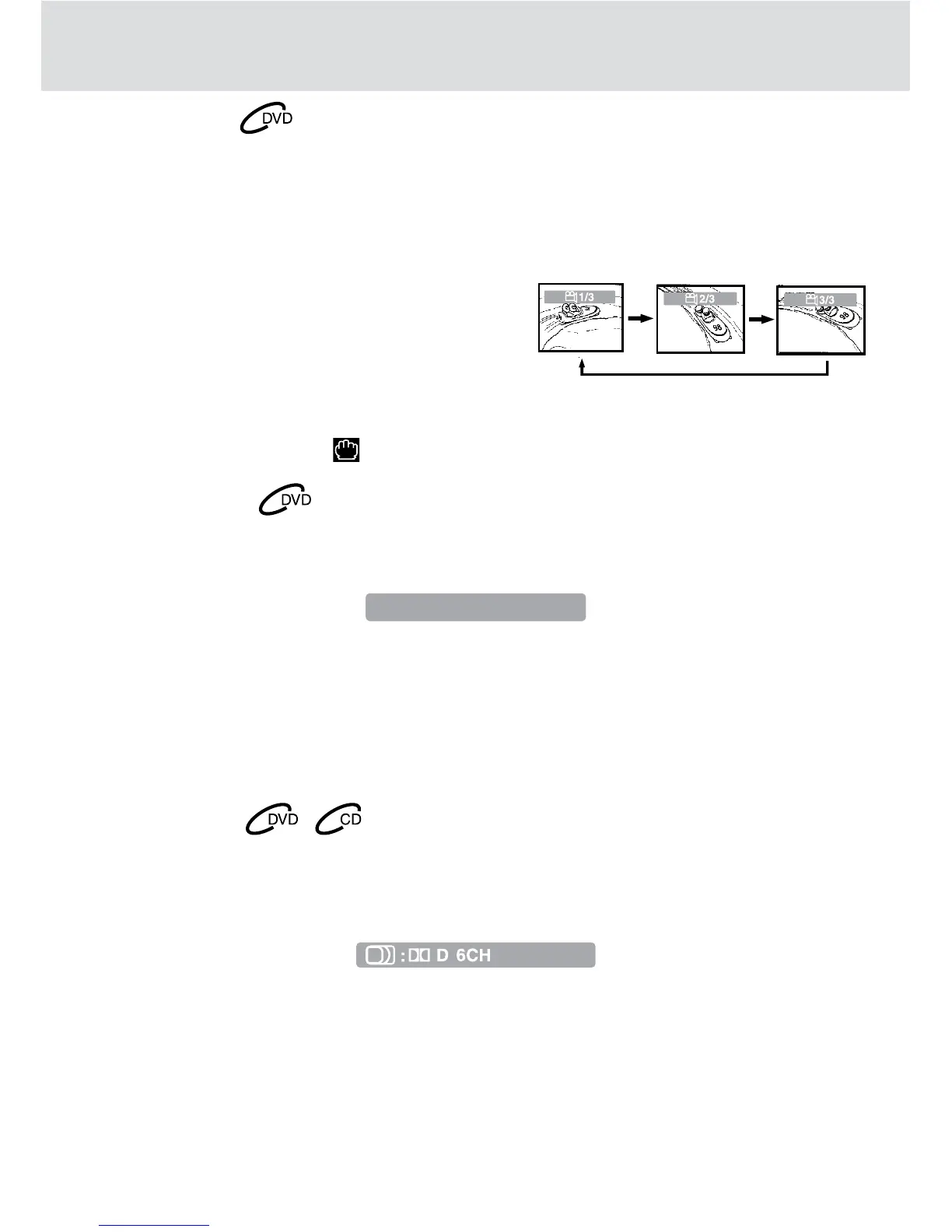
Sequence of angle shots
(Example)
NOTE:
• Ifonlyonelanguageisrecorded,thelanguagedoesnotchange.
• Abouttwosecondslater,playbackcontinueswiththenewsubtitleselected.
• Thenumberoflanguagesrecordeddiffersdependingonthedisc.
• Ifnobuttonispressedwithinafewseconds,playbackcontinueswithoutchangingthecurrentsubtitle.
• Thisfunctioncanonlybeusedfordiscsonwhichsubtitleshavebeenrecordedinmultiplelanguages.
• OnsomeDVDs,subtitlesareactivatedfromthemainmenuoftheDVD.Pressthe DVD MENU button to
activate the main menu.
Subtitle Selection
1. While a DVD is playing, press the SUBTITLE button to display the current language setting, as shown in
the example below.
2. Press the SUBTITLE button repeatedly to select the desired subtitle language.
NOTE:
• Ifonlyoneaudioformatisrecorded,thenumberdoesnotchange.
• SomeDVDdiscsallowyoutochangeaudioselectionsonlyviathediscmenu.Ifthisisthecase,pressthe
DVD MENU button and choose the appropriate language on the disc menu.
• Youcanselectdifferentaudiochannels(Left,RightorStereo)onanaudioCDbypressingthe AUDIO
button repeatedly.
Audio Selection
On some discs, the sound is recorded in two or more formats. Follow the directions below to select the type
of playback.
1. While a disc is playing, press the AUDIO button to show the current audio format number.
2. Press the AUDIO button repeatedly to select the desired audio format.


 To Next Page