TV SETUP
CC Mode: Select closed caption On, Off, CC on Mute.
Analog Closed Caption: Select the analog closed caption or turn it off.
Digital Closed Caption: Select the digital closed caption or turn it off.
Digital Caption Style: Select As Broadcaster to use the default digital caption style of the broadcaster.
Select Custom to activate the caption style items and set your desired detailed
settings.
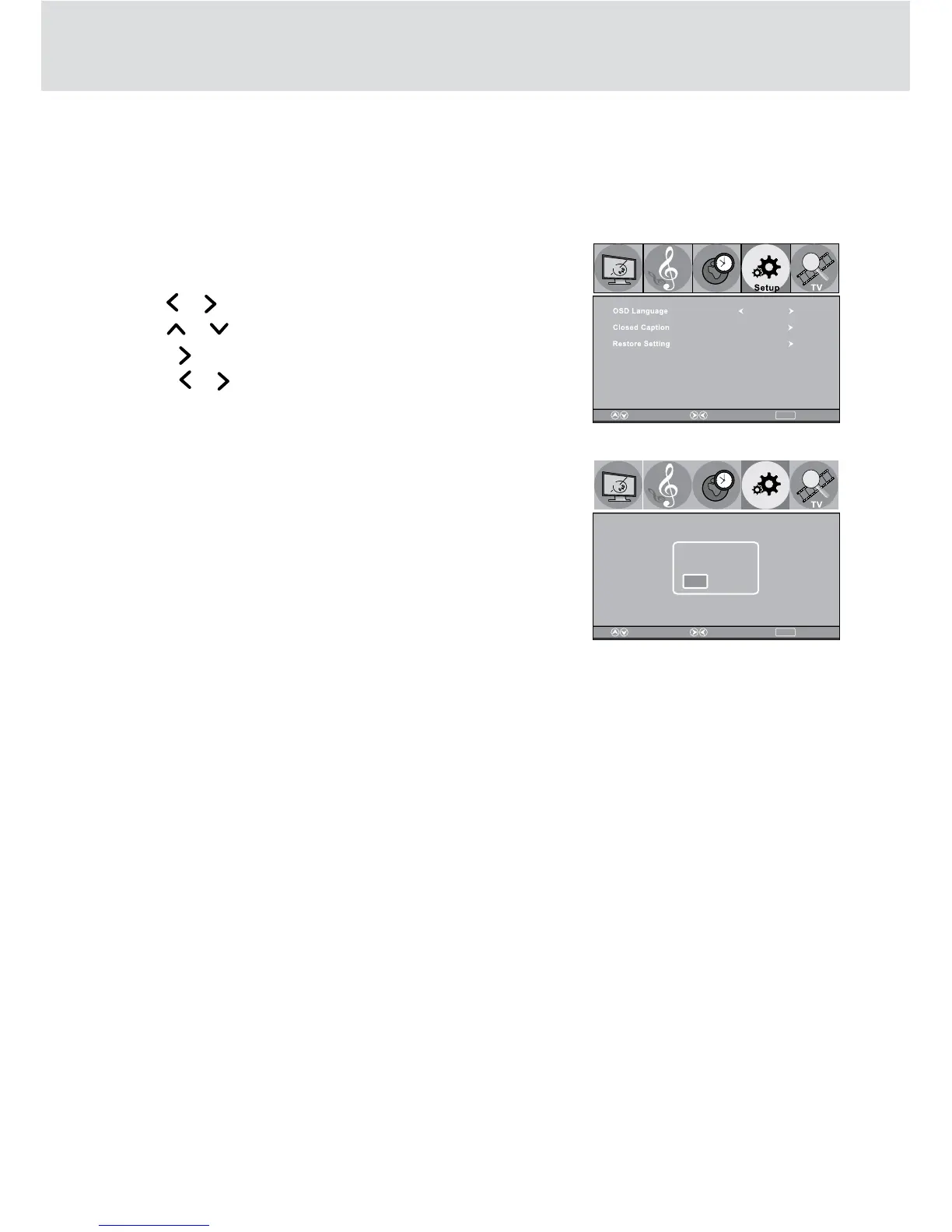
Restore Setting
1. Press the TV MENU button.
2. Use the
or button to select Setup.
3. Use the
or button to select Restore Setting.
4. Press the
button to enter.
5. Press the
or button to select “Yes”.
6. Press ENTER to confirm.
7. Press the TV MENU button to go back to previous menu.
8. To exit the TV SETUP MENU and return to the normal screen,
press the EXIT button on the remote control.
MENU
ReturnAdjustSelect
Picture
Audio
Time
English
MENU
ReturnAdjustSelect
Picture
Audio
Time
Setup
Are you sure?
Yes
No


 To Next Page