LISTENING TO THE RADIO
Searching for a Station Automatically
• Pressandholdthe CH / CH button on the front panel or the TUNING buttons on
the remote control until the tuner starts searching for a station, then release. After tuning in a station, the
search stops.
• Thesearchmaynotstopatastationwithaveryweaksignal.
Presetting Stations
The unit can store a total of 60 stations in memory (30 FM, 30 AM). Presetting allows you to tune in to a
station directly.
1. Press the DVD/TV/RADIO button (the FUNCTION button on the remote control) to RADIO.
2. Press the AM/FM button to select AM or FM.
3. Press the MEMORY button on the remote control – the unit will display a station preset number. If you wish
to pick a different preset number, simply enter the desired number.
•Forpresetnumbers1to9,simplypressthenumberbuttonontheremotecontrol.
•Forpresetnumbers10to30,enterthetwo-digitnumbers.
•Forexample,toenter18bypressing“1”&“8”.
4. Press the MEMORY button again on the remote control.
5. Repeat steps 2-4 to store other stations.
Tuning in to a Preset Station
1. Press the DVD/TV/RADIO button (the FUNCTION button on the remote control) to RADIO.
2. Press the AM/FM button to select AM or FM.
3. Press the
PREV/ NEXT button repeatedly to select the number of the preset station or use the
numeric buttons to enter the number of the preset station.
For Better Reception
FM: Fully unwind the FM antenna wire. Then extend the FM antenna wire and place it in the position that
sounds best.
AM: Fully unwind and rotate the loop antenna then position it for the best reception.
NOTE: Do not connect the FM antenna to an outside antenna.
Tuning in to a Station Manually
1. Press the DVD/TV/RADIO button (the FUNCTION button on the remote
control) until the radio frequency appears on the front panel display.
2. Press the AM/FM button to select AM or FM.
3. Press the TUNING buttons on the remote control to tune in to
a desired station.
• WhenMUTE is pressed, the sound is mute and the “ ” indicator
always blinks on the LCD display until MUTE is pressed again or VOL
is pressed.
FM Stereo
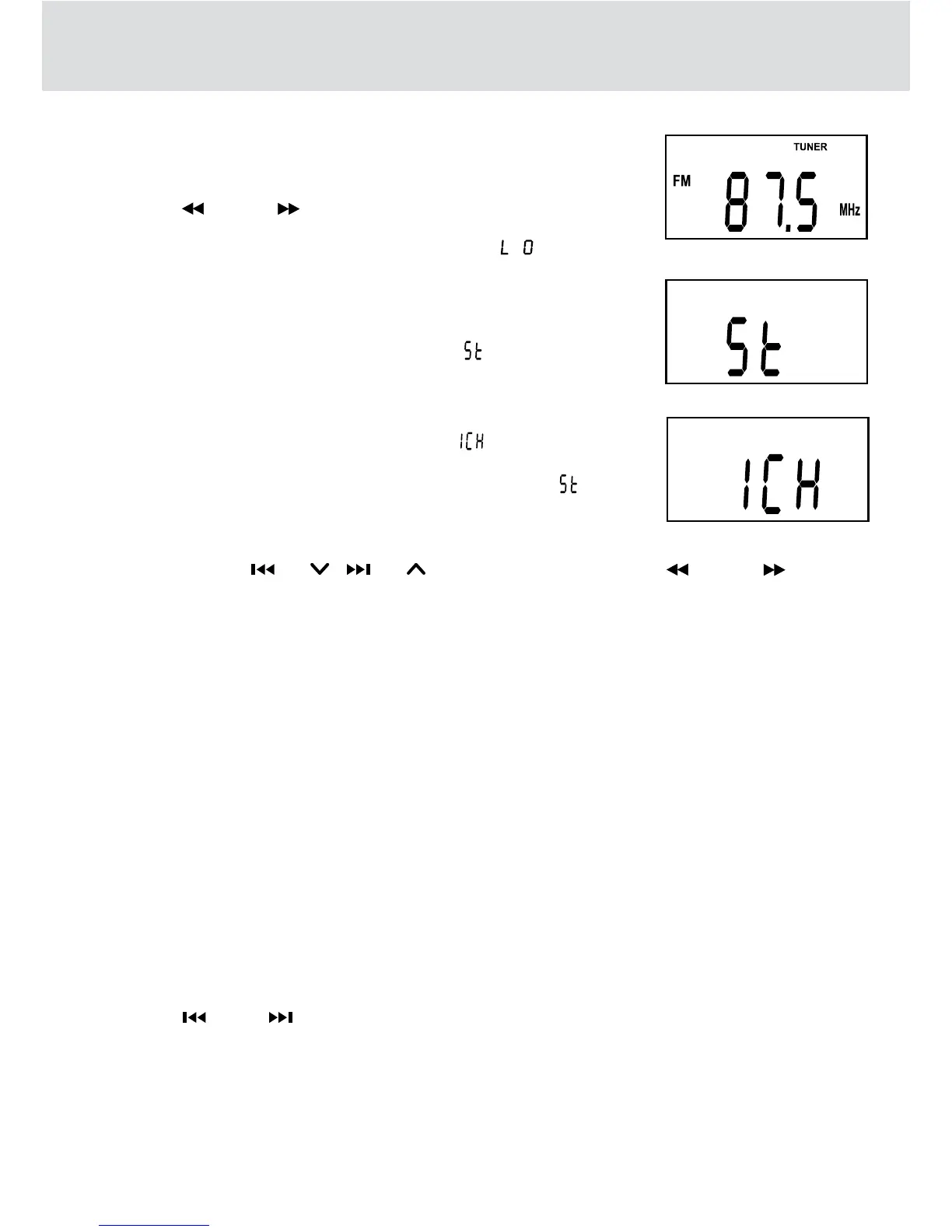
Press the MTS button on the remote control until “ ” appears on the
front panel display.
Weak FM stations
Press the MTS button on the remote control until “ ” appears on the
front panel display. Background noise will be reduced. To restore stereo
reception, press the MTS button on the remote control to select “
”.


 To Next Page