CONTROL REFERENCE GUIDE
Remote Control
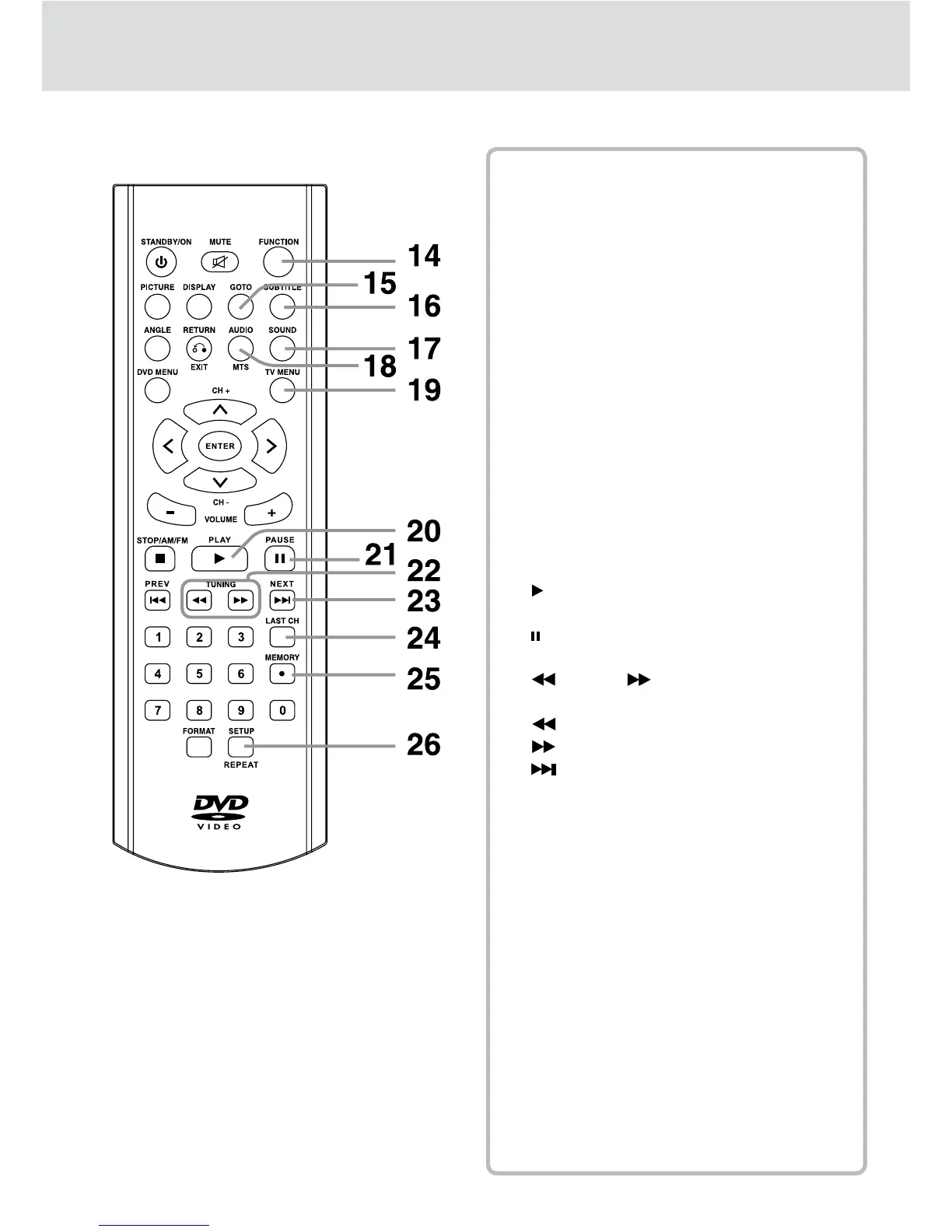
14) FUNCTION Button
Use to select DVD, TV or RADIO mode.
15) GOTO Button
Goes directly to a programmed location on a
DVD/CD.
16) SUBTITLE Button
Selects one of the subtitle languages
programmed on a DVD.
17) SOUND Button
Press to select from preset sound settings to
match the type of show you are watching.
18) AUDIO Button
Selects audio soundtracks of a DVD or
changes the output mode of a CD.
MTS Button
Press to select MONO sound, STEREO
sound or Secondary Audio Program (SAP).
19) TV MENU Button
Press to display the on-screen TV menu.
20) PLAY Button
Starts playback.
21)
PAUSE Button
Pauses playback, frames advance.
22)
TUNING Buttons
Scans all available radio stations.
: Fast reverse playback.
: Fast forward playback.
23)
NEXT Button
Selects next title, chapter or track on a disc.
Selects next preset station in radio mode.
24) LAST CH Button
Press to switch repeatedly between the last
two channels displayed.
25) MEMORY Button
Sets title/chapter/track in a favorite order.
Enters the number of a selected station.
• [dot] Button
Press to enter digital sub-channels (i.e. 11.3,
12.7).
26) SETUP Button
Enters and exits the SETUP menu of the DVD
in STOP mode.
REPEAT Button
Repeats chapter or title of a DVD.
Repeats single track or whole CD.


 To Next Page