13
Setting The Frequency on the RAD-360
Handheld Transmitter
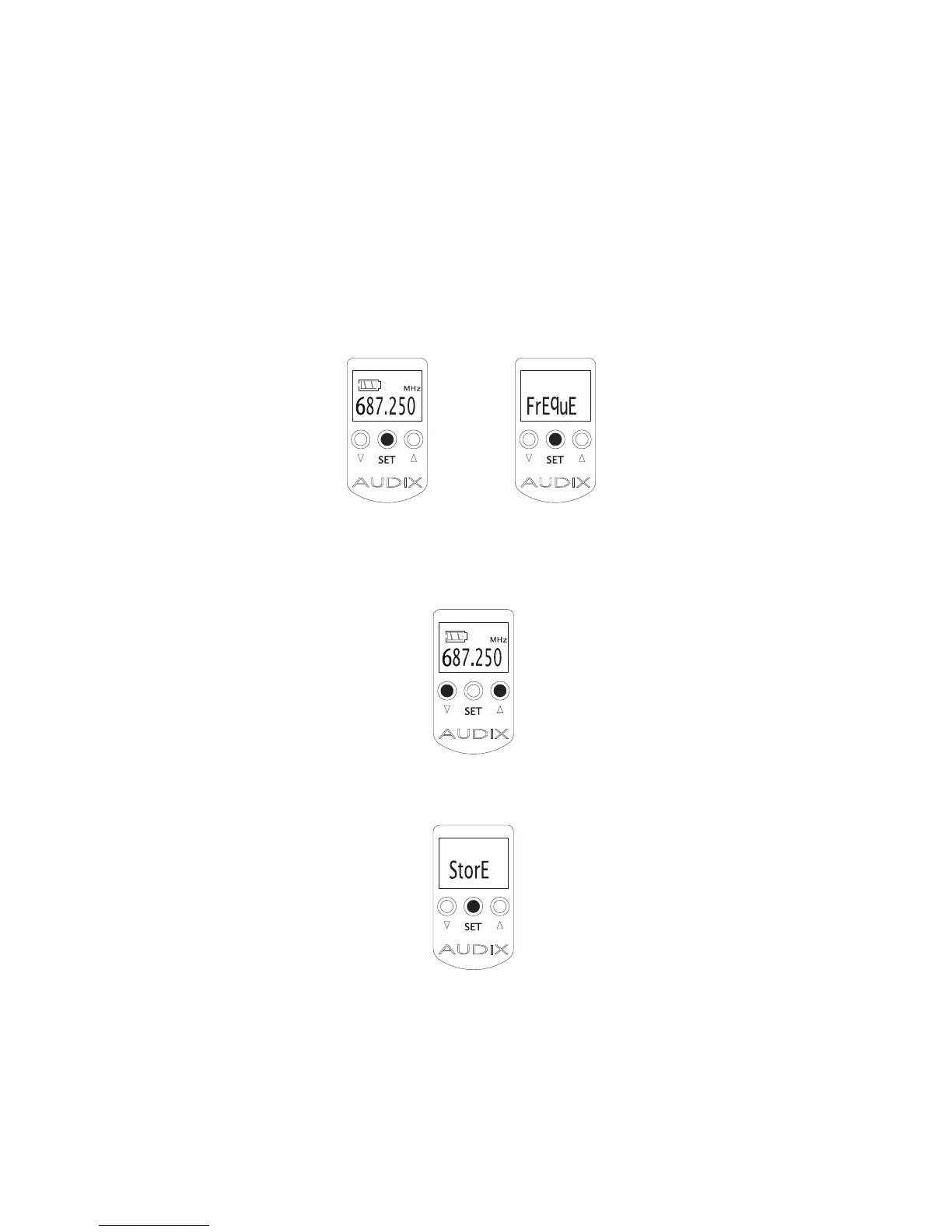
1. From the startup screen, press and hold the SET button until you see the
word “FREQUE”. Be patient as it will take approximately
2 seconds for this function to trigger. The “MHz” in the upper right hand
corner of the display will start to blink.
2. Use the UP and DOWN buttons to set the desired frequency to match the
receiver. The “MHz” in the upper right hand corner of the display will con-
tinue to blink.
3. Press SET to store. The “MHz” will stop blinking.
Important: Remember that only one transmitter at a time may be used with
one receiver. In order to operate two transmitters simultaneously you will need
to have two receivers, and so on.


 To Next Page