Using the Scan Feature on the
RAD-360 Receiver
To simplify setup, The RAD-360 is equipped to scan for working transmitters
so that one person can easily setup the system, even at a distance.
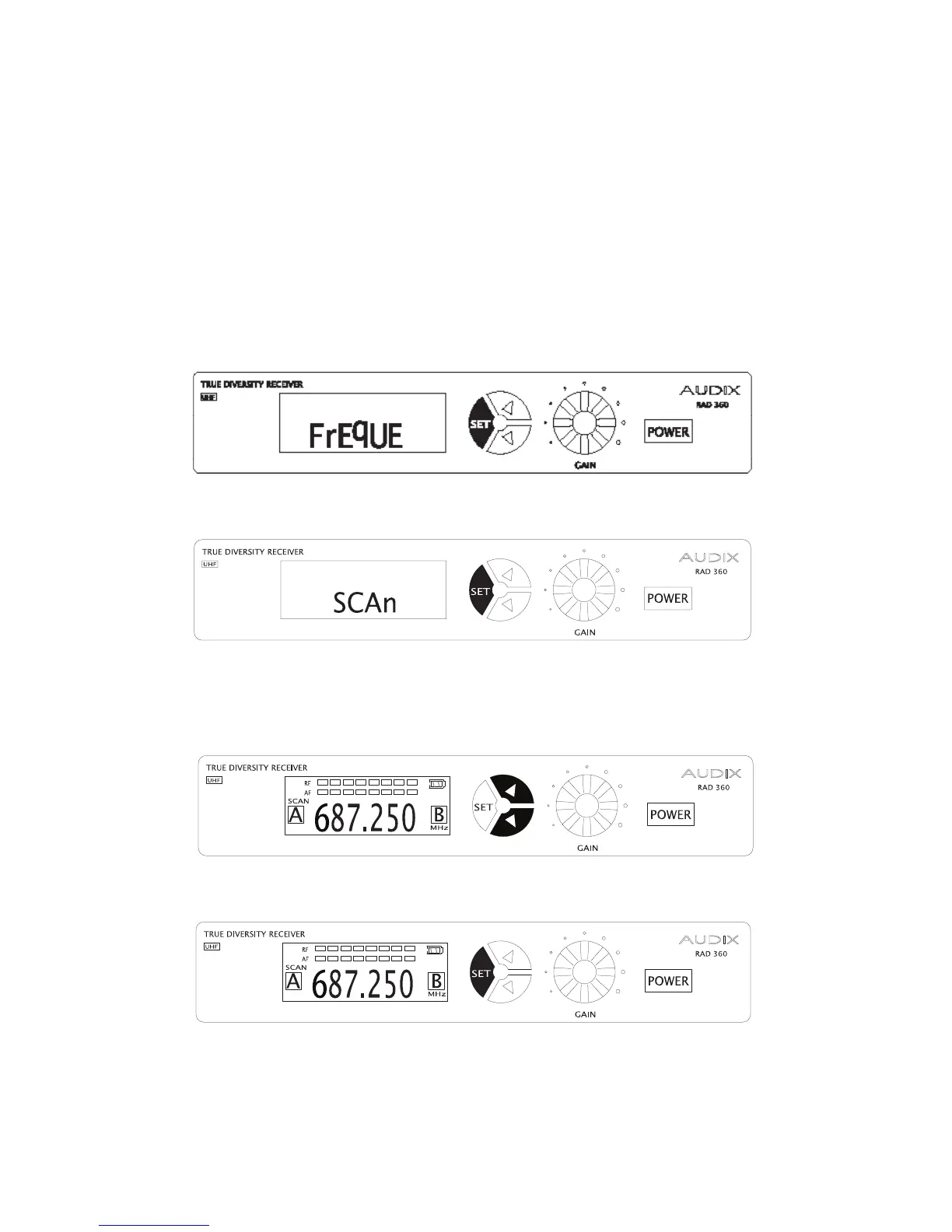
1. From the startup screen, press and hold the SET button until you see the
word “FREQUE”.
2. Press SET once again and you will see “Scan” on the display.
3. Press either UP or DOWN and the RAD 360 will look for operating transmit-
ters’ frequency. *NOTE* A transmitter must be turned on for the receiver to
nd it.
4. Press SET to save settings.
23


 To Next Page