5
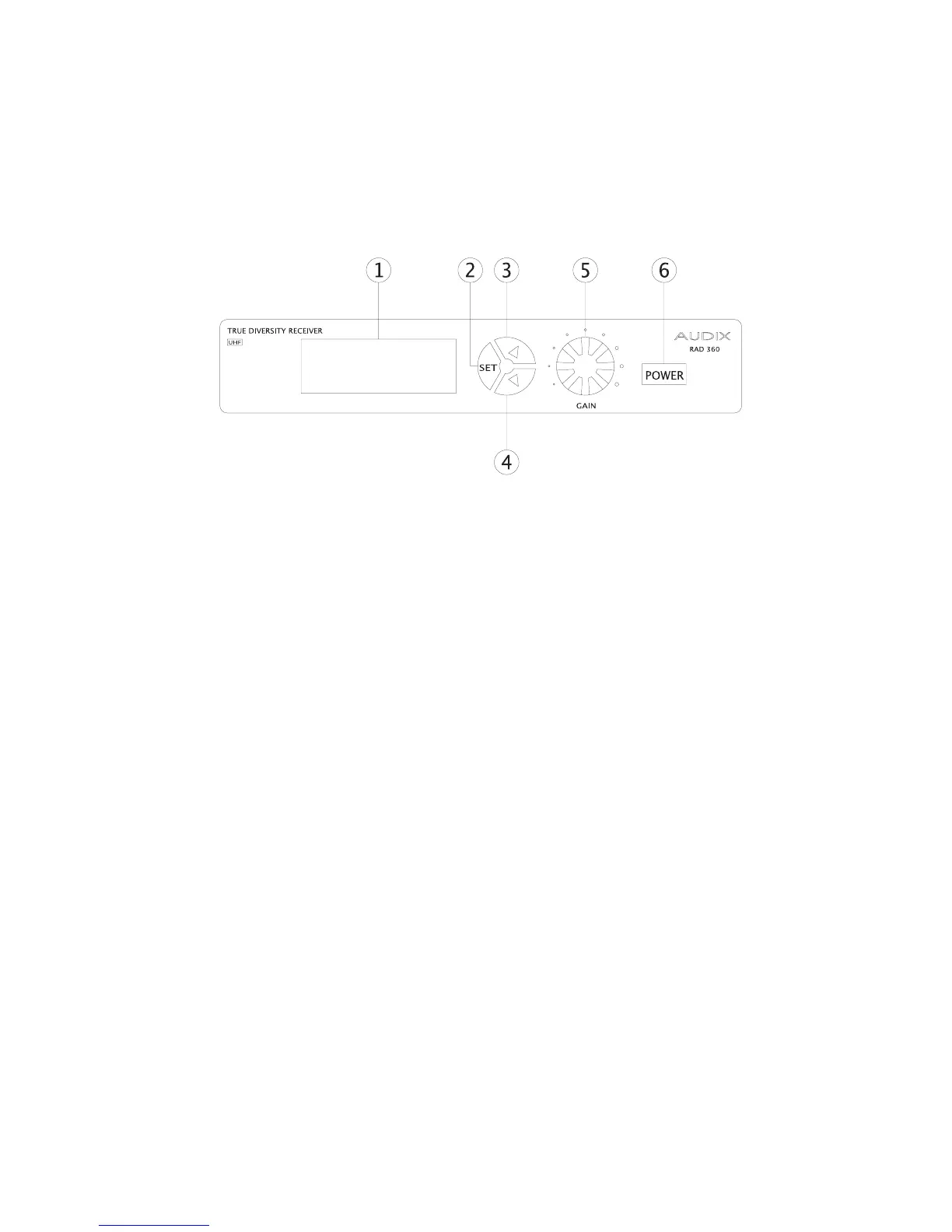
Description of RAD-360 Receiver
(front)
Front Panel:
1. LCD Display Screen: Displays status of both Transmitter and Receiver
including Channel, RF level, Audio Level, and Battery life.
2. SET button: This button is used to change and store settings.
3. UP button: Changes parameter “up” or increase
4. DOWN button: Changes parameter “down” or decrease
5. GAIN control knob: Controls output of signal to mixer/preamp.
6. POWER switch


 To Next Page