19
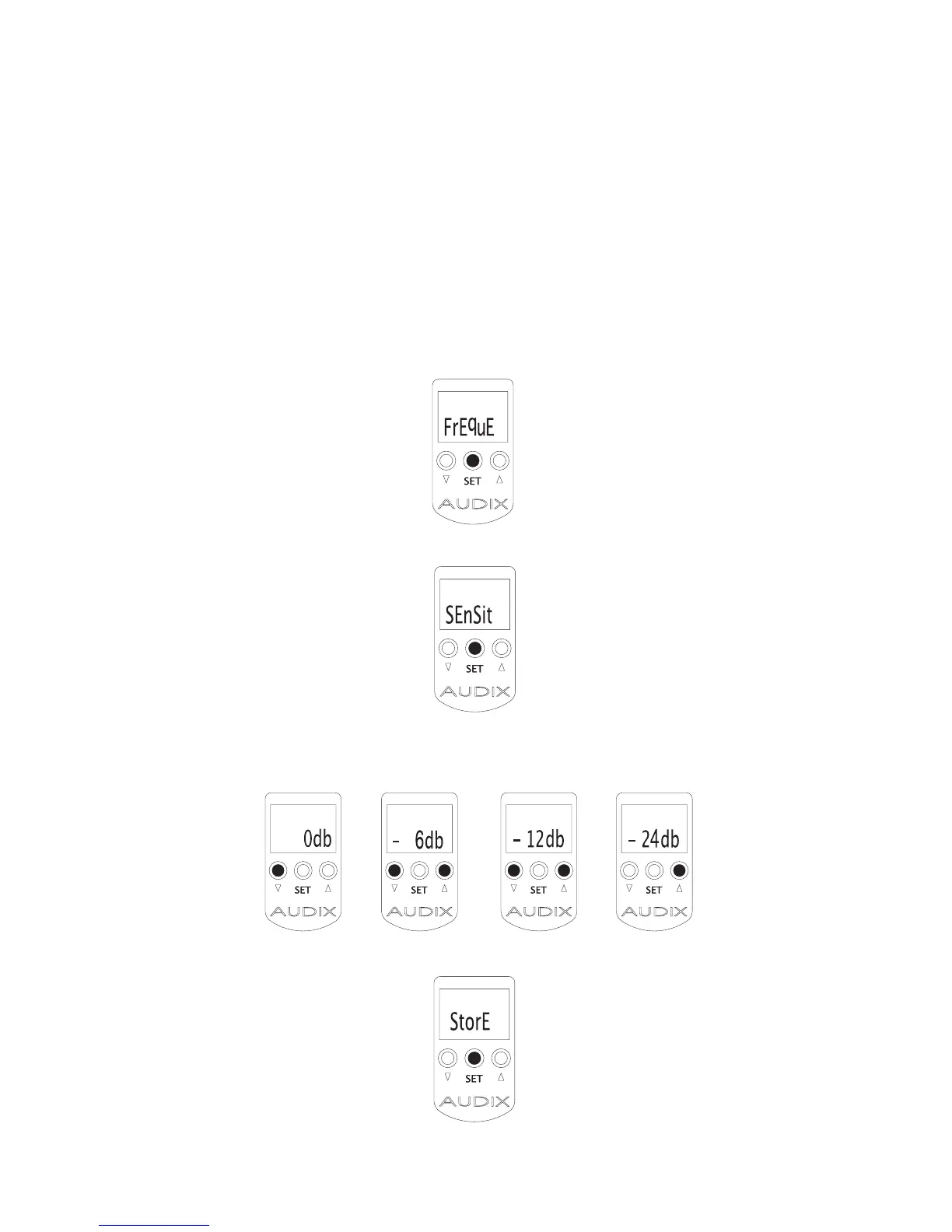
Adjusting the Sensitivity on the RAD-360 Handheld
Transmitter
The RAD-360 Handheld features adjustable sensitivity to increase/decrease the output
stage of the microphone. This helps to improve gain before feedback and to prevent
overloading the mixer/preamp.
1. From the startup screen, press and hold the SET button until you see the
word “FREQUE”.
2. Press SET once again and you will see “SENSIT” on the display.
3.
Press either UP or DOWN to adjust the output of the transmitter from -0 db to -24 db.
Use the “AF” bar graph on the Receiver to gauge your settings.
4. Press SET to store.


 To Next Page