20
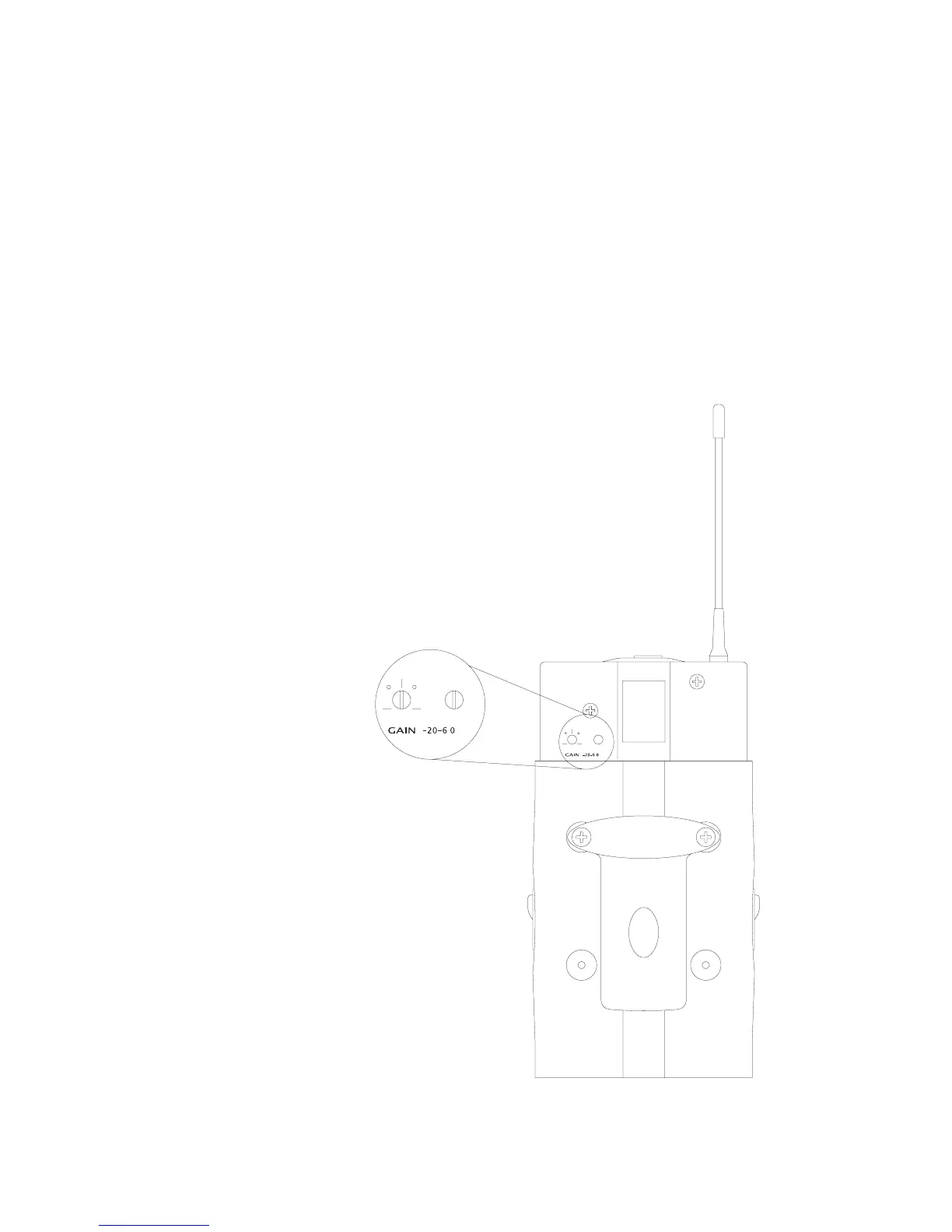
Adjusting the Sensitivity on the RAD-360 Bodypack
Transmitter
The RAD 360 Bodypack features adjustable sensitivity to increase/decrease
the output stage of the audio source. This helps to improve gain before
feedback and to prevent overloading the mixer/preamp. Audix supplies a
miniature screwdriver for the purpose of changing the gain and pad settings.
Please note that Audix ships the bodypack transmitter with the pad at “0”
(zero) and the gain at the 12:00 o’clock position.
The pad allows you to control the input sensitivity of the
microphone you are using with the bodypack. Start out at zero and
adjust accordingly. The gain setting allows you to increase or
decrease the output level of the microphone.
For guitar: Start with the pad at -20, and the gain at “0” (zero).
Further adjustments will depend on the output level of the guitar.


 To Next Page