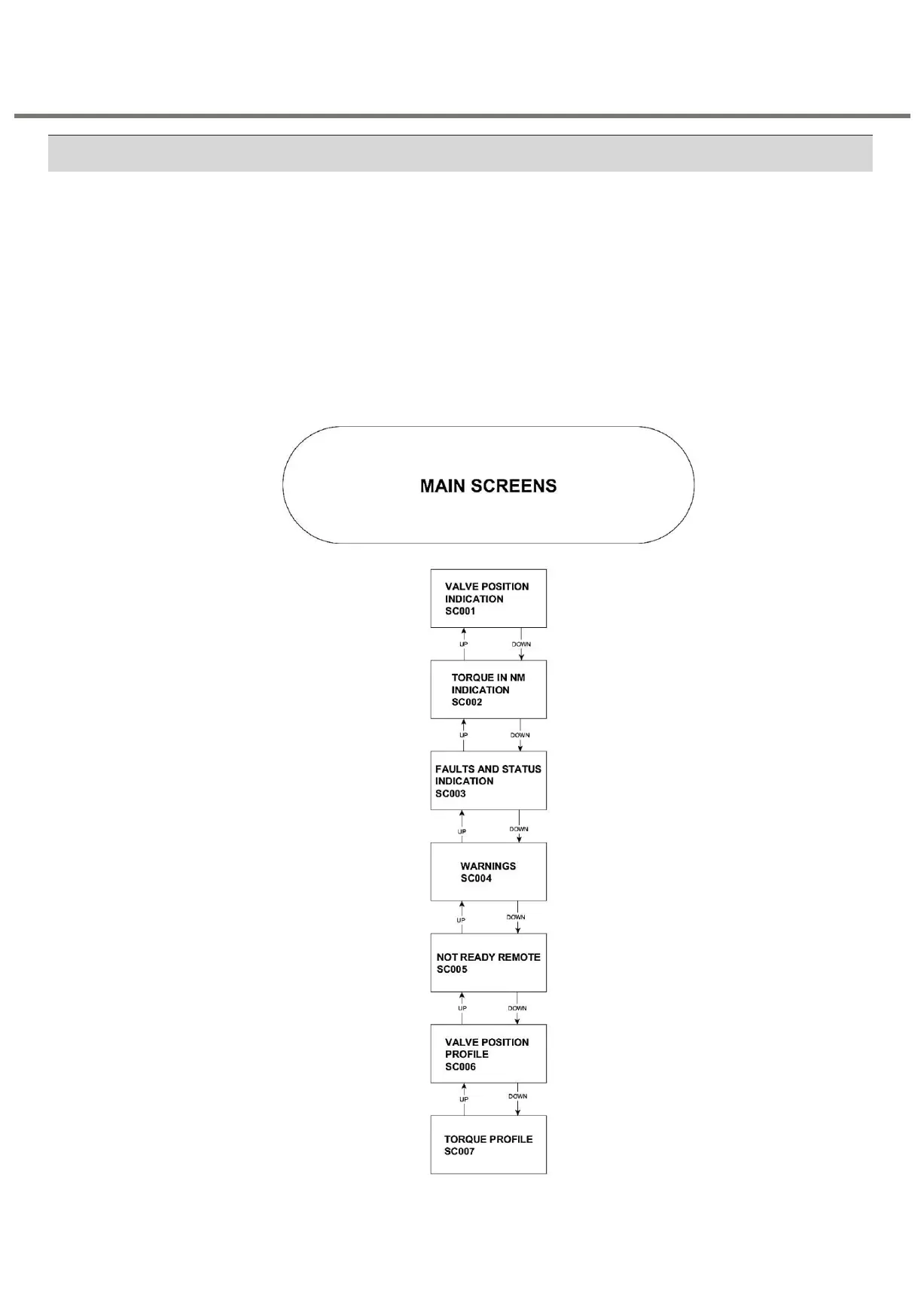
For any device diagnostics and settings, there are two modes available. EDIT and VIEW.
EDIT can be used whenever setting needs to be changed and VIEW can be used to see
the already set settings.
This section describes about the modes available for selection in this module. The options
are:
• MODE 1 - Program mode
• MODE 2 - Calibration mode
• MODE 3 - Diagnostic mode
There are several options/settings that are available in each of these modes. These are
discussed below.


 To Next Page