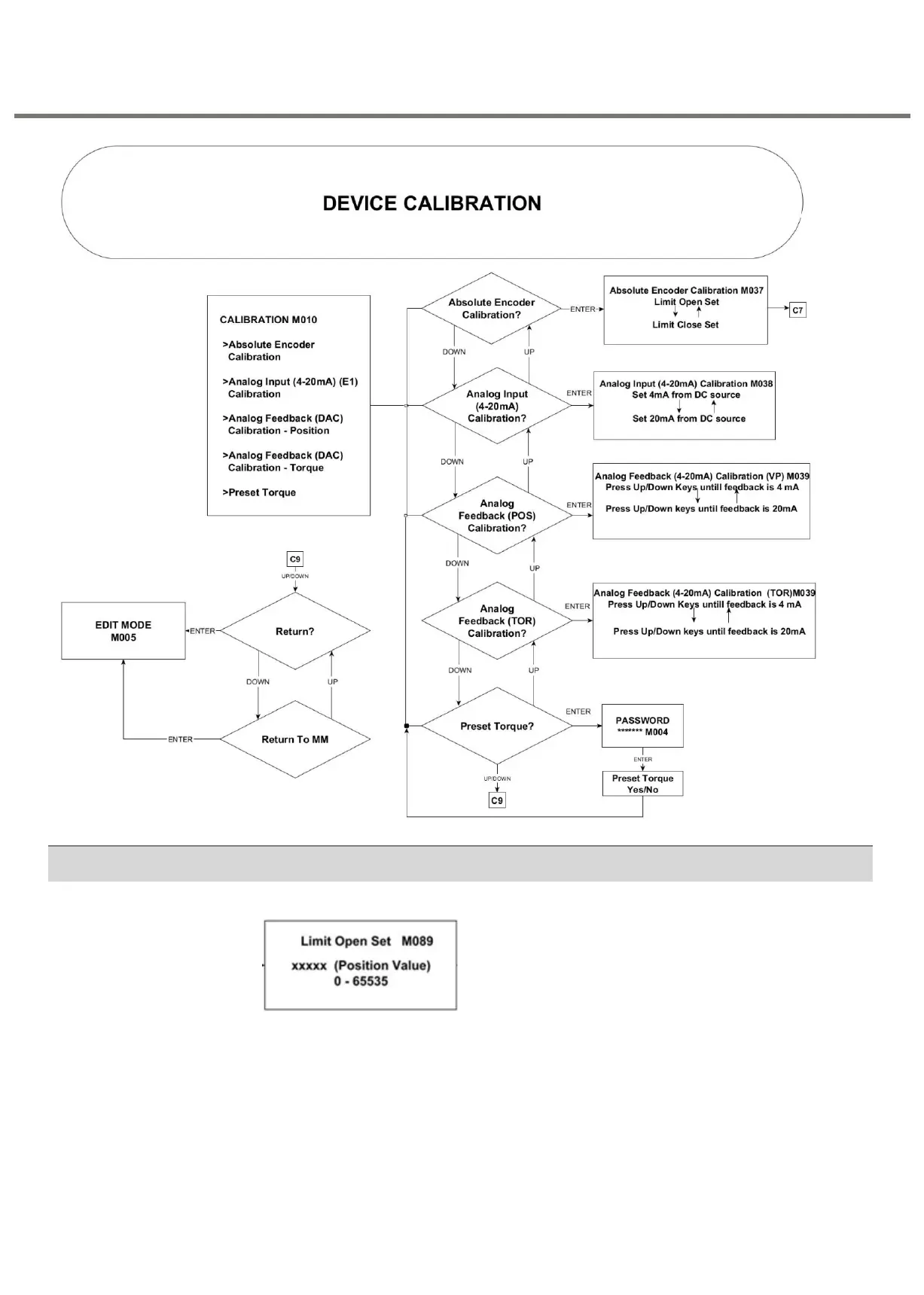
a. The LCD screen shows the current value of Open Limit.
b. Press OPEN push button to run the actuator in Open direction. Press "STOP"
button to stop the actuator before reaching end travel.
c. Engage Manual operation. Turn the hand wheel until valve is completely Opened.
d. Confirm the calibration by giving "yes" by pressing "OPEN" key and " STOP" to
store.
e. Press STOP key to accept the Open Limit Value.
f. Follow the flow chart mentioned below.


 To Next Page