5.
Press .
➥
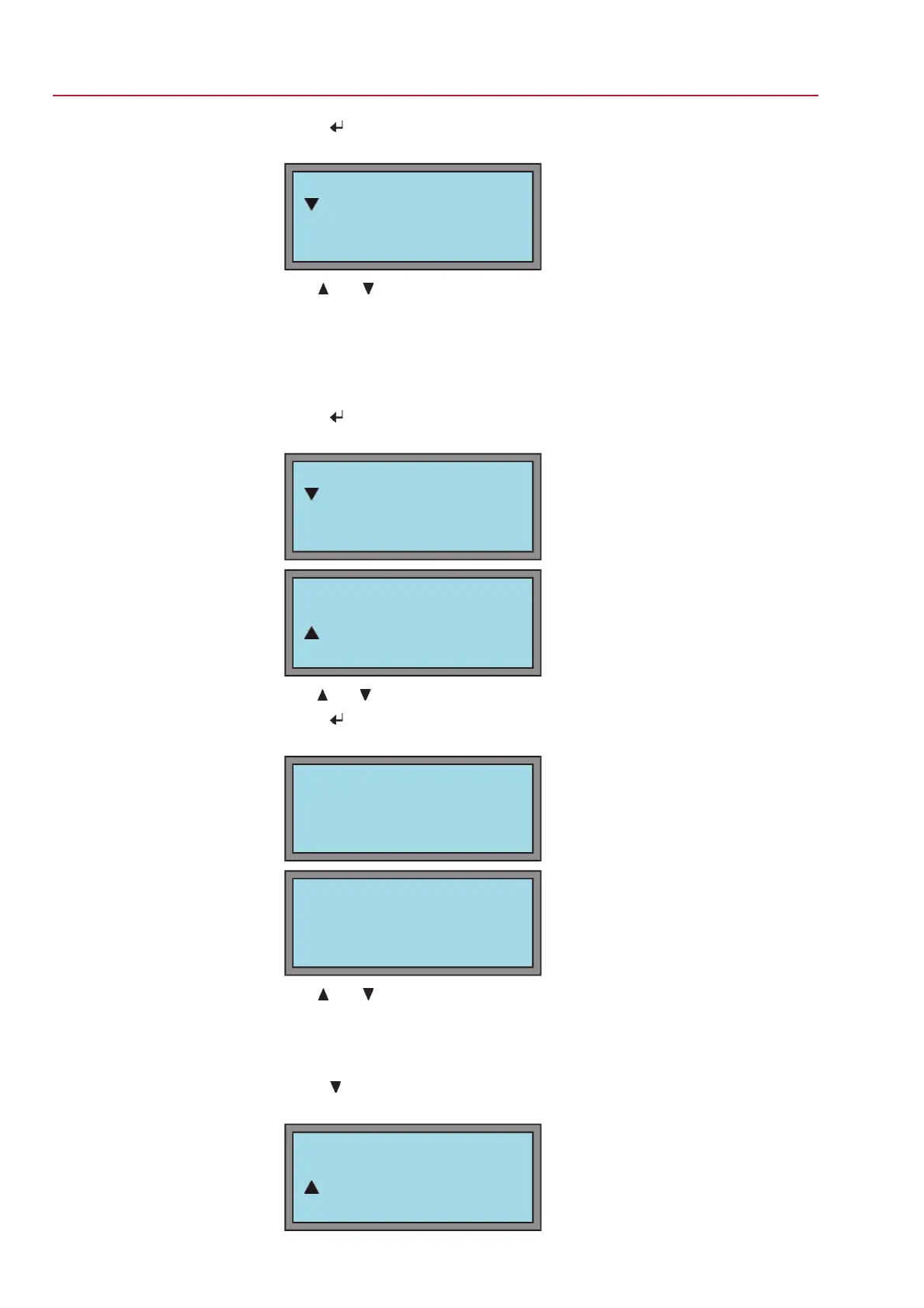
Display indicates:
SEATING MODE M110
VIEW
EDIT
Use and to select between VIEW and EDIT.
- Display seating mode: continue with 6.
- Change seating mode: continue with 9.
6. View or edit?
Display seating mode: continue with 7.
Change seating mode: continue with 10.
Display type of seating:
7.
Press
.
➥
Display indicates:
VIEW M1100
OPEN POSITION
CLOSED POSITION
VIEW M1101
OPEN POSITION
CLOSED POSITION
Use and to select between OPEN POSITION and CLOSED POSITION.
8.
Press
.
➥
Display indicates:
VIEW
OPEN POSITION
LIMIT
C:ESC
VIEW
CLOSED POSITION
LIMIT
C:ESC
Use and to also select here between OPEN POSITION and CLOSED
POSITION
.
9.
Return to the
VIEW/EDIT menu:
→
Press
C twice.
Change seating mode:
10.
Press
.
➥
Display indicates:
SEATING MODE M111
VIEW
EDIT
42
SG 05.1 – SG 12.1/SGR 05.1 – SGR 12.1 Control unit: electromechanic
Commissioning (basic settings) AC 01.1 Intrusive Modbus RTU



 To Next Page
 Loading...