Power
Smart Relay
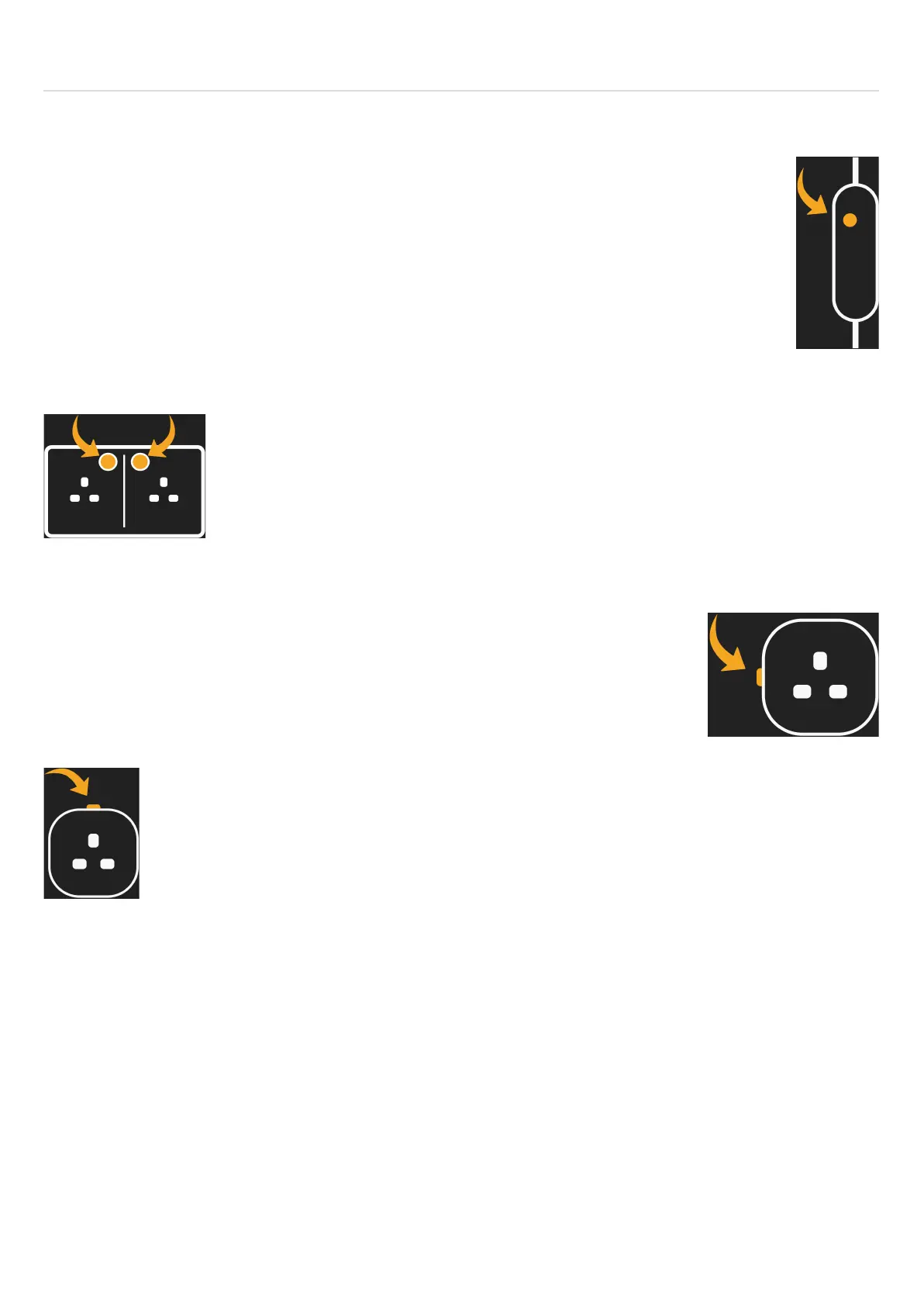
Pairing your Relay:
Press and hold down the power button for approximately 15 seconds. The red light will
begin flashing repeatedly every second.
(NB: The red light will flash once after 5 seconds, twice after 10 seconds and then
repeatedly after 15 seconds)
Double Socket
Pairing your Socket:
Press and hold down either of the buttons for approximately 10 seconds. The
LED ring around the buttons will begin flashing repeatedly.
Plug in Adaptor
Pairing your Smart Plug:
Press and hold down the power button for approximately 15 seconds. The red
light will begin flashing repeatedly every second.
(NB: The red light will flash once after 5 seconds, twice after 10 seconds and
then repeatedly after 15 seconds)
Pairing your V2 Smart Plug:
Press and hold down the power button for approximately 6 seconds. The light will
rapidly flash red and will start flashing blue after the button has been released.



 To Next Page