15
4.1 Start the Test
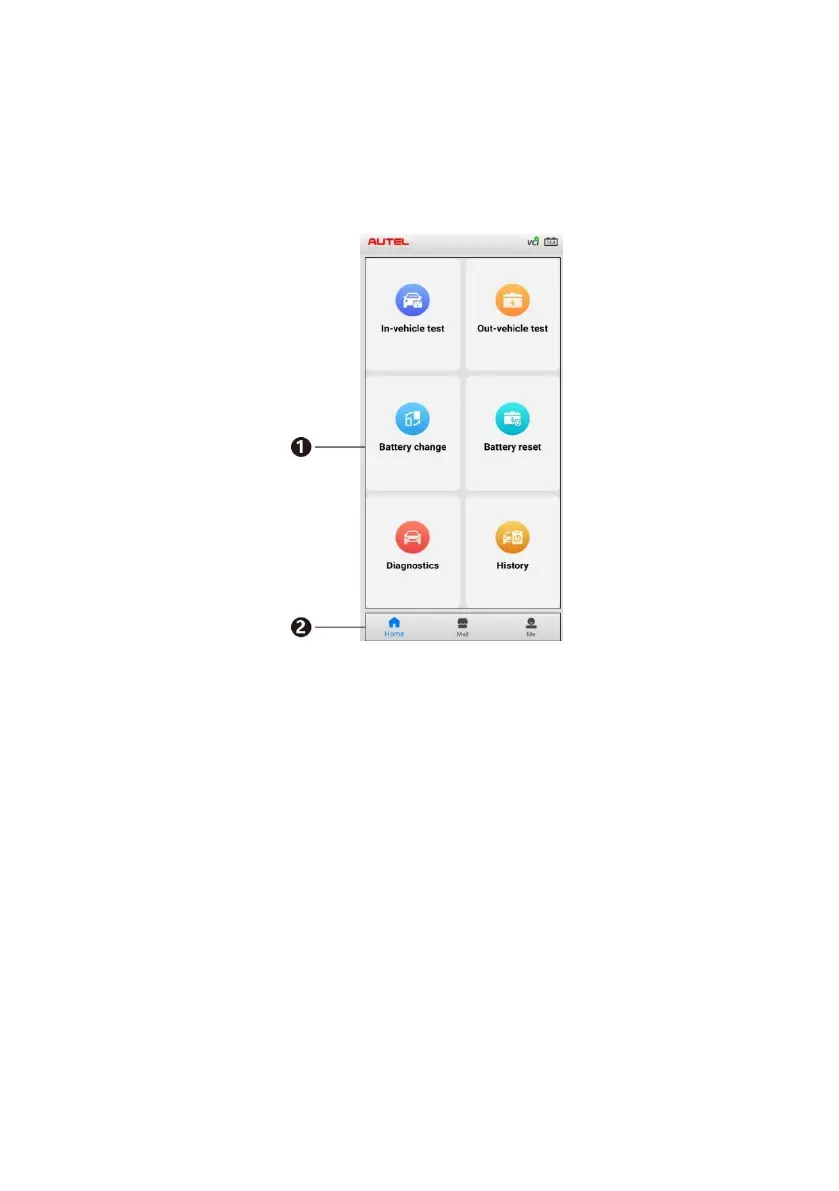
Select In-vehicle test on the Home screen.
Figure 4-2 Sample Home Screen
1. Home screen — displays six major functions of the BT508, including
In-vehicle test, Out-vehicle test, Battery change, Battery reset,
Diagnostics, and History.
2. Navigation Button — displays Home screen, Mall, and Me. Via the
Mall, the user can download the three software apps (Demo, Eobd and
Battery Test) for free. All systems diagnostics software for additional
brands may also be purchased via the Mall. The Me panel provides
information related to the user account, including the Order Manager,
Repair Report, Delete Vehicle, Data Logging, VCI Manager, BAS
Manager, Settings, and User Manual.


 To Next Page