20
4.2 Battery Test
Table 4-1 Upper Toolbar Buttons
NOTE
On an Android device, a tap on the Battery Connection button will display the
BAS Manager screen. On an iOS device, if the tester is not paired, a message
will appear to prompt the user to pair the battery tester. No other action or
screen will be displayed on the iOS device if already paired with the battery
tester.
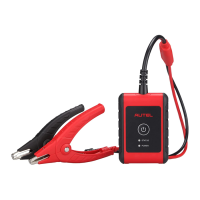
11. The Clamp Connection Diagram will appear. Follow the instructions to
connect the clamp cables and tap Next to continue.
Returns to the previous screen.
Returns to the Diagnosis (or Diagnostics)
screen.
Tap to enter the VCI Manager. The icon also
displays the connection status of the VCI.
Displays the battery connection status. The
number on the icon indicates the real-time
voltage of the tested battery.


 To Next Page