19
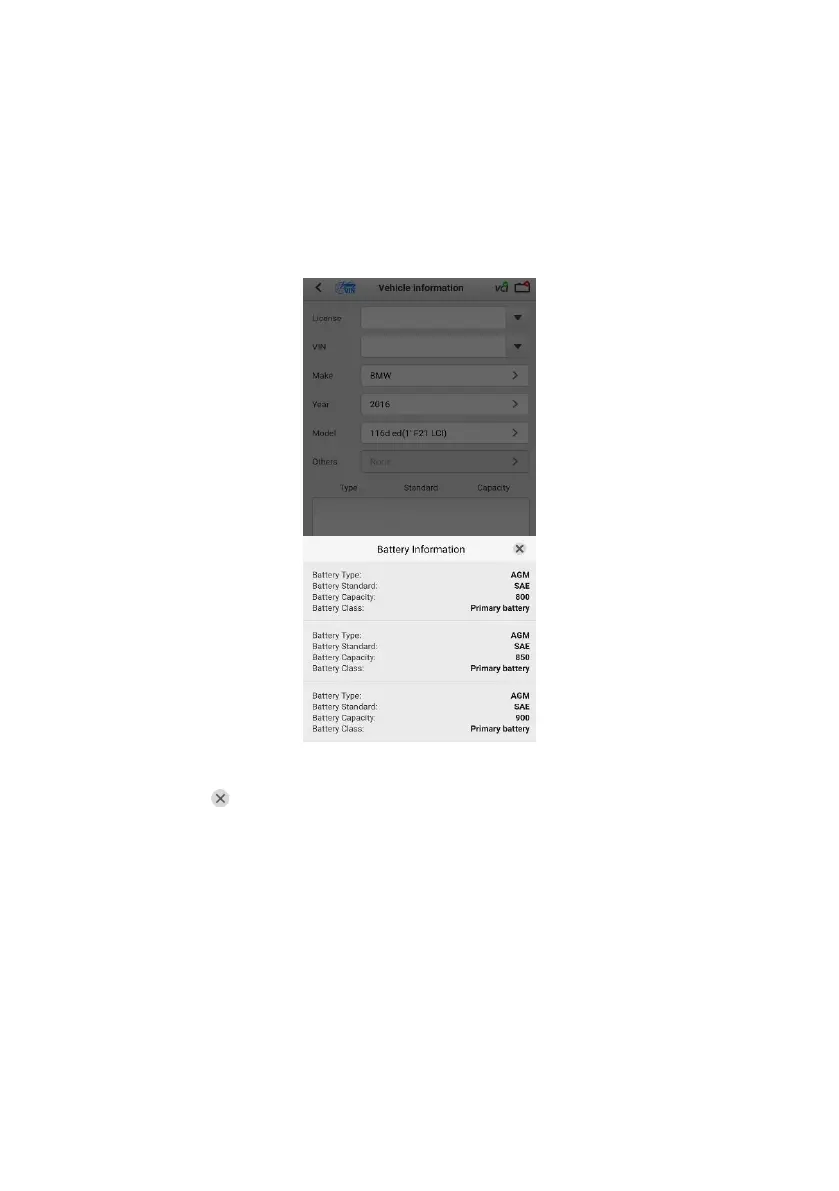
7. The vehicle information will be automatically identified when vehicle
communication is established. A Battery Information tab will appear from
the bottom of the screen.
Figure 4-5 Sample Battery Information Screen
8. Tap the icon on the tab to return to the Vehicle information screen. Tap
Battery Location on the bottom left corner of the screen and view the
battery position diagram.
9. Find the battery, check the battery information on it and select the correct
battery parameters on the screen.
10. Confirm the information on the Vehicle information screen is accurate. Tap
the corresponding field to manually correct the parameter values, if needed.
Tap Next to continue.


 To Next Page