37
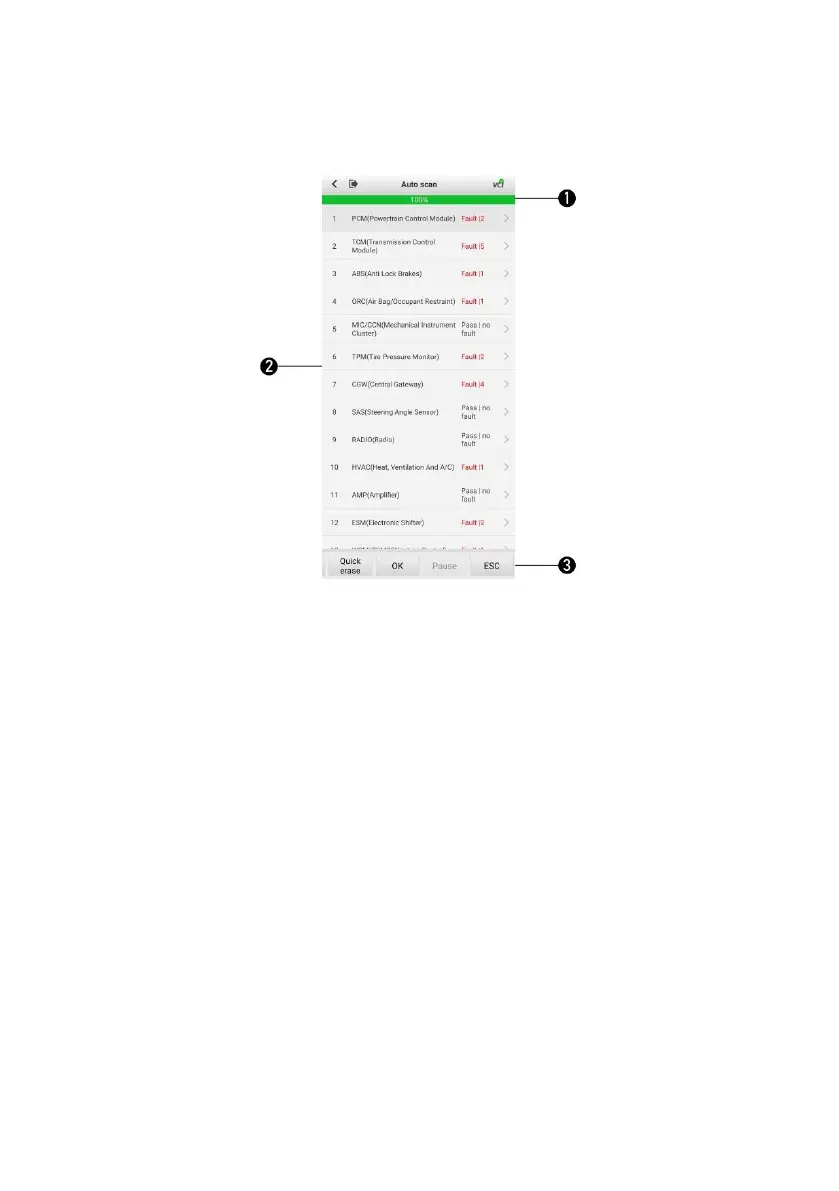
Figure 8-1 Sample Auto Scan Screen
1. Progress Percentage — indicates the test progress
2. Main Section
3. Function Buttons
Main Section
Column 1 — displays the sequence numbers.
Column 2 — displays the scanned systems.
Column 3 — displays the diagnostic indicators describing test results.
Indicators are defined as follows:
Fault | #: Fault indicates fault code(s) detected; # indicates the number of the
detected faults.
Pass | no fault: indicates the system has completed the scanning process with
no fault detected.


 To Next Page