Diagnostics Operations Vehicle Identification
24
To perform Auto VIN Scan
1. Tap the Diagnostics application button from the MaxiSys Job Menu.
The Vehicle Menu displays. (Figure 4-1)
2. Tap the VIN Scan button on the top toolbar.
3. Select Auto Detect. The tester starts VIN scanning on the vehicle’s
ECU. Once the test vehicle is successfully identified, the system will
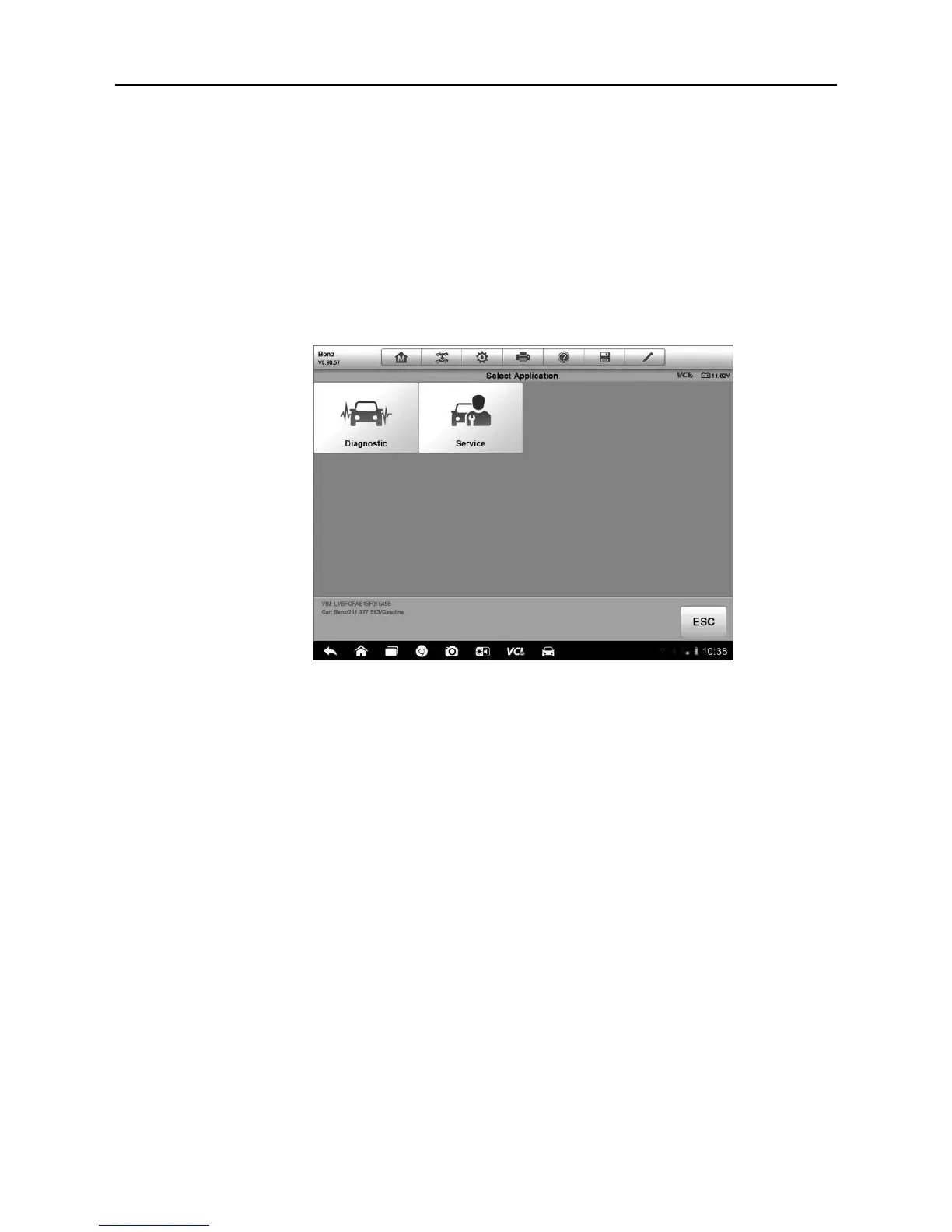
guide you to the Vehicle Diagnostics screen directly.
Figure 4-2 Sample Vehicle Diagnostics Screen
4.3.2 Manual VIN Input
For some vehicles that do not support the Auto VIN Scan function, the
MaxiSys diagnostic system allows you to enter the vehicle VIN manually, or
simply take a photo of the VIN sticker for quick vehicle identification.
To perform Manual VIN Input
1. Tap the Diagnostics application button from the MaxiSys Job Menu.
The Vehicle Menu displays. (Figure 4-1)
2. Tap the VIN Scan button on the top toolbar.
3. Select Manual Input.
4. Tap the input box and enter the correct VIN.













 To Next Page