Support Operations Support Screen Layout
84
12.2 Support Screen Layout
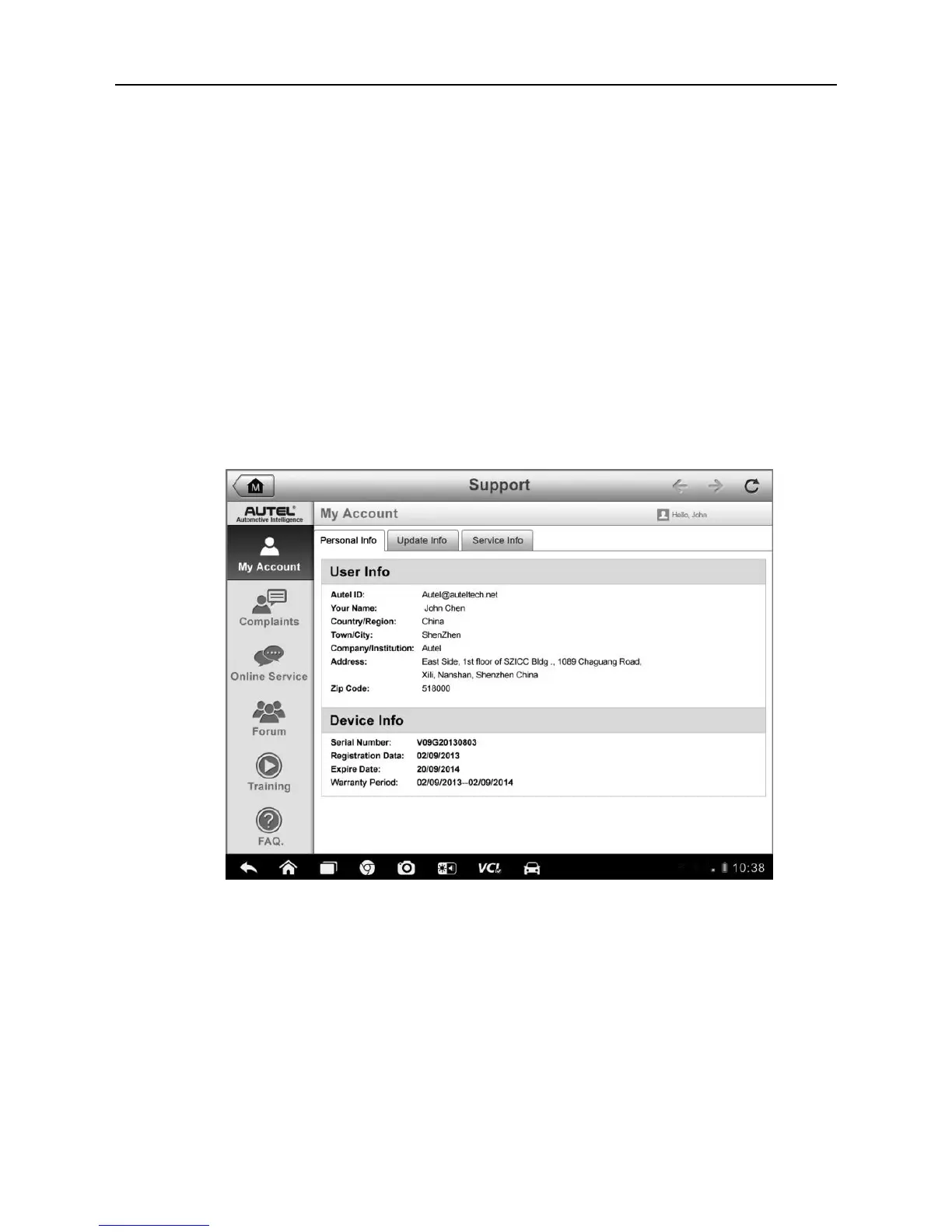
The Support application interface is navigated by 4 simple buttons on the top
navigation bar, operation of each is described below in turn from left to right:
Home Button – returns to the MaxiSys Job Menu.
Back – returns to the previous screen, each press takes you back one
step.
Forward – each press moves forward one screen until you’ve reached
the last screen visited.
Refresh – reload and update the screen.
Figure 12-1 Sample Support Application Screen
The main section of the Support screen is divided into two sections. The
narrow column on the left is the main menu; selecting one subject from the
main menu displays the corresponding functional interface on the right.













 To Next Page