Support Operations User Complaint
86
Screen Layout
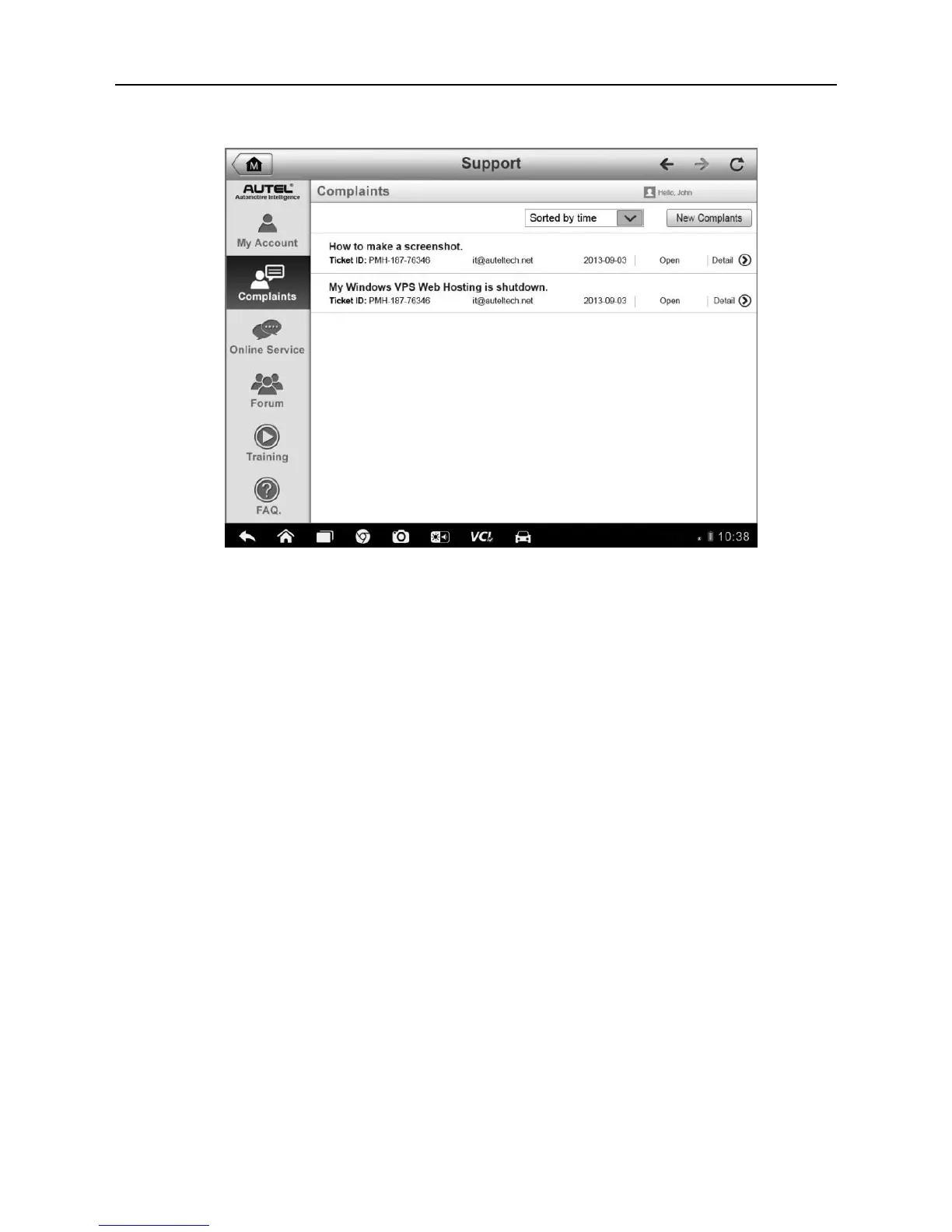
Figure 12-2 Sample Complaint Screen
The User Complaint screen consists of two parts.
1. Option Bar
Period Filter – displays only the complaint records within the
defined period on the list
Status Filter – displays the corresponding complaint records
according to the selected case status
New Complaint Button – starts a new complaint case.
2. Complaint List
The complaint list normally displays all the complaint records of all time
and all status by default. The summary information for each complaint
item includes the Subject Name, Ticket ID, User’s Account ID, Date, and
the Case Status.
There are four kinds of the case status:
Open – indicates the complaint case has been started but not
processed yet
Suspended – indicates the complaint case is being processed













 To Next Page