58
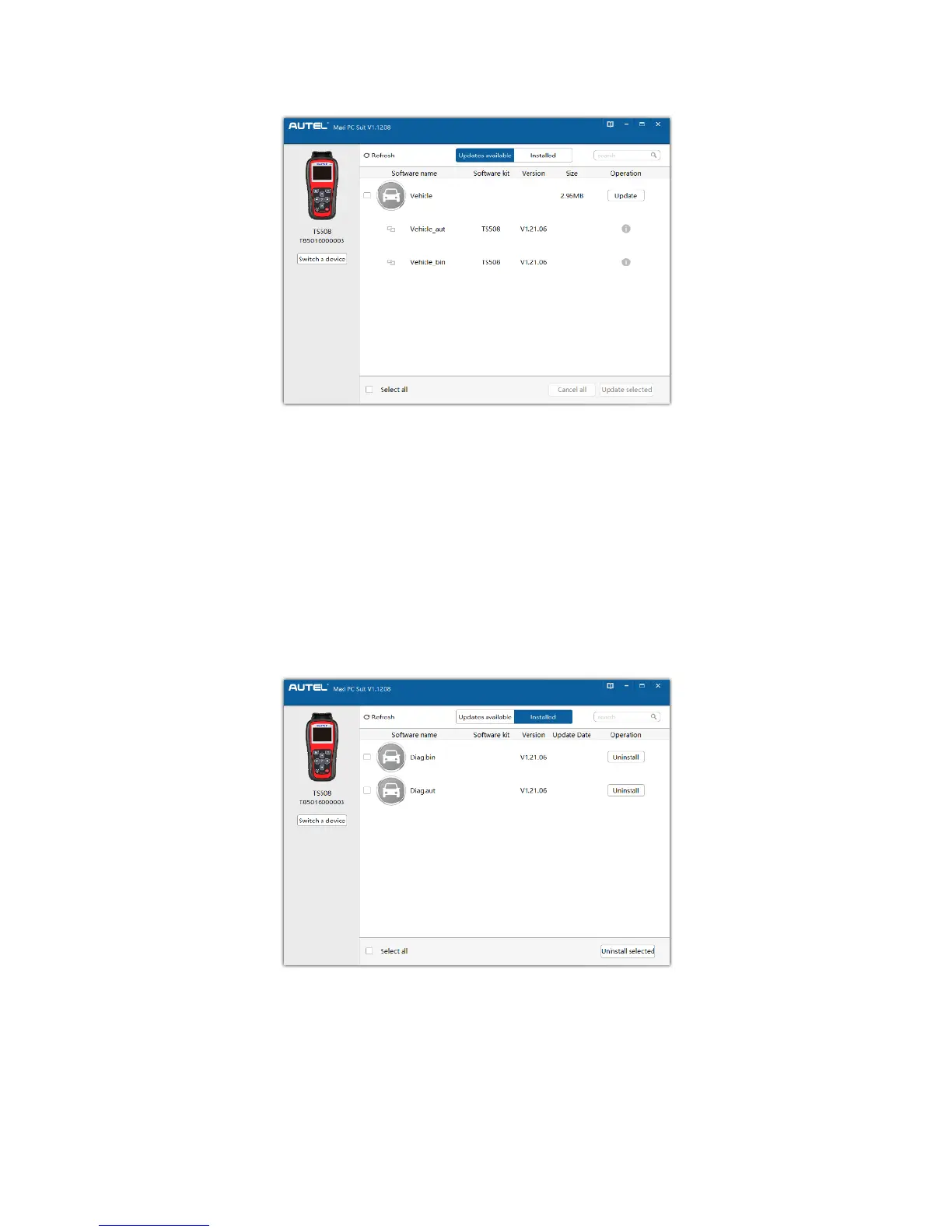
6. In the Update Available window, select the appropriate files to install.
Figure 5-6 Sample Update Window
View or Delete Programs
To view the list of installed programs or to delete an installed program, please
follow these steps:
1. Click on the Installed tag entry and the list of installed programs displays.
2. Select the program(s) that you would delete.
Figure 5-7 Sample Delete Window
3. Click the Uninstall button at the end of the program you want delete, a
confirmation message will display.
Click Yes to delete the program(s) selected, or No to cancel the













 To Next Page