59
action.
The deleted program will be added to the end of program list on the
Update Available page, if you wish to reinstall programs.
Setting
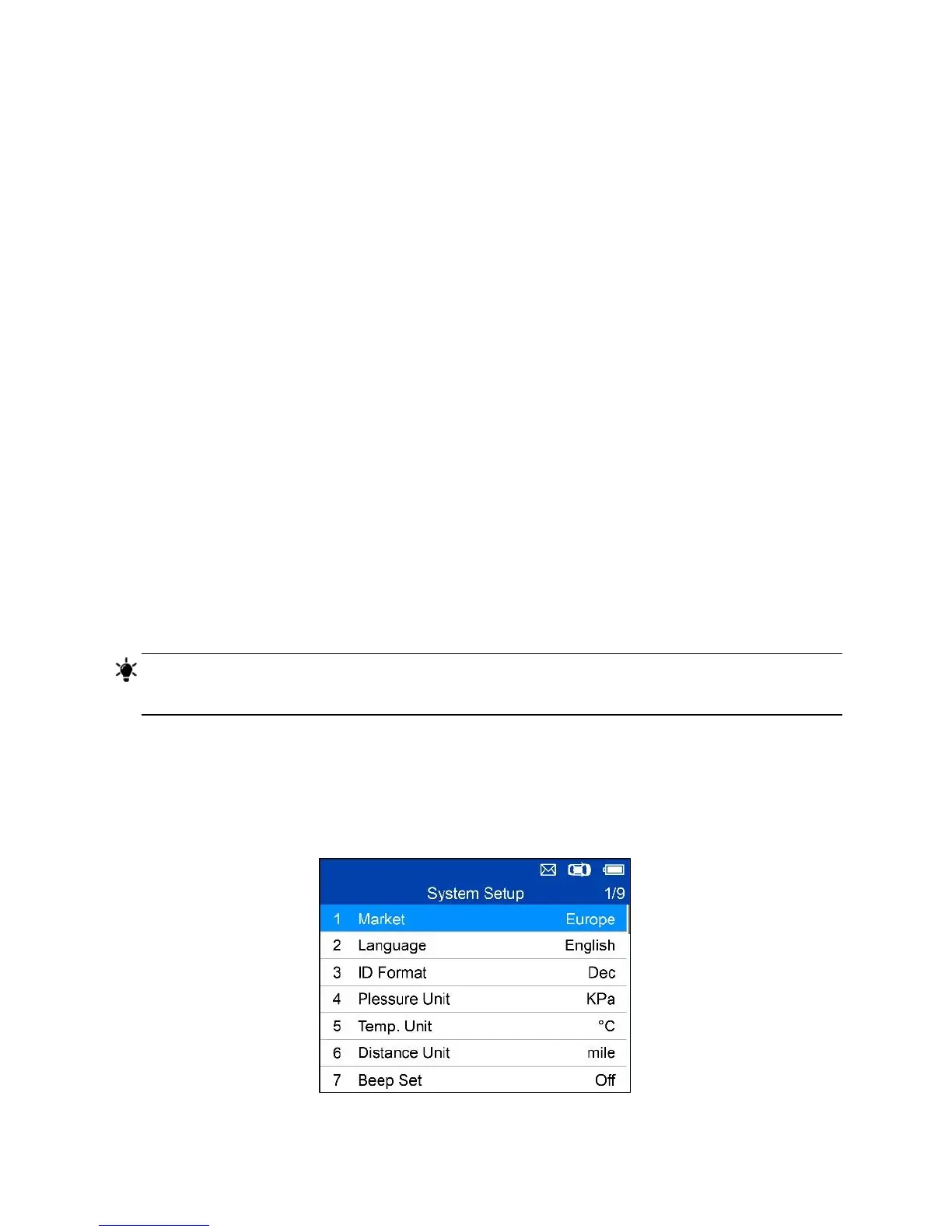
The tool allows you to make the following adjustments and settings.
1. Market: Selects the operating region of the tool.
2. Language: Selects the operating language of the tool.
3. ID Format: Sets the ID display to Hexadecimal, Decimal or Auto.
4. Pressure Unit: Sets the pressure unit in kPa, Psi or Bar.
5. Temperature Unit: Sets the temperature unit in degrees to Celsius or
Fahrenheit.
6. Distance Unit: Sets the distance unit in km or mile.
7. Beep Set: Turns on/off key-press beep.
8. Power-off: Sets the amount of time of inactivity before the tool
automatically power off.
9. Date and Time: Sets date and time on tool.
TIPS
Tool is set to default settings until changes are made.
To Enter the Setting Menu
From the Main Menu: Select Setting and press the Y button. The Setting
menu displays as below.
Figure 5-8 Sample System Setup Screen













 To Next Page