Owner Installation Instructions NeoSlider
TM
- Sliding Gate Opener NES-24V3 15
Fig 11.1
Fig 11.2
Fig 11.3
When batteries reach the end of their usual life in accordance with Australian Battery Recycling Initiative
please follow the next simple steps for protecting the environment.
Refer to the Automatic Technology website for information on where to recycle batteries in Australia.
DO NOT throw the batteries in municipal waste. This symbol of the crossed out wheeled bin indicates
that the battery should not be placed in the municipal waste. Check your local regulations for appropriate
disposal of the batteries.
Recycling all batteries will have other environmental and social benefits:
• Some batteries are less toxic but hazardous for other reasons. Lithium batteries can explode or catch fire in landfill,
while button cells are dangerous if swallowed by children. Recycling offers a safe and environmentally responsible
solution for end of life batteries.
• Battery recycling recovers non-renewable materials such as lead, cadmium, stella, zinc, manganese, cobalt, silver,
plastics and rare earth elements.
• Removal of batteries and other hazardous household products from household waste facilitates the recovery of
organic materials through alternative waste technologies such as composting. Batteries and heavy metals are known
contaminants in compost.
• The community supports recycling because it reduces waste to landfill and achieves environmental benefits.
WARNING! Prior to disposal, recycling, or collection, all battery terminals must be securely insulated with
a non conductive material to prevent any two batteries from short circuiting and generating heat during
storage or transport. Battery terminals may be insulated with electrical tape; or batteries may be individually
packaged in a non conductive material(e.g., plastic bag or original packaging).
13. Battery Disposal
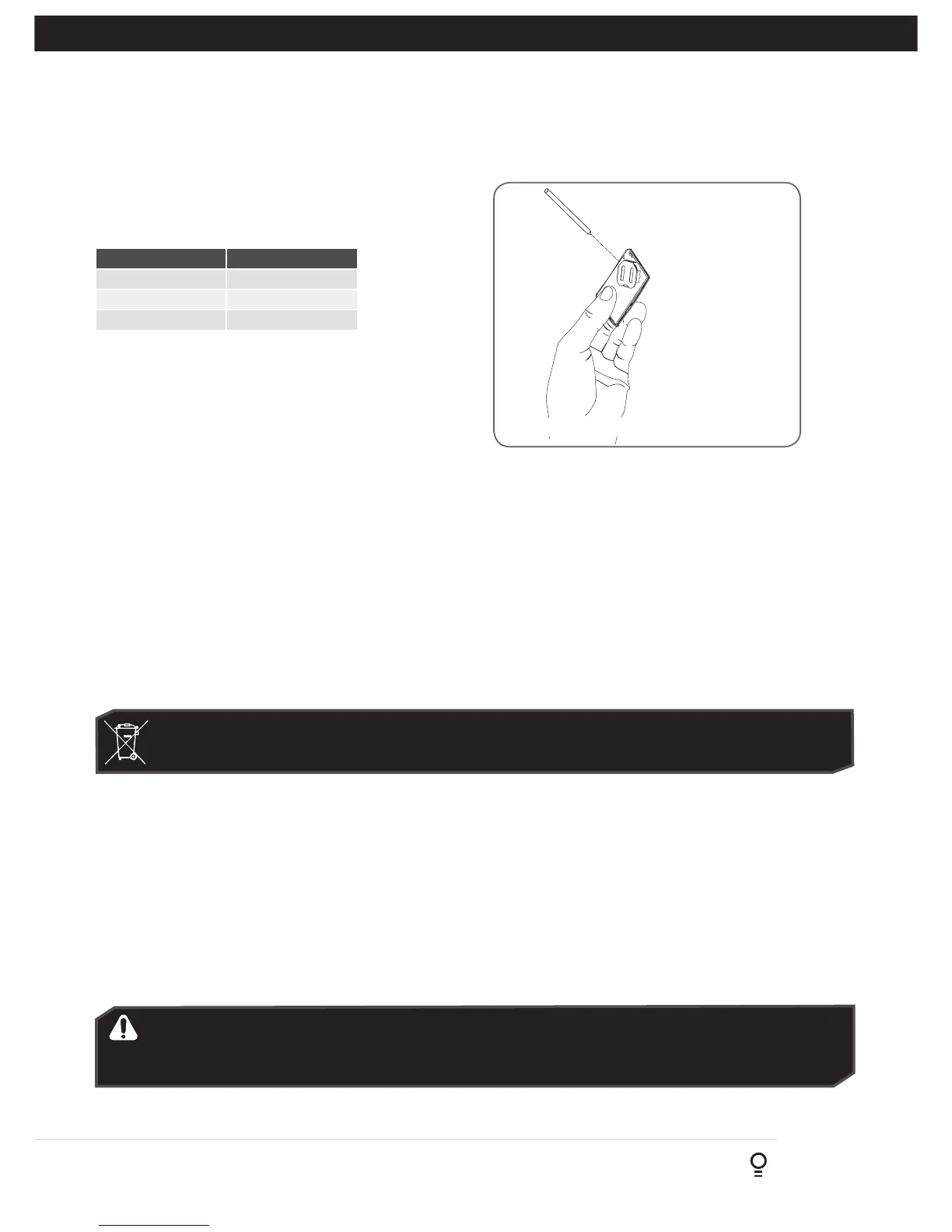
(Battery Type: 3V Lithium Battery CR2032).
Use a non-metallic object (e.g. pen) to remove the battery.
(Fig. 12.1). To test the battery is working, press and hold a
transmitter button; (Fig. 12.2).
Light Status Battery Status
Solid OK
Flashing Requires replacement
No light Requires replacement
REPLACE BATTERY WITH CR2032 ONLY
12. Battery Replacement
Fig. 12.1
Fig. 12.2
Use a pen
to push the
battery down
through the
side opening
to release
battery



 To Next Page