16
NeoSlider
TM
- Sliding Gate Opener NES-24V3 Owner Installation Instructions
NeoSlider
TM
can be instructed, via its pedestrian control feature, to
partly open and provide pedestrian access but prevent vehicle access.
NOTE: Before setting the pedestrian access position the gate must be
in the fully closed position. As with the Setting Travel Limit procedure,
a transmitter can be used to complete the pedestrian position setting
procedure.
NOTE: The pedestrian default position is set at five (5) seconds from fully
closed position and can be changed as follows:.
14.1 Setting pedestrian position
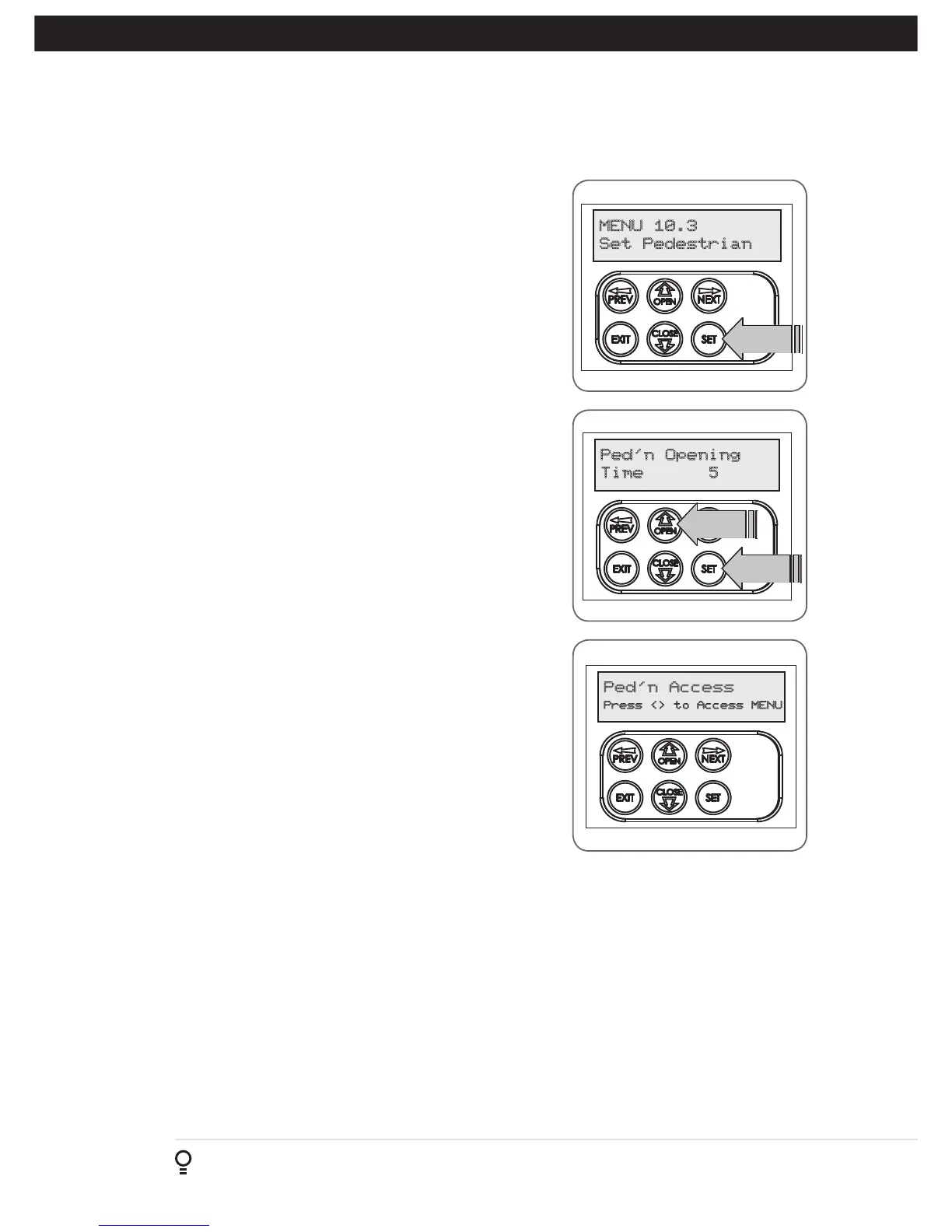
Navigating to “Menu 10.3 Set Pedestrian”
a. Press PREV to navigate to Menu 10.
b. Press SET - MENU 10.1 is displayed.
c. Press NEXT to go to MENU 10.3.
d. Press SET to enter Set Pedestrian procedure (Fig. 14.1).
To Set pedestrian position
a. Press OPEN to change the pedestrian access position time (Fig. 14.2).
b. Press SET to record new time.
c. Press transmitter coded for pedestrian function to test.
14.2 Pedestrian Position Set
The controller will return to the MAIN SCREEN with the gate status
shown as being in pedestrian access mode (Fig. 14.3).
14.3 Error Displays
During the above procedure many error checks are performed. If an error
is detected, a message will be displayed indicating the error.
14. Setting Pedestrian Position
Fig 14.1
Fig 14.2



 To Next Page